$ bns environments deploy --cluster your-eks
Preview Environments
On Your Kubernetes Cluster.
Every pull request gets a full-stack preview environment deployed to YOUR Kubernetes cluster. Helm, Docker Compose, K8s manifests, Terraform — all supported. Auto-provisioned on PR open, destroyed on merge. No shared staging bottleneck.
No credit card required — bring your own cluster
Used by engineering teams at
















Works With Helm, Compose &
K8s Manifests.
Define your environment with the tools you already use. Bunnyshell reads your Helm charts, Docker Compose files, Kubernetes manifests, and Terraform modules — then deploys them as a single, isolated preview environment on your cluster. No proprietary config language to learn.
- ✓Helm charts — deploy your existing Helm charts with per-PR value overrides. No chart modifications needed
- ✓Docker Compose — use your docker-compose.yml directly — Bunnyshell translates it to Kubernetes resources automatically
- ✓K8s manifests — raw Kubernetes YAML files deployed as-is to your cluster with namespace isolation
- ✓Terraform modules — provision cloud infrastructure (RDS, S3, SQS) alongside your application components
BYOC — Runs on
YOUR Cluster.
Bunnyshell connects to your existing Kubernetes cluster. Your code, data, and containers never leave your infrastructure. Works with AWS EKS, Google GKE, Azure AKS, DigitalOcean DOKS, and any self-managed K8s cluster. Each preview environment gets its own namespace — fully isolated.
- ✓AWS EKS — native integration with EKS. Connect via IAM role or kubeconfig
- ✓Google GKE — deploy preview environments to your GKE clusters with workload identity support
- ✓Azure AKS — full support for AKS clusters with Azure AD integration
- ✓Self-managed K8s — works with any conformant Kubernetes cluster — on-prem, bare-metal, or custom cloud setups
Auto-Create on PR,
Auto-Destroy on Merge.
Open a pull request and Bunnyshell provisions a dedicated Kubernetes namespace with your full stack. Merge or close the PR and everything is cleaned up — namespace, pods, services, ingress, and any Terraform-managed infrastructure. No orphaned resources. No surprise cloud bills.
- ✓Git-native triggers — GitHub, GitLab, and Azure DevOps webhooks fire on PR open, push, and merge
- ✓Auto-update on push — push new commits and your environment does a rolling update. No full redeploy
- ✓Auto-sleep schedules — scale pods to zero after hours. Auto-wake when the team starts work. Cut cloud costs by 60-70%
- ✓Namespace cleanup — on PR merge, the entire namespace is deleted — pods, secrets, configmaps, PVCs, everything
See it on your cluster.
Connect your EKS, GKE, or AKS cluster and deploy your first Kubernetes preview environment in under 30 minutes. Free tier — no credit card required.
Built for teams that
run on Kubernetes.
Self-serve environments, your guardrails
Define environment templates with Helm charts, resource limits, and RBAC policies. Developers self-serve without filing tickets. You control the cluster, they get isolated namespaces.
No Kubernetes knowledge needed
Open a PR and get a preview URL. No kubectl, no Helm installs, no YAML editing. Bunnyshell handles the Kubernetes complexity so developers can focus on shipping features.
Test every PR in isolation
Every feature branch gets its own full-stack environment on real Kubernetes infrastructure. Test against real services, real databases, real networking — not mocks.
Faster releases, lower cloud costs
Eliminate staging bottlenecks. Track per-environment costs with Kubecost integration. Auto-sleep and auto-destroy keep your cloud bill predictable.
Review features before they merge
Click the preview URL on any PR. See real, running features on production-like infrastructure. Give feedback before code hits main — no setup required.
Stop being the environment bottleneck
No more "can you set up staging for my branch?" requests. Bunnyshell automates environment provisioning on your existing cluster with the policies you define.
Deploy your first Kubernetes preview environment today.
Free tier includes 5 environments. No credit card required. Free white-glove onboarding.
Teams running Kubernetes preview
environments in production.


“Manual tests on Argo CD PRs now take me seconds. When you review dozens of PRs a day, that's a game-changer.”


“Automatically created BunnyShell environment based on PRs, speeding up the entire task implementation process.”


“The automation and scalability that Bunnyshell provides complements the DigitalOcean platform, empowering developers to build amazing products.”


“Websites don't die anymore, sales keep growing sustained by state-of-the-art tech scalability. Customers send thank you cards.”

“From a release once in 2-4 weeks to multiple times per week, and nobody's stressed about it.”

“I can count on an integrated platform for managing our infrastructure — capabilities we don't have in-house, at a fraction of the cost.”

“I can do with Bunnyshell and a DevOps person what my clients are doing with 4 DevOps people.”
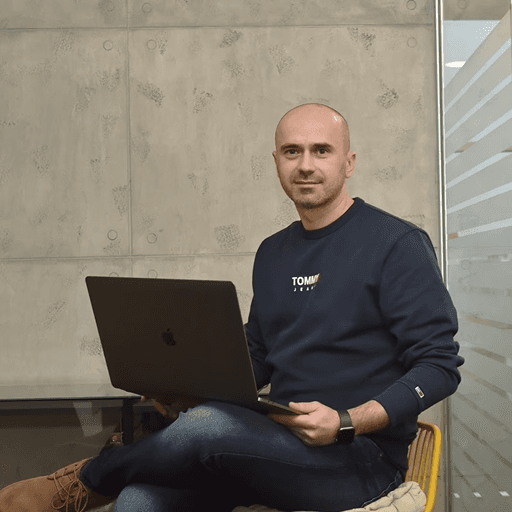
“Developers want convenience. They expect someone to translate their Docker Compose to the cloud. They're not going to rush to learn Kubernetes.”

“Bunnyshell was the only tool that handled our Helm + EKS setup without asking us to change everything.”

“60+ microservices. Bunnyshell deploys them in parallel and lets us control which ones come first.”
Frequently asked
questions
Can’t find what you’re looking for? Talk to our team
A Kubernetes preview environment is a full-stack, isolated copy of your application — frontend, backend, database, and infrastructure — deployed to a dedicated namespace on your Kubernetes cluster. It is automatically created when a pull request is opened and destroyed when the PR is merged or closed. Every component runs on real K8s infrastructure, not a simulation.
Preview environments on your cluster — starting today.
Connect your EKS, GKE, or AKS cluster. Deploy your first Kubernetes preview environment in minutes. Free tier includes 5 environments. No credit card required.