$ bns environments create --from staging
Staging On Demand.
For Every Team.
Create, clone, and manage staging environments from the UI. Any team member, no DevOps ticket.
No credit card required
Used by engineering teams at






















$ cat how-it-works.md
How Bunnyshell works
Connect your repo
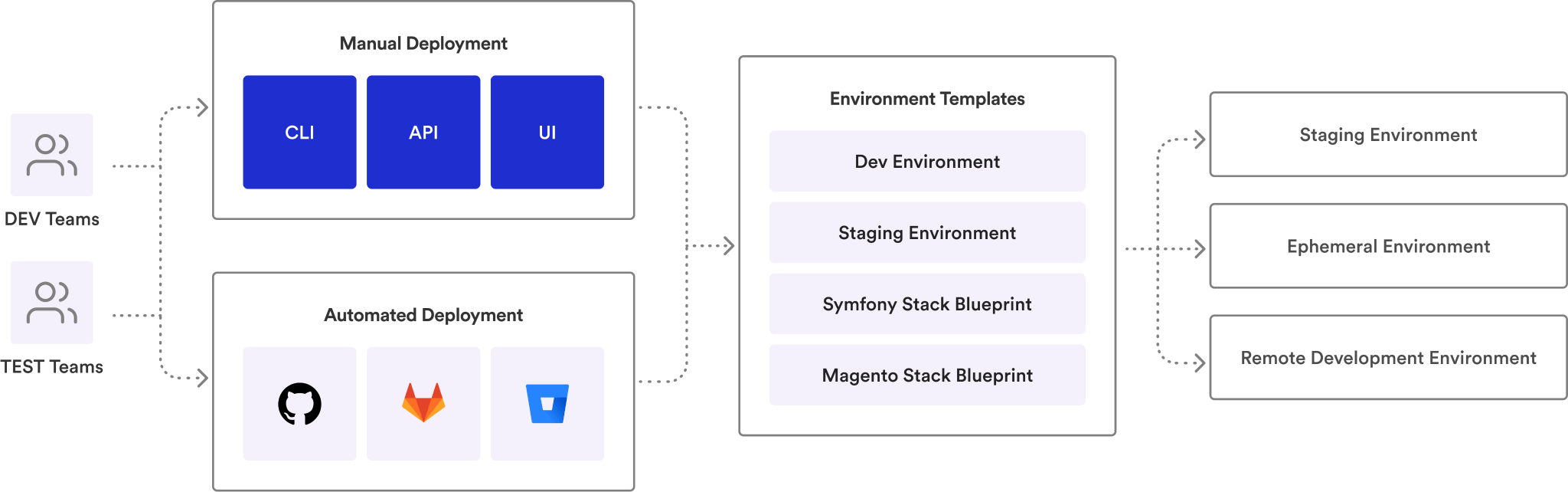
Link your GitHub, GitLab, or Bitbucket repository. Define your environment using Docker Compose, Helm, or Terraform — tools you already use.
 GitHub
 GitLab
 Bitbucket
 Docker
 Helm
Helm K8s
K8sOpen a pull request
Bunnyshell auto-provisions an isolated, full-stack environment for every PR. Share the preview URL with your team.
Merge and move on
Tests pass, code is reviewed, PR merges. The environment auto-destroys. No cleanup. No surprise cloud bills.
See it in action.
Spin up your first staging environment in under 30 minutes. Free tier — no credit card required.
One-Click Staging.
Zero Tickets.
Clone any environment instantly from the UI or CLI. Every developer, QA, PM can spin up a full staging stack without waiting for DevOps.
- ✓Clone from UI or CLI — one click or one command to duplicate any existing staging environment
- ✓Full-stack replication — frontend, backend, database, infrastructure — all cloned together
- ✓Self-service for all roles — developers, QA, PMs, and designers create their own staging environments
- ✓Template-based creation — define approved templates so every staging environment meets your standards
Clone, Branch, Test.
Merge.
Clone a staging environment, connect it to a feature branch, test in isolation. Merge the PR, the environment cleans itself up.
- ✓Branch-linked staging — connect any cloned environment to a feature branch for isolated testing
- ✓Auto-update on push — push new commits and the staging environment redeploys automatically
- ✓Auto-destroy on merge — PR merged or closed? The staging environment removes itself. Zero cleanup
- ✓Parallel testing — multiple teams test different features simultaneously — no staging contention
Auto-Sleep.
Auto-Wake.
Environments sleep at 8 PM, wake at 8 AM. Or set custom schedules. No forgotten staging servers running through the weekend.
- ✓Configurable schedules — set sleep and wake times per environment or apply org-wide defaults
- ✓Weekend shutdown — automatically stop staging environments Friday night, restart Monday morning
- ✓Instant wake on access — wake any sleeping environment with one click when you need it off-hours
- ✓Cost reduction by default — most teams cut staging cloud spend 40-60% with auto-sleep alone
Per-Environment
Cost Tracking.
Track cloud spend per staging environment via Kubecost integration. Know exactly what each team, branch, or feature costs.
- ✓Kubecost integration — per-environment CPU, memory, and cost breakdown updated in real time
- ✓Team-level reporting — aggregate costs by team, project, or environment type for chargeback
- ✓Stopped = $0 — sleeping and stopped environments cost nothing. No forgotten resources
- ✓Budget alerts — set spending thresholds and get notified before costs exceed expectations
Staging that works
for your entire org.
Self-serve staging
Spin up a full staging environment from the UI. No tickets, no waiting, no shared environments.
Dedicated test environments
Every test cycle gets its own staging. Run E2E, performance, and regression tests in isolation.
Preview any feature
Access staging environments for any PR. Review features before they ship — no setup required.
Guardrails, not gates
Define templates, set resource limits, control who can create what. Self-service with governance.
Track staging costs
Per-environment cost tracking. Know which teams and features drive cloud spend.
Staging that matches production
Same infrastructure definition, same config. What works in staging works in production.
Staging without the bottleneck.
Self-service staging for every team. Free tier includes 5 environments. No credit card required. Free white-glove onboarding.
Teams that made staging
self-service.


“Manual tests on Argo CD PRs now take me seconds. When you review dozens of PRs a day, that's a game-changer.”


“Automatically created BunnyShell environment based on PRs, speeding up the entire task implementation process.”


“The automation and scalability that Bunnyshell provides complements the DigitalOcean platform, empowering developers to build amazing products.”


“Websites don't die anymore, sales keep growing sustained by state-of-the-art tech scalability. Customers send thank you cards.”

“From a release once in 2-4 weeks to multiple times per week, and nobody's stressed about it.”

“I can count on an integrated platform for managing our infrastructure — capabilities we don't have in-house, at a fraction of the cost.”

“I can do with Bunnyshell and a DevOps person what my clients are doing with 4 DevOps people.”
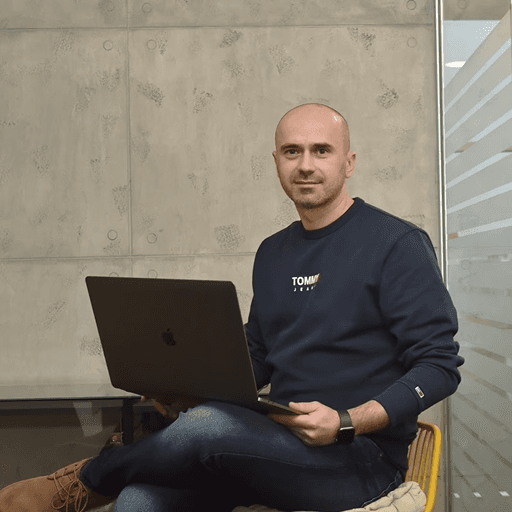
“Developers want convenience. They expect someone to translate their Docker Compose to the cloud. They're not going to rush to learn Kubernetes.”

“Bunnyshell was the only tool that handled our Helm + EKS setup without asking us to change everything.”

“60+ microservices. Bunnyshell deploys them in parallel and lets us control which ones come first.”
Enterprise-grade security.
Your data stays in your cloud.
Bunnyshell connects to YOUR Kubernetes cluster. Your code and data never leave your infrastructure. SOC 2, ISO 27001, and ISO 9001 compliant.



RBAC
Three-layer permission model: Policies, Resource Selectors, and Teams. Granular enough for enterprise.
SSO
Enterprise single sign-on. Integrate with your existing identity provider.
Network Isolation
Dedicated Kubernetes namespace per environment. Pods accessible only within their namespace.
Secrets Management
Environment variables and secrets handled securely. Never hard-coded, always encrypted.
IP Whitelisting
Restrict access to specific IP ranges. Control who can reach your environments.
Audit Logs
Full audit trail for every environment action. Who deployed what, when, and where.
Frequently asked
questions
Can’t find what you’re looking for? Talk to our team
Self-service staging means any team member — developer, QA, PM, or designer — can create a full-stack staging environment from the Bunnyshell UI or CLI without filing a DevOps ticket. Environments are cloned from existing templates, so they match your production stack automatically.
One click to a full staging stack.
Self-service staging for every team member. Free tier includes 5 environments. No credit card required. Free white-glove onboarding.


