AWS Proton Alternative: Why Teams Are Choosing Bunnyshell in 2026
Update (March 2026): AWS has announced that AWS Proton will reach end of life on October 7, 2026. After that date, the Proton console, API, and pipeline management will be permanently unavailable. This article has been fully rewritten with migration guidance, concept mapping, and an updated feature comparison. If you're currently using Proton, read our companion post: AWS Proton End of Life: What You Need to Know.
Why You Need an AWS Proton Alternative Now
This is no longer an academic comparison. AWS Proton is being discontinued. If you're running workloads through Proton today, you have a hard deadline: October 7, 2026.
After that date:
- The Proton console and API will be inaccessible
- Template publishing and versioning will stop working
- Proton-managed pipelines will cease to function
- Service instance creation and updates through Proton will be impossible
- Schema.yaml validation and parameter management will be gone
Your underlying infrastructure — CloudFormation stacks, Terraform state, running applications — remains intact. But the orchestration layer you use to manage, update, and deploy that infrastructure disappears entirely.
The question isn't whether you need an alternative. It's which alternative gets you migrated fastest with the least disruption to your team.
What Made AWS Proton Useful (and What It Got Wrong)
Before we compare, let's be honest about what Proton did well. It gave platform teams a way to:
- Define standardized templates for environments and services
- Enforce input parameters via schema.yaml so developers couldn't misconfigure infrastructure
- Provide self-service deployments where developers picked a template, filled in parameters, and got a running environment
- Manage template versions and roll out updates across all instances
These are real problems. Platform teams need to standardize infrastructure without bottlenecking developers.
But Proton had fundamental limitations that held it back:
- AWS only — if you ran anything on GCP, Azure, or a non-AWS Kubernetes cluster, Proton couldn't touch it
- No ephemeral environments — there was no concept of spin-up-on-PR, auto-destroy-on-merge
- No cost controls — no way to auto-stop idle environments or track spending per team
- No developer tools — no remote development, no IDE integration, no hot-reload in cloud environments
- Limited IaC support — CloudFormation was first-class, Terraform support was bolted on later and never reached parity
- No AI capabilities — no sandboxed environments for AI coding tools
AWS evidently agreed that these limitations couldn't be addressed within Proton's architecture. Hence the deprecation.
What Bunnyshell Does Differently
Bunnyshell isn't a Proton clone. It's what Proton should have been — a platform engineering tool that runs your existing infrastructure-as-code natively, across any cloud, with the developer experience features that modern teams expect.
Here's the concrete mapping from Proton concepts to Bunnyshell:
Your CloudFormation Templates: Zero Rewrite
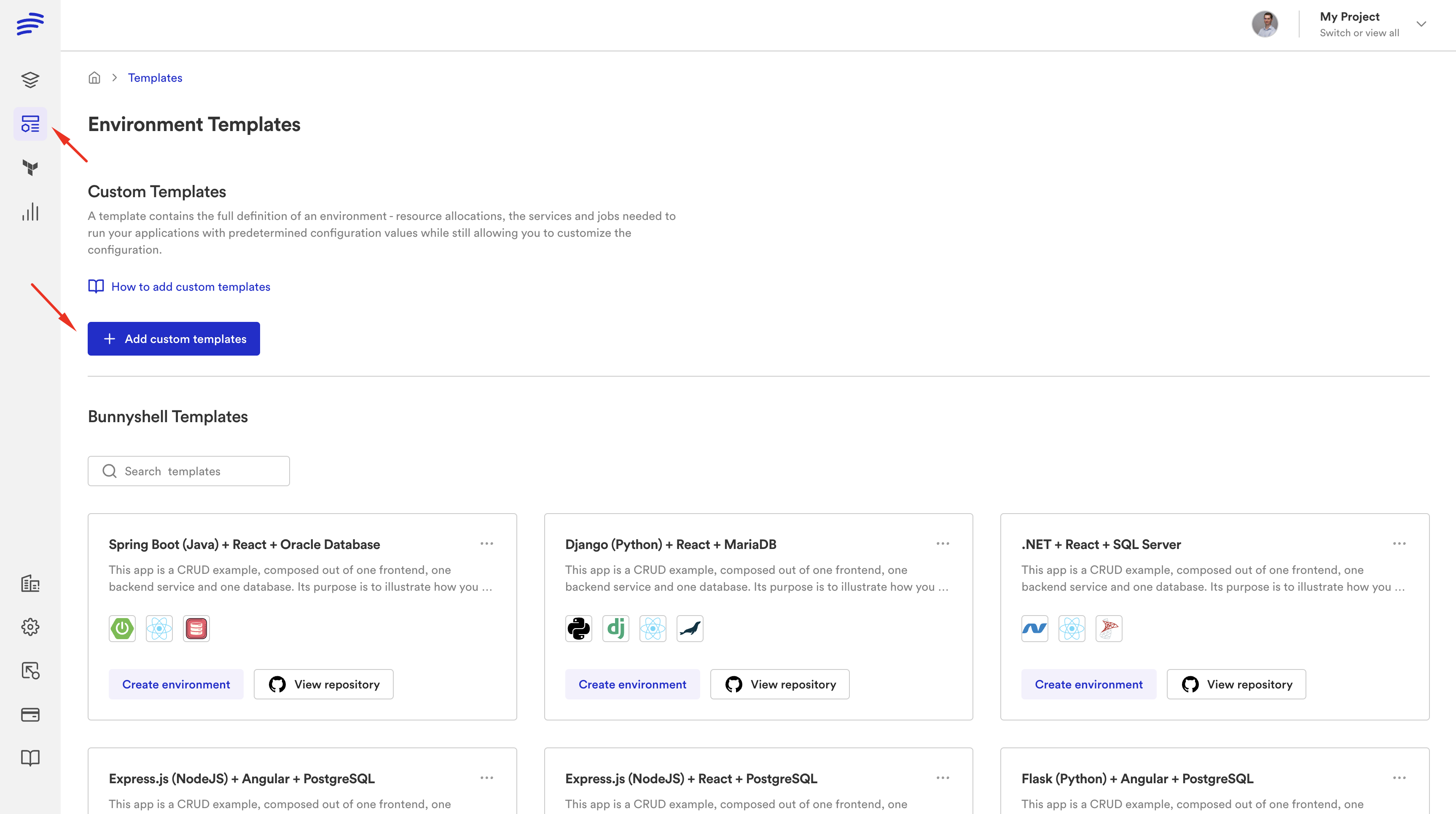
In Proton, your CloudFormation templates lived inside environment templates and service templates. In Bunnyshell, those same CF templates run inside a GenericComponent:
1kind: GenericComponent
2name: my-vpc
3deploy:
4  - aws cloudformation deploy
5      --template-file infrastructure/vpc.yaml
6      --stack-name {{ env.unique }}
7      --parameter-overrides VpcCidr={{ components.my-vpc.vars.vpc_cidr }}
8destroy:
9  - aws cloudformation delete-stack --stack-name {{ env.unique }}
Your CloudFormation YAML doesn't change. Not a single line. You wrap it in a component definition that specifies the deploy command, the destroy command, and the variable mappings.
Your Terraform Modules: Native First-Class Support
Proton's Terraform support was a later addition and always felt like a second-class citizen. Bunnyshell has native Terraform support with kind: Terraform:
1kind: Terraform
2name: database
3gitRepo: https://github.com/your-org/terraform-modules.git
4gitBranch: main
5gitApplicationPath: /modules/rds
6vars:
7  instance_class: db.t3.medium
8  engine_version: "15.4"
Bunnyshell handles terraform init, plan, apply, and destroy automatically. State management is built in — you can use Bunnyshell's managed state backend or bring your own (S3, Terraform Cloud, etc.).
Your schema.yaml Parameters: Template Variables
Proton's schema.yaml defined the input parameters developers could set when creating a service instance. In Bunnyshell, these become template variables:
| Proton (schema.yaml) | Bunnyshell (template variables) |
|---|---|
environment.inputs | Environment-level template variables |
service.inputs | Component-level variables |
pipeline.inputs | Workflow variables |
| Default values | Default values in template definition |
| Validation rules | Variable type constraints |
Your Service Instances: Components
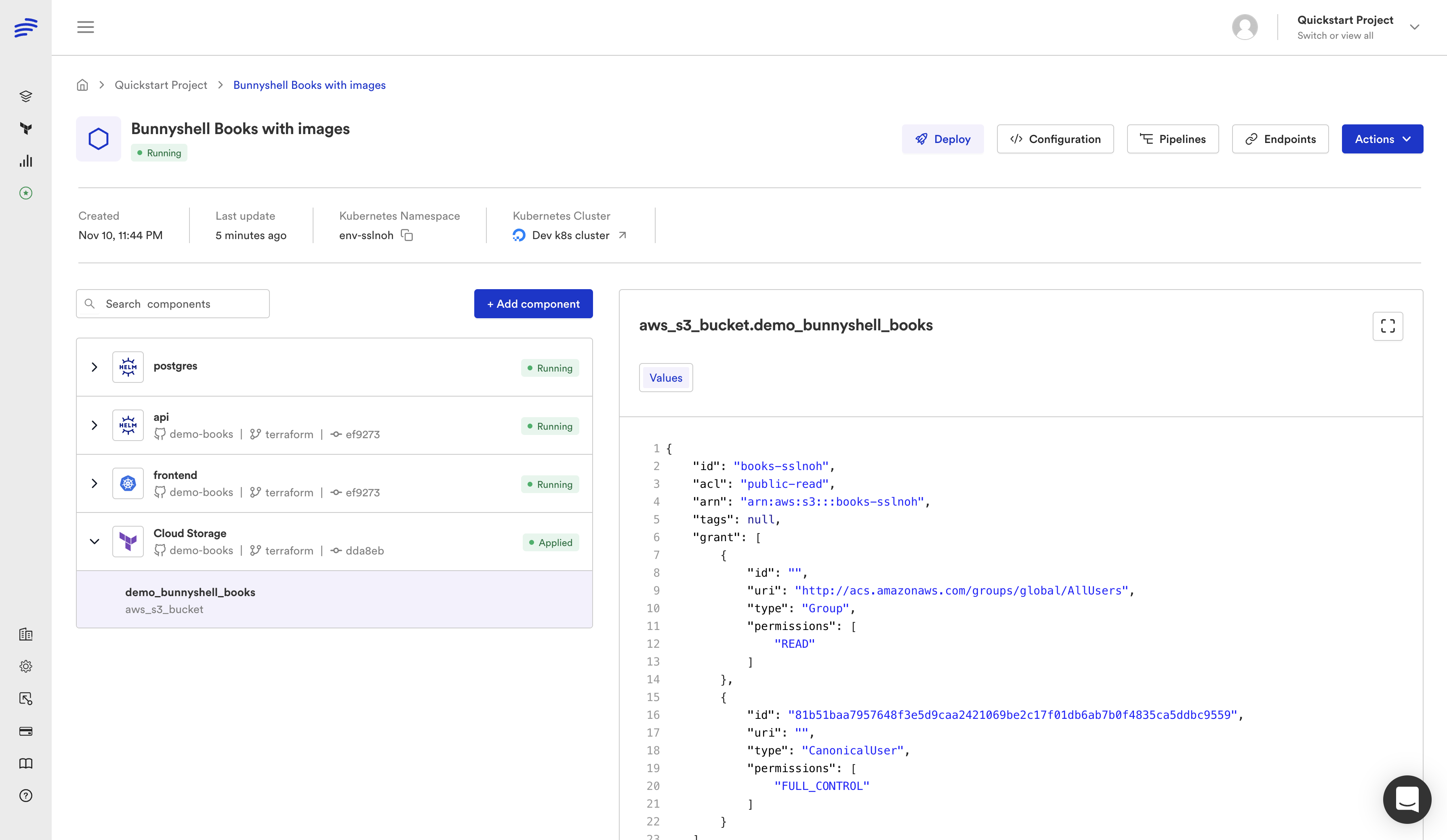
Each Proton service instance — a deployed instance of a service template in a specific environment — maps to a Bunnyshell component. One environment contains multiple components, each with its own lifecycle, variables, and deployment configuration.
Your Pipelines: Deployment Workflows + Your CI/CD
Proton pipelines were limited and opinionated. Bunnyshell takes a different approach: it manages the environment lifecycle (create, deploy, stop, wake, destroy) and integrates with your existing CI/CD tool for the build step. GitHub Actions, GitLab CI, CircleCI, Jenkins — whatever you already use continues to work. Bunnyshell adds the deployment orchestration and environment management layer on top.
Feature Comparison: AWS Proton vs Bunnyshell
| Capability | AWS Proton | Bunnyshell |
|---|---|---|
| Status | End of life Oct 7, 2026 | Active, funded, growing |
| Cloud support | AWS only | AWS, GCP, Azure, any K8s |
| CloudFormation | Native | Native (GenericComponent) |
| Terraform | Partial (added later) | Native first-class (kind: Terraform) |
| Helm / K8s | Not supported | Native (kind: Helm, kind: KubernetesManifest) |
| Docker Compose | Not supported | Auto-convert to K8s |
| Template model | Environment + Service templates | Environment templates with components |
| Parameter management | schema.yaml | Template variables with types |
| Ephemeral environments | Not available | Per-PR, auto-create, auto-destroy |
| Cost controls | Not available | Auto-stop, spending limits, cost tracking |
| Remote development | Not available | VS Code + JetBrains, hot-reload |
| AI sandboxes | Not available | Isolated envs for AI coding tools |
| Git ChatOps | Not available | Deploy/stop/wake from PR comments |
| DORA metrics | Not available | Deploy frequency, lead time, MTTR |
| REST API | AWS API | Full REST + GraphQL API |
| Access control | AWS IAM | RBAC + ABAC, SSO, team-level controls |
| Pipeline management | Built-in (limited) | Integrates with your existing CI/CD |
| Self-service catalog | Via Service Catalog integration | Built-in template catalog |
What Bunnyshell Adds That Proton Never Had
The feature comparison table tells part of the story. But some of these capabilities deserve deeper explanation because they fundamentally change how your team works.
Ephemeral Environments
This is the single biggest capability gap between Proton and Bunnyshell. With ephemeral environments, every pull request automatically gets its own full-stack environment — application code, databases, infrastructure, everything. QA tests against the PR environment. Product reviews in the PR environment. When the PR merges, the environment is automatically destroyed.
No more shared staging. No more "who broke the dev environment." No more waiting for someone else's deployment to finish before you can test yours. Teams using ephemeral environments typically see 50-70% reduction in QA cycle time and a dramatic decrease in production incidents caused by untested interactions.
Cost Controls and Visibility
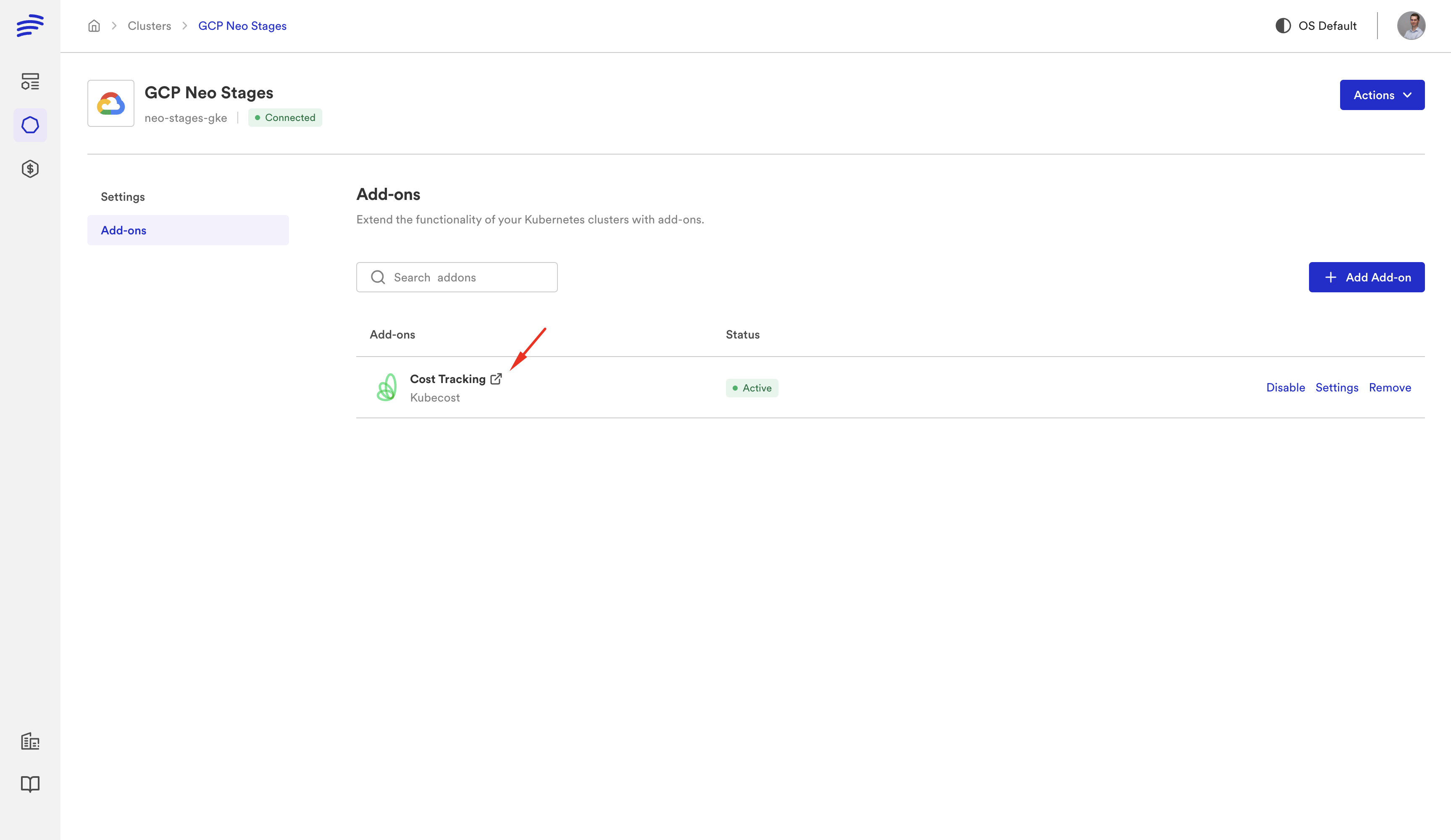
Proton had no concept of cost management. Environments ran 24/7 whether anyone was using them or not. Bunnyshell provides:
- Auto-stop schedules — pause non-production environments outside working hours (save 65%+ on compute)
- Spending limits — set budgets per team, per project, or per environment type
- Cost tracking — see exactly what each environment costs, broken down by component
- Idle detection — automatically stop environments that haven't been accessed
Remote Development
Connect your IDE (VS Code or any JetBrains IDE) directly to a running cloud environment. Edit code locally, see changes reflected instantly in the cloud environment with hot-reload. Your laptop stops being the bottleneck — no more "works on my machine," no more running heavyweight services locally.
AI Sandboxes
Give AI coding tools (Copilot, Cursor, Cody) their own isolated environments to test changes against your full stack. The AI makes a code change, deploys it to a sandbox, runs tests, and validates the result — all without touching your shared environments or requiring local setup.
Git ChatOps
Manage environments directly from pull request comments:
/bns deploy— deploy the current PR to its environment/bns stop— pause the environment to save costs/bns wake— resume a stopped environment/bns destroy— tear down the environment
No context switching. No logging into a separate dashboard. Everything happens in your Git workflow.
DORA Metrics
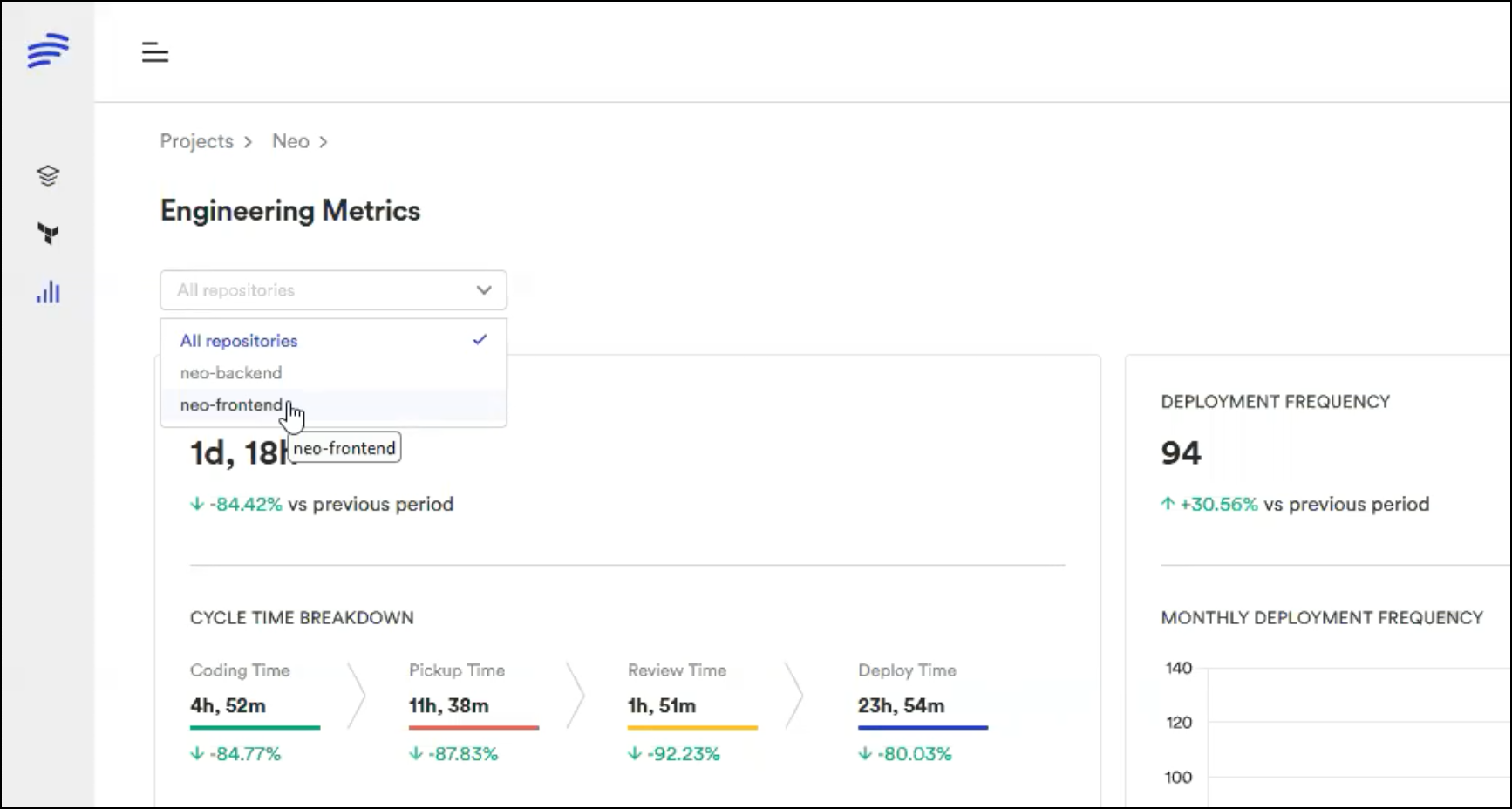
Track the four key DevOps metrics — deployment frequency, lead time for changes, change failure rate, and mean time to recovery — across all your environments. Proton gave you no visibility into engineering performance. Bunnyshell makes it a built-in dashboard.
Migration Is Low-Effort
The migration from Proton to Bunnyshell is not a rewrite. It's a remapping. Your infrastructure code stays the same. Here's what the migration looks like depending on your IaC:
If You're Running CloudFormation
- Export your CF templates from Proton (or pull them from your Git repo)
- Create a Bunnyshell environment template
- Define a GenericComponent for each CF stack with your existing
aws cloudformation deploycommand - Map your schema.yaml parameters to template variables
- Deploy. Your CF stacks are now managed by Bunnyshell.
If You're Running Terraform
- Export your TF modules
- Create a Bunnyshell environment template
- Define
kind: Terraformcomponents pointing at your modules - Configure state backend (Bunnyshell managed or your existing S3/TFC backend)
- Map variables. Deploy.
If You're Running a Mix
This is where Bunnyshell genuinely shines. Proton awkwardly handled mixed IaC setups. Bunnyshell lets you define CloudFormation components, Terraform components, Helm components, and Docker Compose components in the same environment template. Each component uses its native tooling. They all deploy together as a single environment.
For a detailed walkthrough, check our migration guide.
See your Proton templates running on Bunnyshell
Our solutions team will take your actual CF/TF templates and show you them running on Bunnyshell in a live session. No slides, no demo environments — your code, your infrastructure.
Getting Started
If you're currently on AWS Proton, here's the fastest path to evaluating Bunnyshell:
-
Read the companion article: AWS Proton End of Life: What You Need to Know covers the full timeline, pre-migration checklist, and all your options.
-
Run a proof-of-concept: Sign up for a free Bunnyshell account and migrate one of your simpler Proton service templates. Most teams have their first environment running within 30 minutes.
-
Book a migration call: If you have complex Proton setups — multiple environment templates, cross-service dependencies, custom pipelines — our solutions team can map your specific architecture to Bunnyshell and give you a migration plan. We've done this dozens of times now. Book a call.
-
Check the migration guide: Our step-by-step migration guide covers CloudFormation, Terraform, and mixed setups with code examples.
The clock is ticking. October 7, 2026 is less than seven months away. The teams that start evaluating now will have a smooth, low-pressure migration. The teams that wait until August will be scrambling.
Your CloudFormation and Terraform templates work on Bunnyshell today. The migration is a remapping, not a rewrite. And you'll come out the other side with ephemeral environments, cost controls, remote development, and AI sandboxes that Proton was never going to deliver.
Related guides:
- What Is AWS Proton? — complete guide to the service
- Bunnyshell vs AWS Proton — full feature comparison
- AWS Proton vs CloudFormation — understanding the difference
- AWS Proton vs Terraform — key differences and migration
- CloudFormation Migration Path — wrap your CF templates in GenericComponent
- Terraform Migration Path — native Terraform support with state management
Ready to migrate from AWS Proton?
Our solutions team provides hands-on migration support with a dedicated solution engineer, VIP onboarding, and Slack support channel.