AWS Proton End of Life: What Teams Need to Know and Do Before October 2026
TL;DR — AWS Proton reaches end of life on October 7, 2026. Your deployed CloudFormation stacks and Terraform workspaces keep running, but all Proton management tooling disappears: the console, template versioning, pipelines, and drift detection. Most teams need 11–14 weeks to migrate safely — starting now is the only way to avoid a rushed cutover.
AWS Proton is reaching end of life. If you're reading this, you probably just found out — either from the AWS console banner, your account manager, or a panicked Slack message from someone on your platform team.
Here's what you need to know: your infrastructure is safe, but the tool you use to manage it is going away. You have until October 7, 2026 to find a replacement. That sounds like plenty of time. It isn't.
What's Happening: AWS Proton Is Being Deprecated
AWS announced that AWS Proton will reach end of life on October 7, 2026. After that date, the Proton console, API, and CLI will no longer be available. No new environments can be created, no templates can be updated, and no service instances can be deployed through Proton.
This isn't a gradual sunset. It's a hard cutoff. After October 7, the orchestration layer you've been using to standardize deployments, manage templates, and provision infrastructure simply stops working.
If your team adopted Proton early — especially if you bought into the promise of standardized templates for platform engineering — this is a significant disruption. You likely have environment templates, service templates, schema.yaml configurations, and deployment pipelines that all route through Proton.
What This Means for Your Infrastructure
The good news first: your deployed infrastructure is not deleted. CloudFormation stacks continue to run. Terraform workspaces remain intact. Your applications keep serving traffic. Nothing falls over on October 8.
But here's what does go away:
- The Proton console — no more visibility into environments and services through the Proton dashboard
- Template management — you lose the ability to version, publish, and roll out environment and service templates
- Proton pipelines — any deployment pipelines managed through Proton stop functioning
- Schema.yaml enforcement — the parameter validation and input schema that Proton provided disappears
- Service instance management — you can no longer create, update, or delete service instances through Proton
- Drift detection and sync — Proton's template sync and drift detection features are gone
In practical terms: your infrastructure keeps running, but you lose the control plane. It's like having a fleet of cars but losing the dispatch system. Everything runs until something needs to change — and then you have no standardized way to make that change.
What You Need to Do Before October 7, 2026
Don't wait until September. The migration itself isn't complicated, but understanding what you have and where it maps to takes time. Here's your pre-migration checklist:
1. Export and Document Your Templates
Pull every environment template and service template out of Proton. Store them in Git if they aren't already. For each template, document:
- The CloudFormation or Terraform source files
- The
schema.yamlparameters and their default values - Which environments use which template version
- Any custom pipeline configurations
2. Map Your Service Instances and Dependencies
Create an inventory of every Proton service instance. For each one, record:
- Which service template it uses (and which version)
- Which environment it's deployed into
- The input parameter values passed at creation time
- Any cross-service dependencies (e.g., one service referencing another's outputs)
3. Identify Your Pipeline Dependencies
If you're using Proton's built-in pipelines, you need to understand what they do and where they connect. Map each pipeline to:
- The source repository and branch it watches
- The build and deploy steps it executes
- Any environment variables or secrets it injects
- The deployment targets and rollback behavior
4. Audit IAM Roles and Permissions
Proton manages its own set of IAM roles for provisioning. You need to understand which roles exist, what permissions they have, and which resources they can modify. These roles will need to be mapped to your replacement tool's permission model.
Your Migration Options
You have three realistic paths forward. Each comes with tradeoffs.
Option 1: DIY with Raw AWS Services
You can replace Proton's functionality by stitching together the AWS services it was abstracting: CodePipeline for CI/CD, Service Catalog for template management, CloudFormation StackSets for multi-account deployments, and Step Functions for orchestration.
Pros: No new vendor. Full control. Stays within AWS.
Cons: High effort. You're essentially rebuilding Proton yourself — the very thing AWS decided wasn't worth maintaining. Expect 3-6 months of platform engineering work, and ongoing maintenance after that. You also inherit the same single-cloud limitation that Proton had.
Option 2: Adopt a Platform Engineering Tool
Tools like Bunnyshell, Humanitec, Port, or Backstage can replace Proton's template and deployment management with a purpose-built platform. The key differentiator is whether the tool can run your existing CloudFormation and Terraform natively, or whether you need to rewrite everything in a new format.
Pros: Fastest path to production. Often adds capabilities Proton never had (ephemeral environments, cost controls, multi-cloud). Purpose-built for the problem.
Cons: New vendor relationship. Learning curve (though typically days, not months).
Option 3: Build a Custom Internal Developer Platform
If your organization has a dedicated platform team and very specific requirements, you can build a custom IDP from scratch — a developer portal backed by your own orchestration layer, template engine, and deployment pipelines.
Pros: Total customization. Fits your exact workflows.
Cons: Very high effort. Typically 6-12 months to reach feature parity with what Proton provided, plus ongoing maintenance. Most teams that go this route end up regretting it and eventually buy a platform tool anyway.
Why Bunnyshell Is the Natural Successor to AWS Proton
We built Bunnyshell to solve the same problem Proton was trying to solve — standardized, self-service infrastructure for development teams — but without the single-cloud lock-in and with features that Proton never shipped.
Here's why the migration is straightforward:
Your CloudFormation Templates Run Natively
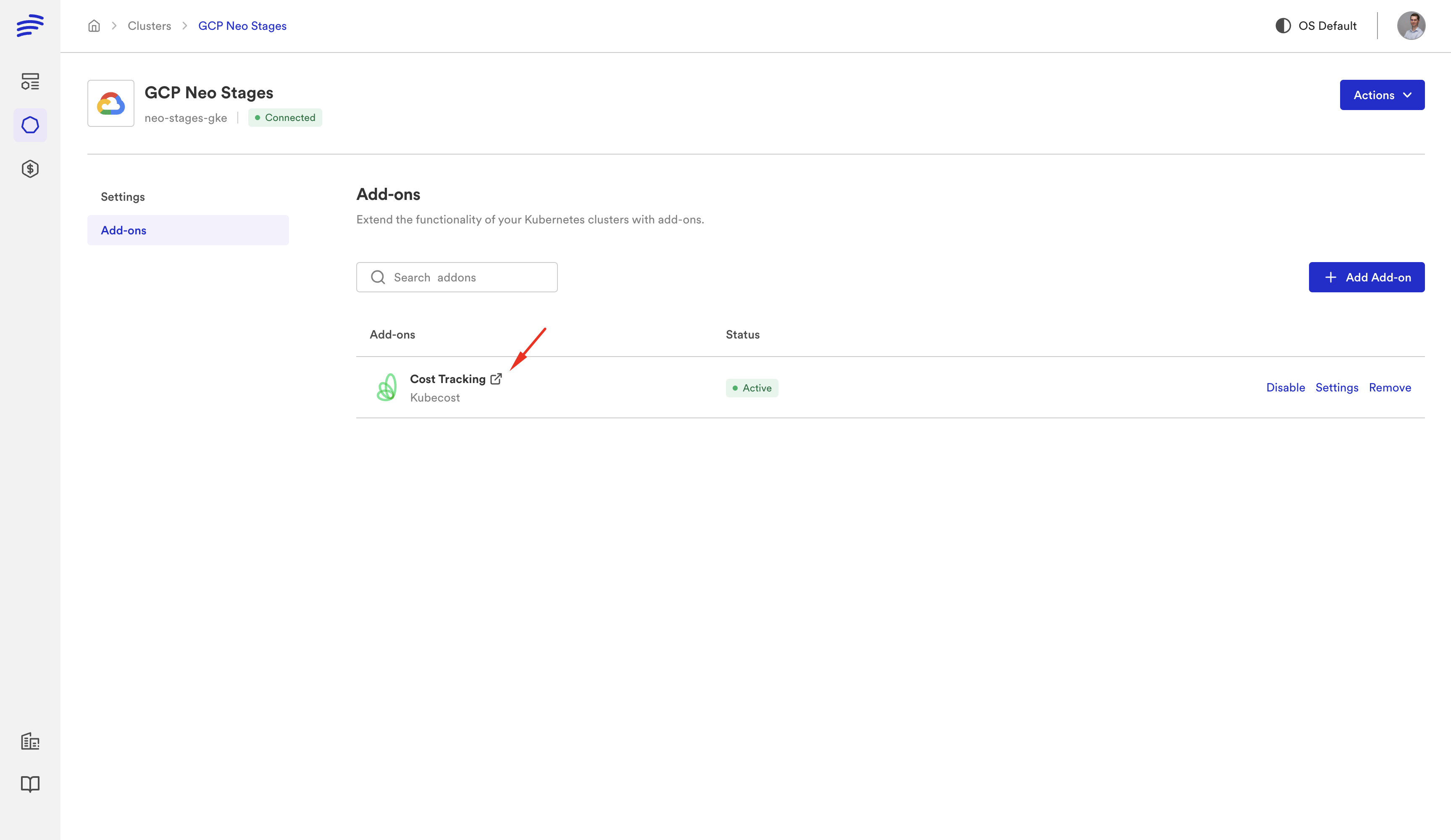
Bunnyshell's GenericComponent lets you run aws cloudformation deploy as a native deployment step. You don't rewrite your CF templates. You wrap them in a component definition that specifies the deploy and destroy commands. Your existing CloudFormation YAML stays exactly as it is.
Your Terraform Modules Run Natively
Bunnyshell has first-class Terraform support with kind: Terraform. Point it at your existing TF modules, configure the state backend, and Bunnyshell handles plan, apply, and destroy lifecycle operations. State management is built in.
The Concepts Map 1:1
| Proton Concept | Bunnyshell Equivalent |
|---|---|
| Environment Template | Environment Template |
| Service Template | Component definition |
| schema.yaml | Template variables |
| Service Instance | Component instance |
| Environment | Environment |
| Pipeline | Deployment workflow + your CI/CD |
You Get What Proton Never Had
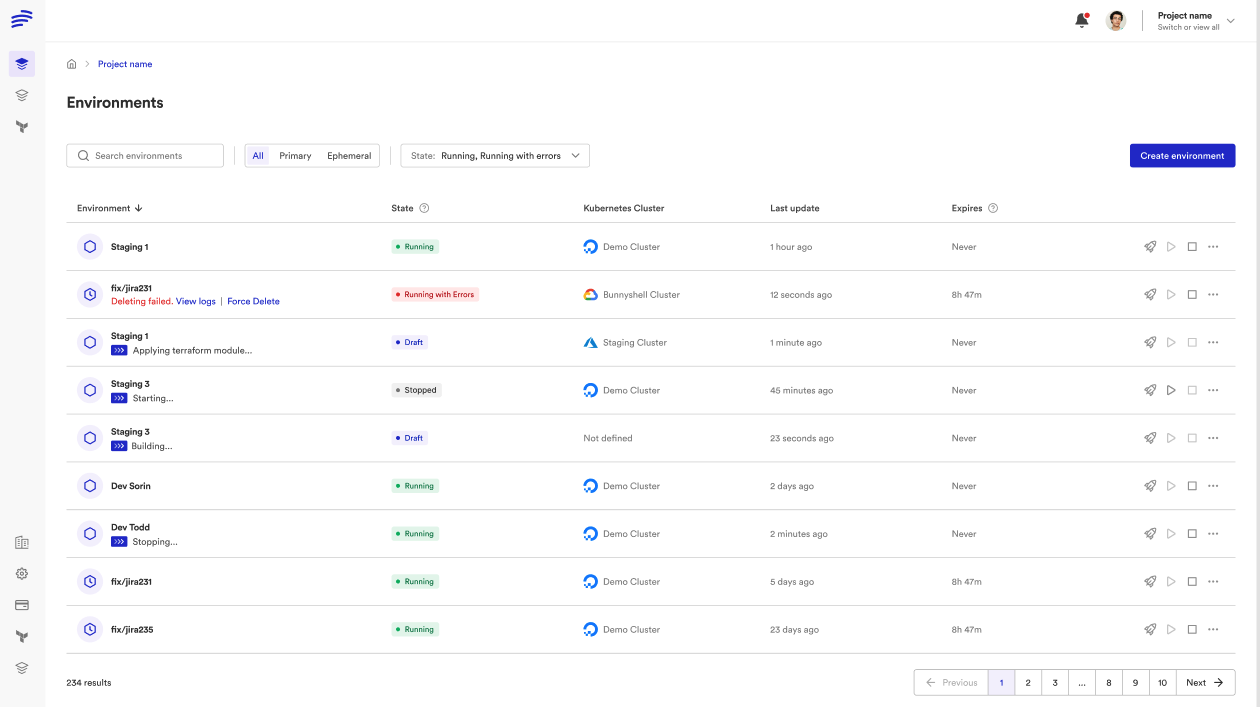
- Ephemeral environments — spin up a full-stack environment for every pull request, automatically destroyed on merge
- Cost controls — auto-stop idle environments, set spending limits per team, track cost per environment
- Remote development — connect VS Code or JetBrains directly to a cloud environment with your full stack running
- Git ChatOps — deploy, stop, and wake environments from PR comments
- DORA metrics — track deployment frequency, lead time, failure rate, and recovery time
- Multi-cloud — run the same templates across AWS, GCP, Azure, or any Kubernetes cluster
- AI sandboxes — give AI coding tools isolated environments to test changes
Recommended Migration Timeline
You have roughly six months. Here's a three-phase approach that gets you migrated without disrupting your team:
Phase 1: Discovery (Weeks 1-3)
- Complete the pre-migration checklist above
- Export all Proton templates and document parameters
- Evaluate replacement tools (we recommend running a proof-of-concept with your actual templates)
- Get stakeholder buy-in and budget approval
Phase 2: Migration (Weeks 4-10)
- Set up your new platform (Bunnyshell or whatever you choose)
- Migrate environment templates first — these are the foundation
- Migrate service templates one at a time, starting with the least critical
- Run parallel deployments: deploy through both Proton and the new tool to validate
- Migrate pipelines and connect to your existing CI/CD
Phase 3: Cutover (Weeks 11-14)
- Route all new deployments through the new platform
- Disable Proton pipelines
- Update developer documentation and runbooks
- Train your team on the new workflows
- Decommission Proton resources
Start now. Six months sounds comfortable until you account for procurement cycles, security reviews, team vacations, and the inevitable discovery that one critical service has an undocumented dependency on a Proton feature nobody remembers setting up.
Need help planning your Proton migration?
Our solutions team has migrated dozens of teams off Proton. Book a call to get a migration plan tailored to your templates and infrastructure.
The Bottom Line
AWS Proton's end of life isn't a crisis — it's a forcing function. The infrastructure you built on Proton still works. The templates you wrote are still valid. You just need a new orchestration layer, and you need it before October 7, 2026.
The teams that come out ahead will be the ones that treat this as an opportunity: not just to replace Proton, but to upgrade to a platform that gives their developers ephemeral environments, cost visibility, and self-service workflows that Proton was never going to deliver.
Whatever you choose, start the evaluation now. Don't be the team scrambling in September.
Continue reading:
- What Is AWS Proton? — complete guide to the service
- Best AWS Proton Alternative (2026) — feature comparison and migration walkthrough
- Bunnyshell vs AWS Proton — side-by-side comparison
- AWS Proton vs CloudFormation — understanding the difference
- AWS Proton vs Terraform — key differences and migration
- CloudFormation Migration Path — step-by-step CF migration
- Terraform Migration Path — native TF support guide
Migrating from AWS Proton?
Our solutions team provides hands-on migration support. VIP onboarding, dedicated Slack channel, and a solution engineer assigned to your account.