AWS Proton vs CloudFormation: Understanding the Difference (And What Replaces Proton)
Update (March 2026): AWS Proton reaches end of life October 7, 2026. CloudFormation is not affected — your CF templates and stacks continue to work. Only the Proton orchestration layer is being discontinued. See our end of life guide for details.
AWS Proton vs CloudFormation: Different Tools, Different Jobs
A common misconception is that AWS Proton and CloudFormation compete with each other. They don't. They work at different layers of the infrastructure stack:
-
CloudFormation is an infrastructure-as-code engine. It takes a YAML/JSON template, provisions AWS resources, and manages their lifecycle (create, update, delete). It's the execution layer.
-
AWS Proton is a template management and orchestration layer that sits on top of CloudFormation (or Terraform). It adds self-service, versioning, parameter validation, and standardization — but ultimately calls CloudFormation to do the actual provisioning.
Think of it this way: CloudFormation is the engine. Proton was the dashboard and steering wheel that platform teams built on top of that engine.
What CloudFormation Does
CloudFormation is AWS's native infrastructure-as-code service. You write a template that describes AWS resources — EC2 instances, VPCs, RDS databases, ECS clusters, Lambda functions — and CloudFormation provisions them in the right order, handling dependencies automatically.
Key capabilities:
- Declarative resource definitions (you describe the end state, not the steps)
- Dependency management (automatically provisions resources in the right order)
- Stack operations (create, update, delete, rollback)
- Drift detection (identify when someone manually changed a resource)
- StackSets for multi-account, multi-region deployments
- Change sets for previewing updates before applying them
CloudFormation is a mature, well-supported service. AWS has no plans to deprecate it — it underpins most of AWS's own services.
What AWS Proton Added on Top
Proton didn't replace CloudFormation. It used CloudFormation (and later Terraform) as its provisioning engine while adding:
Template Standardization
Instead of every team writing their own CloudFormation templates, platform teams created Proton templates — curated, approved templates with predefined parameters. Developers couldn't deviate from the template structure.
Parameter Validation via schema.yaml
Each template included a schema.yaml that defined which parameters developers could set, their types, default values, and validation rules. This prevented misconfiguration at the input level.
Self-Service Deployment
Developers selected a template from the Proton console, filled in parameters, and clicked deploy. They didn't need to understand CloudFormation syntax or AWS resource relationships.
Template Versioning
Platform teams could publish new versions of templates and see which service instances ran which version — making it possible to track template adoption and roll out updates.
Pipeline Management
Proton optionally managed CI/CD pipelines connecting Git repositories to service instances, automating the build-deploy cycle.
The Key Difference: Who Each Tool Serves
| Aspect | CloudFormation | AWS Proton |
|---|---|---|
| Primary user | Infrastructure engineers | Platform teams + developers |
| What it does | Provisions AWS resources from templates | Manages templates and provides self-service deployment |
| Abstraction level | Resource-level (VPCs, EC2, RDS) | Service-level (pick a template, fill in params, deploy) |
| Template language | YAML/JSON | CloudFormation or Terraform, wrapped in Proton schema |
| Self-service | No — requires CF knowledge | Yes — developers fill in a form |
| Versioning | Via Git or S3 (manual) | Built-in version registry |
| Multi-cloud | AWS only | AWS only |
| Status | Active, no deprecation | End of life October 7, 2026 |
What Happens When Proton Goes Away
When Proton reaches end of life on October 7, 2026, your CloudFormation stacks continue to run. Nothing breaks on October 8 from a resource perspective.
What you lose is the Proton layer:
- No more template management through Proton
- No more schema.yaml parameter validation
- No more self-service deployment console
- No more template version tracking
- No more Proton-managed pipelines
Your CloudFormation templates still work. You just need a new way to manage, version, and deploy them with the self-service experience your developers expect.
Options for Your CloudFormation Templates After Proton
Option 1: Raw CloudFormation + Service Catalog
Use AWS Service Catalog to provide self-service deployment of CloudFormation templates. Service Catalog supports parameter constraints, version management, and IAM-based access control.
Pros: Stays within AWS. No new vendor.
Cons: Service Catalog is less capable than Proton was — no pipeline management, no integrated CI/CD, no environment concept. You're stitching together multiple AWS services manually.
Option 2: Bunnyshell
Bunnyshell runs your CloudFormation templates natively through its GenericComponent. Your CF YAML doesn't change — not a single line:
1kind: GenericComponent
2name: my-vpc
3deploy:
4  - aws cloudformation deploy
5      --template-file infrastructure/vpc.yaml
6      --stack-name {{ env.unique }}
7      --parameter-overrides VpcCidr={{ components.my-vpc.vars.vpc_cidr }}
8destroy:
9  - aws cloudformation delete-stack --stack-name {{ env.unique }}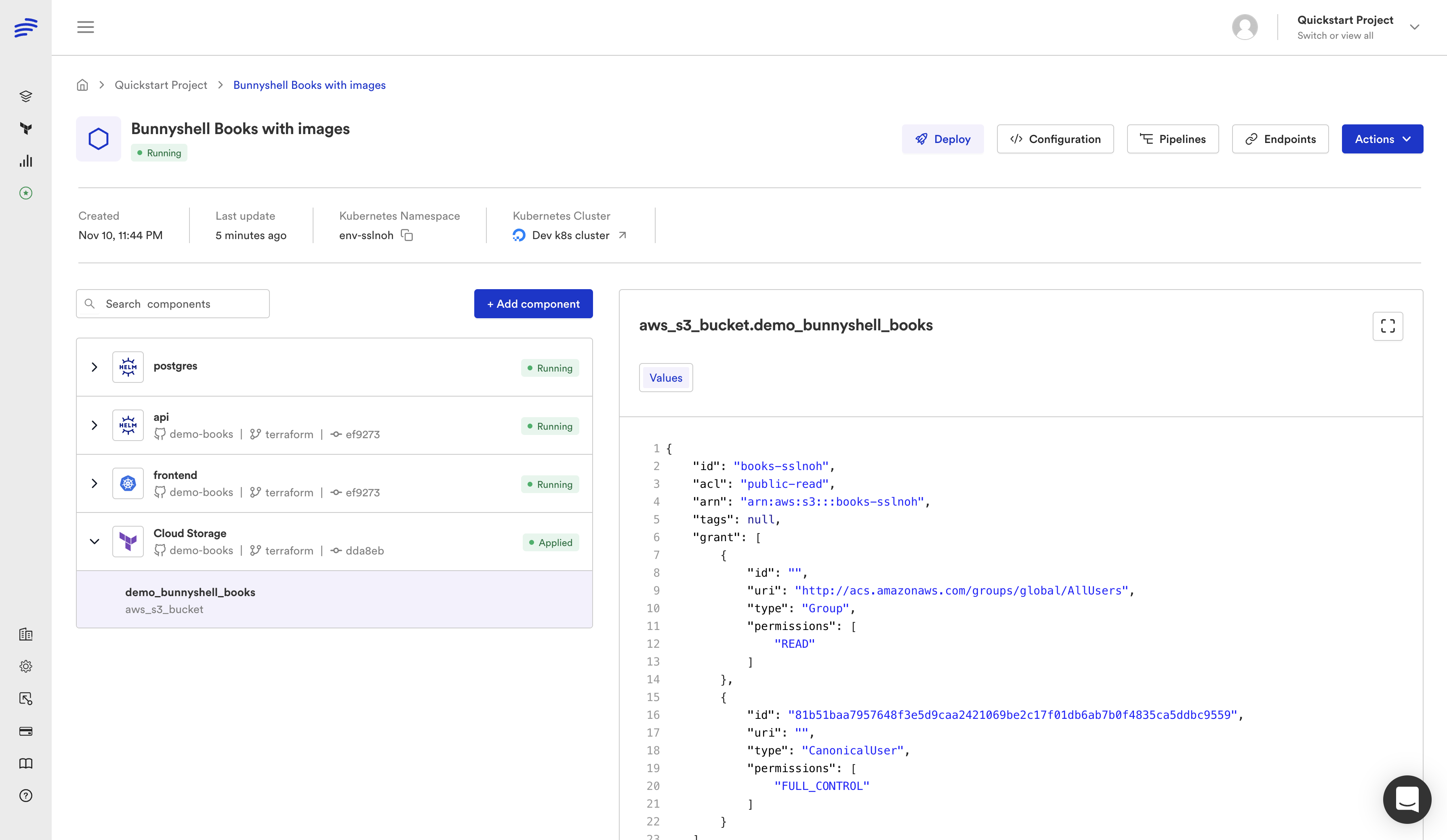
What you gain over Proton:
- Ephemeral environments — spin up a full CF-provisioned environment per pull request
- Cost controls — auto-stop idle environments, track spending per team
- Multi-cloud — mix CF stacks with Terraform modules, Helm charts, and K8s manifests in one environment
- Remote development — connect your IDE to a running cloud environment
- RBAC — granular access control beyond what IAM alone provides for self-service
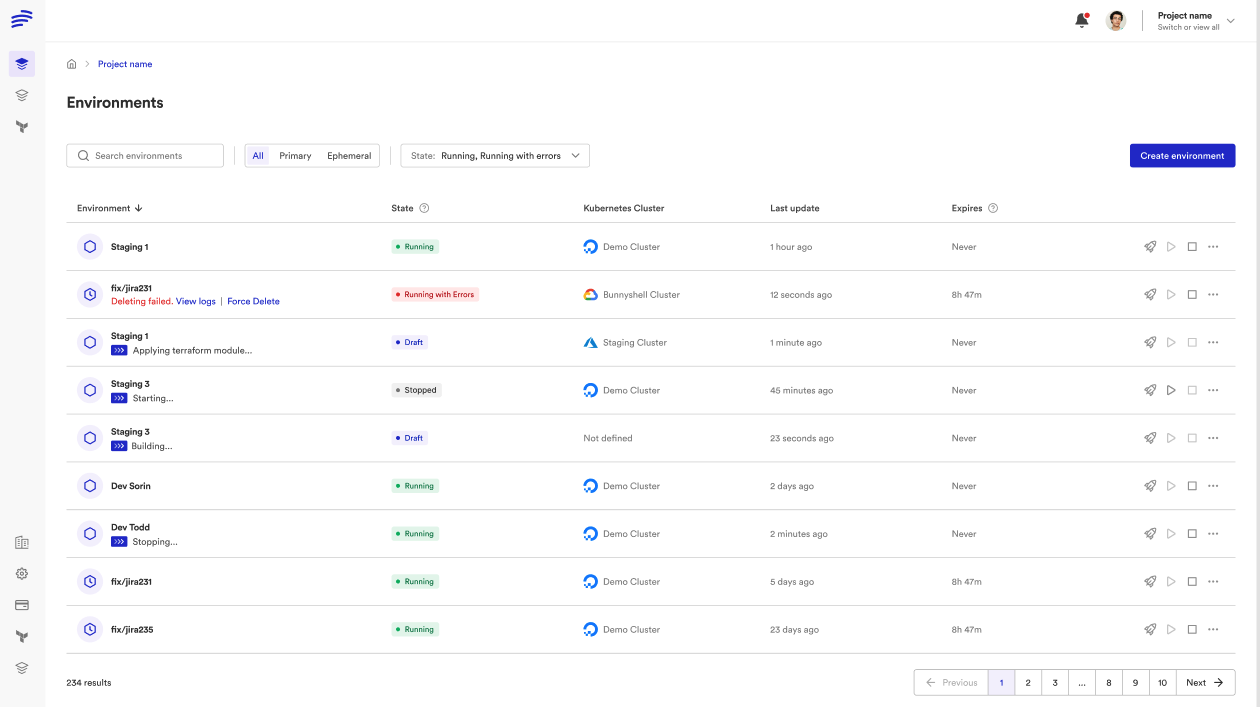
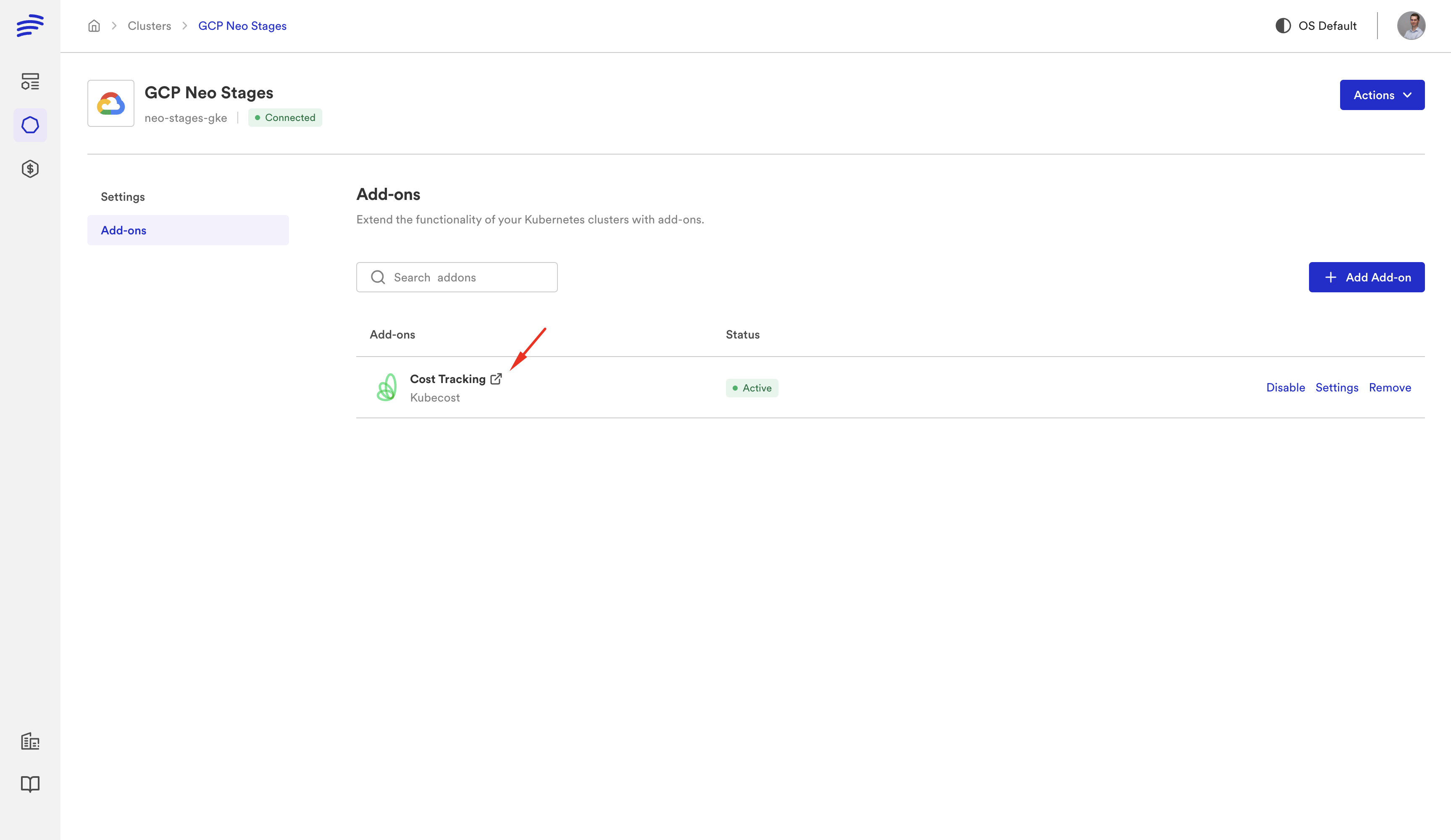
For a step-by-step walkthrough, see our CloudFormation Migration Guide.
Option 3: Migrate to Terraform
If Proton's end of life is the push you needed, you could rewrite your CloudFormation templates in Terraform. Terraform is multi-cloud, has a larger ecosystem, and integrates with more tools.
Pros: Multi-cloud. Larger community. Better module ecosystem.
Cons: A full rewrite is expensive and risky. Every CF template needs to be translated, tested, and validated. For organizations with dozens of CF stacks, this is months of work.
Better approach: Use Bunnyshell to run your existing CF templates today, and gradually migrate individual stacks to Terraform as needed. Bunnyshell supports both in the same environment, so you can migrate incrementally.
CloudFormation vs Terraform: Which Should You Use Going Forward?
This is the bigger strategic question behind Proton's deprecation. If you're already on CloudFormation and it works for your AWS-only infrastructure, there's no immediate reason to switch. CloudFormation is actively maintained and deeply integrated with AWS.
But if you're considering multi-cloud, or if you want a richer ecosystem of modules and tooling, Terraform is the stronger long-term bet. The key is that you don't have to choose one: Bunnyshell's environment templates let you mix CloudFormation and Terraform components, migrating gradually rather than all at once.
| Factor | Stay on CloudFormation | Move to Terraform |
|---|---|---|
| AWS-only | Good choice — native integration | Unnecessary unless planning multi-cloud |
| Multi-cloud planned | Will limit you | Better long-term investment |
| Large CF codebase | Keep it — migration cost is high | Migrate incrementally over quarters |
| Small CF codebase | Either works | Good time to switch |
| Team expertise | Stick with what team knows | Invest in training |
The Bottom Line
AWS Proton and CloudFormation were complementary, not competing. CloudFormation is the engine; Proton was the orchestration layer. With Proton going away, CloudFormation continues to work — you just need a new orchestration layer.
Bunnyshell fills that gap and adds the capabilities Proton never had: ephemeral environments, cost controls, multi-cloud, and a modern developer experience. And your CloudFormation templates run on it without any changes.
Running CloudFormation templates on Proton?
We'll show your actual CF templates running on Bunnyshell in a live session. No rewrite needed — same YAML, better platform.
Related reading: