What Is AWS Proton? A Complete Guide to the Service Being Discontinued
TL;DR — AWS Proton was Amazon's managed service for standardizing and self-serving infrastructure templates, launched in 2021 and shutting down October 7, 2026. Your existing CloudFormation and Terraform infrastructure stays intact — only the Proton control plane disappears. Teams that start migrating now can run their existing templates unchanged on a replacement platform while gaining ephemeral environments, multi-cloud support, and cost controls Proton never offered.
Update (March 2026): AWS has announced that AWS Proton will reach end of life on October 7, 2026. After that date, the Proton console, API, and pipeline management will be permanently unavailable. If you're currently using Proton, read our migration guide.
What Is AWS Proton?
AWS Proton is a fully managed infrastructure provisioning and deployment service from Amazon Web Services. It was designed to give platform teams a way to define standardized infrastructure templates, and give developers a self-service interface to deploy applications using those templates — without needing to understand the underlying CloudFormation or Terraform code.
Think of it as a template management layer on top of AWS infrastructure-as-code. Platform engineers create environment templates (VPCs, subnets, clusters) and service templates (containers, Lambda functions, pipelines). Developers pick a template, fill in parameters, and get a running deployment.
AWS launched Proton in June 2021 as a response to the growing "platform engineering" movement — the idea that engineering organizations need an internal developer platform (IDP) to abstract away infrastructure complexity and let developers ship faster.
How AWS Proton Works
Proton's architecture has four core concepts:
Environment Templates
An environment template defines the shared infrastructure that multiple services run on. Typically, this includes:
- VPC and networking configuration
- ECS or EKS clusters
- Shared databases or message queues
- IAM roles and security groups
Environment templates are written in CloudFormation or Terraform and packaged with a schema.yaml that defines the input parameters developers can customize.
Service Templates
A service template defines how a single application or microservice is deployed. It includes:
- Compute configuration (Fargate tasks, EKS pods, Lambda functions)
- Load balancer and networking rules
- Environment variable mappings
- Auto-scaling policies
Service templates reference an environment template — they describe what runs inside the environment.
Schema.yaml
Every template includes a schema.yaml file that defines the input parameters:
1schema:
2  format:
3    openapi: "3.0.0"
4  environment_input_type: "EnvironmentInput"
5  types:
6    EnvironmentInput:
7      type: object
8      properties:
9        vpc_cidr:
10          type: string
11          default: "10.0.0.0/16"
12          description: "VPC CIDR block"
13        environment_name:
14          type: string
15          description: "Name for this environment"
16      required:
17        - environment_name
This schema provides input validation and a self-service form in the AWS console. Developers fill in parameters; Proton ensures they're valid before provisioning.
Proton Pipelines
Proton can optionally manage CI/CD pipelines that automatically build and deploy code when changes are pushed to a repository. These pipelines connect a Git repository to a service instance and handle the build-deploy lifecycle.
What Proton Did Well
Proton solved real problems that platform teams face:
Standardization. Instead of every team writing their own CloudFormation or Terraform, the platform team could define approved templates. This reduced configuration drift and security misconfigurations.
Self-service. Developers didn't need to understand VPC peering or IAM policy syntax. They picked a template, filled in parameters, and clicked deploy.
Template versioning. When the platform team updated a template (security patch, resource optimization), they could publish a new version and see which service instances were running older versions. This provided visibility into template adoption.
Guardrails. The schema.yaml prevented developers from passing invalid parameters. Combined with IAM permissions, this gave platform teams confidence that developers couldn't misconfigure infrastructure in dangerous ways.
Why AWS Proton Failed
Despite solving real problems, Proton never gained significant adoption. Here's why:
AWS-Only Lock-In
Proton only worked with AWS infrastructure. If your organization ran anything on GCP, Azure, or an on-premises Kubernetes cluster, Proton couldn't manage it. In an era of multi-cloud and hybrid deployments, this was a dealbreaker for many teams.
No Ephemeral Environments
Proton had no concept of temporary, on-demand environments. You couldn't spin up a full-stack environment for a pull request, run tests against it, and automatically destroy it when the PR merged. This is now table stakes for modern development workflows.
Limited Terraform Support
CloudFormation was the first-class citizen. Terraform support was added later and never reached full parity. Teams that had standardized on Terraform found Proton's support incomplete and awkward.
No Developer Experience Features
Proton managed infrastructure provisioning but offered nothing for the developer experience:
- No remote development (IDE connected to a cloud environment)
- No hot-reload for code changes in cloud environments
- No integrated logging or debugging tools
- No cost visibility or cost controls
No Cost Controls
Environments ran 24/7. There was no way to auto-stop idle environments, set spending limits, or even see how much a specific environment cost. For development and staging environments — which often sit idle 16+ hours a day — this meant paying full price for infrastructure nobody was using.
Slow Iteration
As a managed AWS service, improvements came slowly. Feature requests went into the AWS roadmap black hole. Platform teams that needed functionality Proton didn't offer had to build workarounds or wait.
AWS Proton End of Life: October 7, 2026
AWS has announced that Proton will reach end of life on October 7, 2026. After that date:
- The Proton console and API will be inaccessible
- Template publishing and versioning will stop working
- Proton-managed pipelines will cease to function
- Service instance creation and updates through Proton will be impossible
Your deployed infrastructure is safe. CloudFormation stacks and Terraform workspaces continue to run. Running applications keep serving traffic. But the orchestration layer you use to manage, update, and deploy that infrastructure disappears.
For a detailed timeline and migration checklist, read AWS Proton End of Life: What You Need to Know.
AWS Proton Alternatives
With Proton reaching end of life, teams need a replacement. Here are the main options:
Option 1: DIY with AWS Services
Replace Proton by combining CodePipeline, Service Catalog, CloudFormation StackSets, and Step Functions. This keeps you on AWS but requires 3-6 months of engineering work — essentially rebuilding what AWS decided wasn't worth maintaining.
Option 2: Bunnyshell
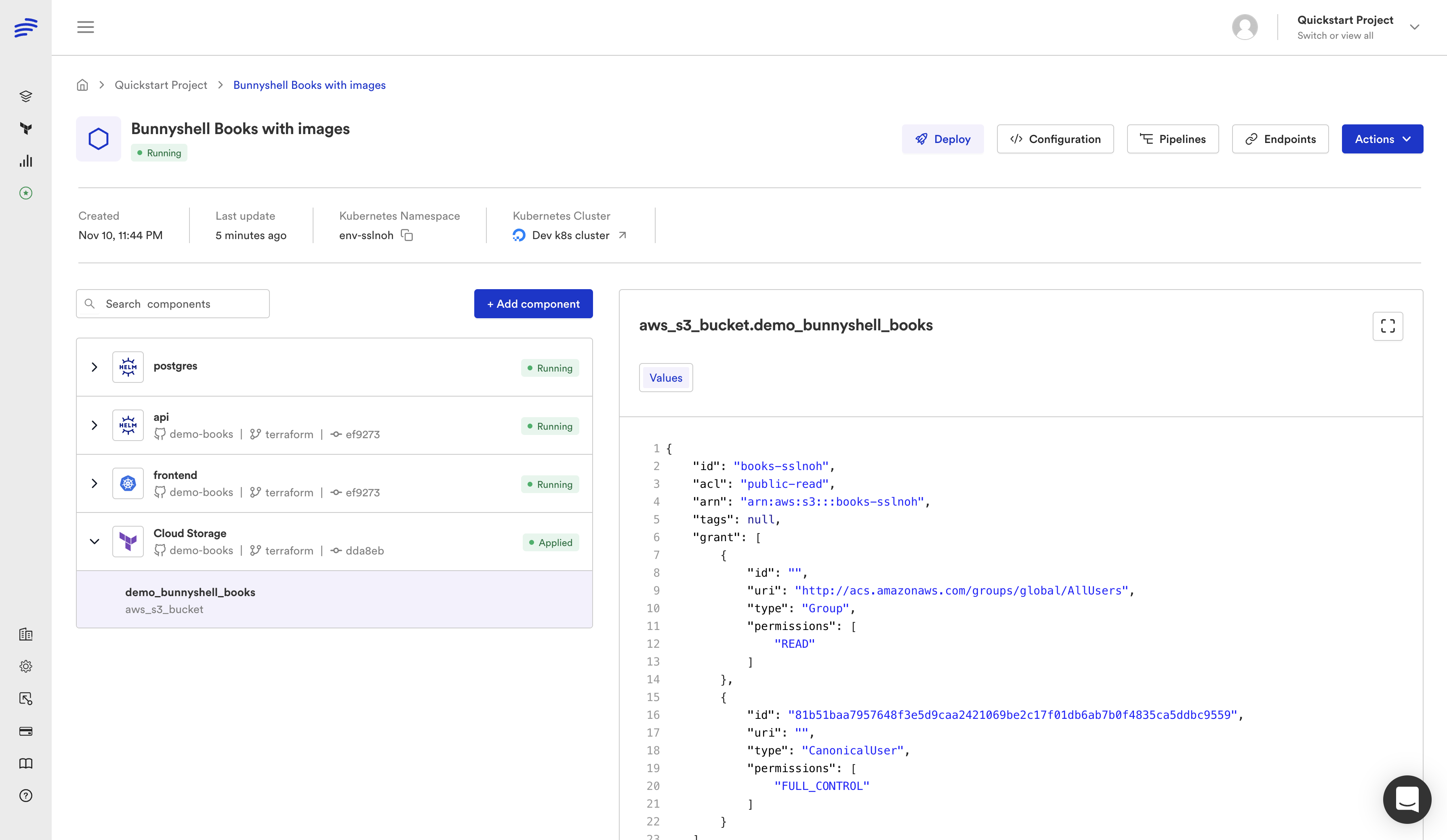
Bunnyshell runs your existing CloudFormation and Terraform natively, adds ephemeral environments, cost controls, remote development, and multi-cloud support. The migration is a remapping, not a rewrite — your infrastructure code stays exactly as it is.
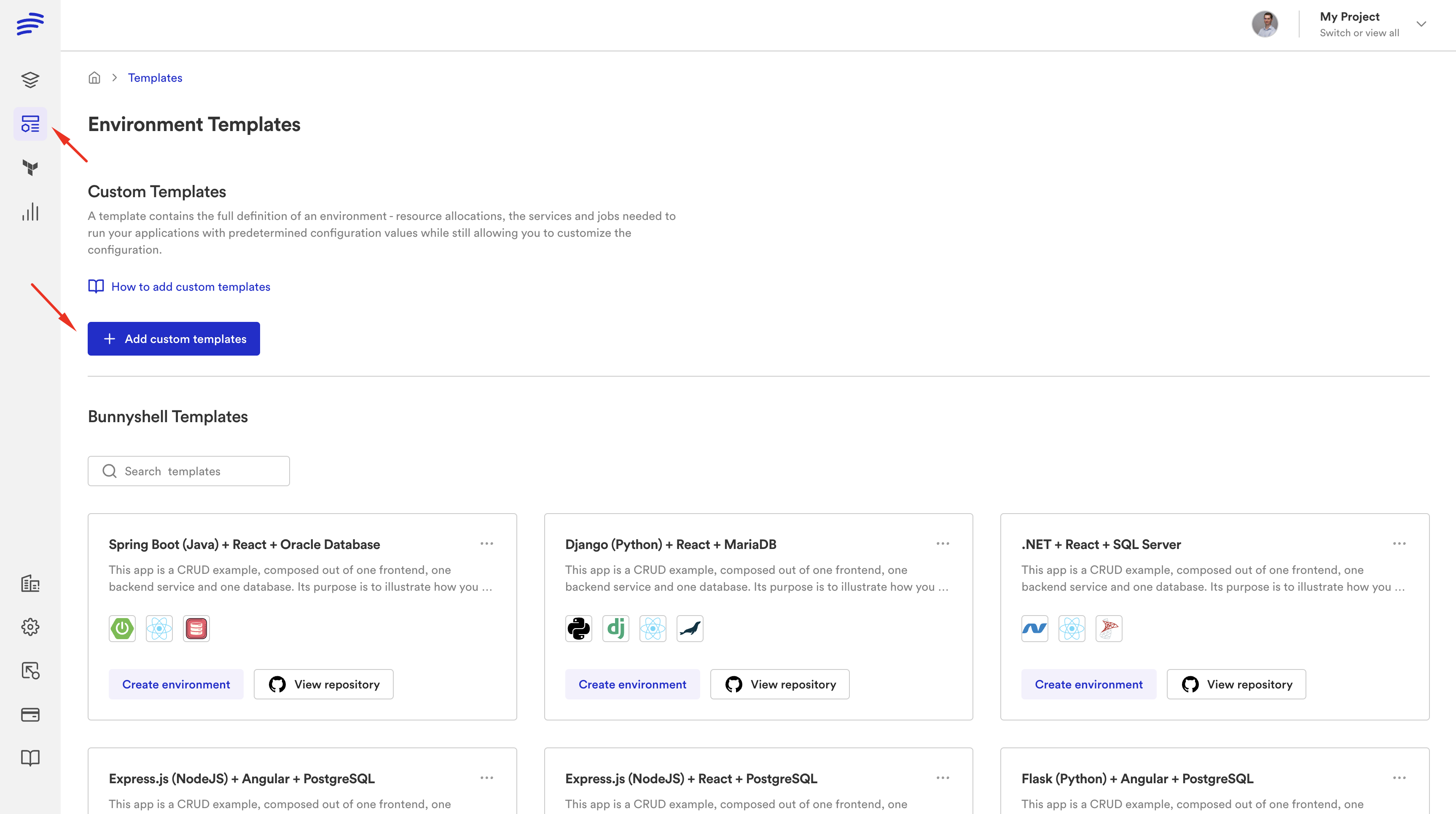
Key advantages over Proton:
- Multi-cloud: AWS, GCP, Azure, any Kubernetes cluster
- Ephemeral environments: Per-PR environments with auto-create and auto-destroy
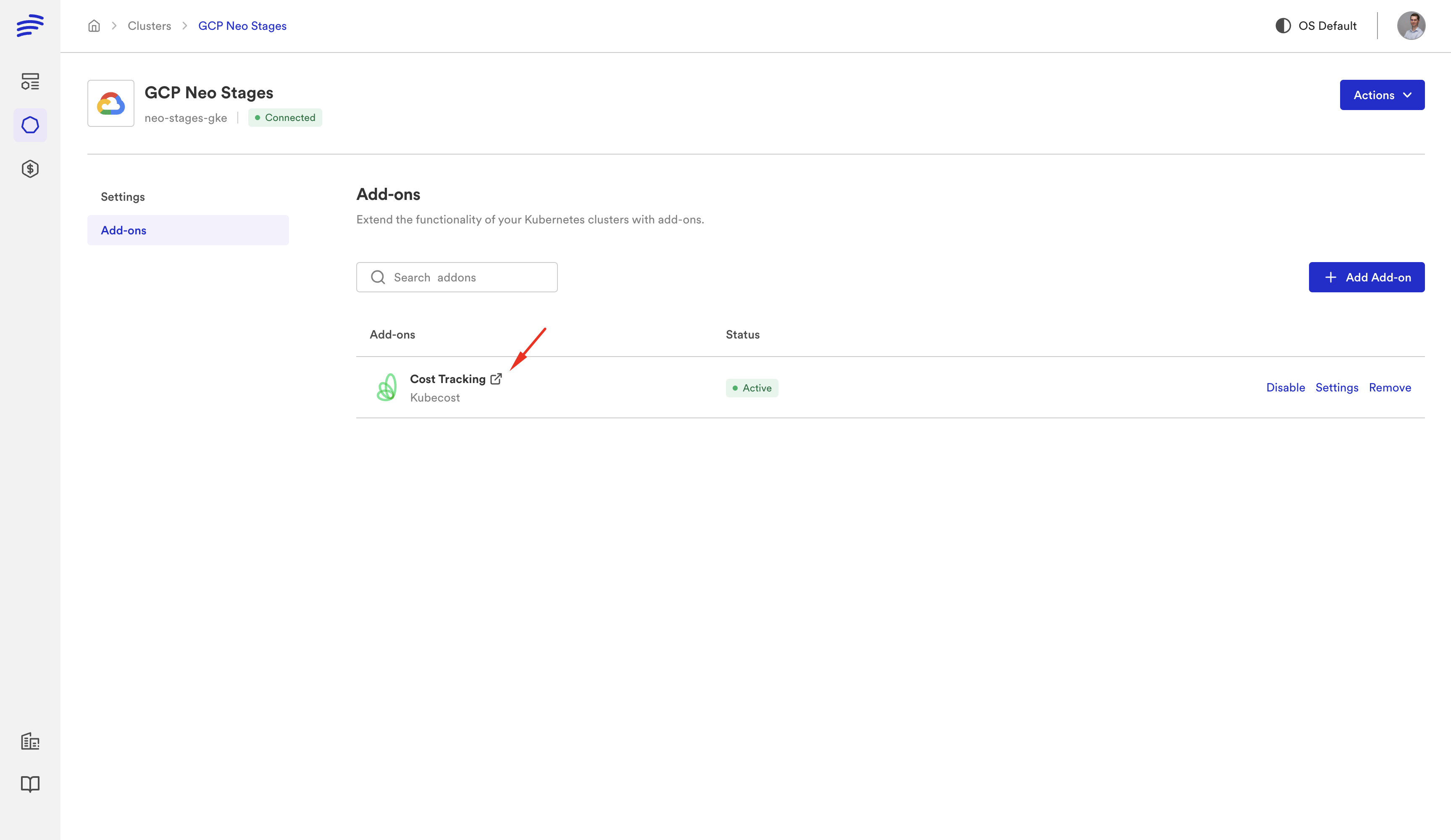
- Cost controls: Auto-stop idle environments, spending limits, cost tracking per team
- Remote development: VS Code and JetBrains connected to cloud environments with hot-reload
- Native Terraform: First-class support with
kind: Terraform, not a bolt-on - AI sandboxes: Isolated environments for AI coding tools
Option 3: Humanitec
Score-based resource matching and deployment orchestration. Good for teams that want a different abstraction model. Does not run CloudFormation natively.
Option 4: Build a Custom IDP
Full control but very high effort — typically 6-12 months to reach feature parity with Proton, plus ongoing maintenance. Most teams that build their own IDP regret it.
Proton to Bunnyshell: Concept Mapping
If you're evaluating Bunnyshell as a Proton replacement, here's how the concepts translate:
| AWS Proton | Bunnyshell | Notes |
|---|---|---|
| Environment Template | Environment Template | Same concept, stored in Git |
| Service Template | Component definition | Each service becomes a component in the environment |
| schema.yaml | Template variables | Typed parameters with defaults and descriptions |
| Service Instance | Component instance | A deployed component within an environment |
| Environment | Environment | Plus: ephemeral type, stop/start lifecycle, TTL |
| Proton Pipeline | Deployment workflow + your CI/CD | Bunnyshell handles deploy; your CI handles build/test |
| Template Versions | Git commits + template sync | Version control through Git, not a custom registry |
| IAM Roles | RBAC (Policies + Roles + Teams) | More granular, with label-based targeting |
Getting Started
If you're currently on AWS Proton, don't wait until the last minute:
-
Audit your Proton setup: Export templates, document parameters, map service instances. Our pre-migration checklist walks through every step.
-
Run a proof-of-concept: Sign up for a free Bunnyshell account and migrate one service template. Most teams have their first environment running within 30 minutes.
-
Book a migration call: For complex setups, our solutions team can map your architecture to Bunnyshell and give you a concrete migration plan. Book a call.
Migrating from AWS Proton?
Our solutions team has migrated dozens of teams off Proton. We'll take your actual CF/TF templates and show them running on Bunnyshell in a live session.
Related reading: