Migrating from AWS Proton to Bunnyshell: Complete Guide
Your CloudFormation and Terraform code stays as-is. Here's how to move.
AWS Proton reaches end of life on October 7, 2026. No new environments, no new deployments, no new template registrations after that date. But here is the part that matters most: your CloudFormation stacks and Terraform-managed resources are not going anywhere. AWS Proton is an orchestration layer, not an infrastructure provider. Deprecation affects the Proton console, APIs, and pipelines — not the infrastructure those pipelines deployed.
This guide walks through everything you need to migrate from AWS Proton to Bunnyshell: concept mapping, migration paths for CloudFormation and Terraform workloads, API and RBAC setup, and a complete checklist to keep the transition organized.
Why Migrate Now
AWS announced Proton deprecation with a clear timeline:
- April 2026: No new Proton customers
- October 7, 2026: Service shutdown — console disabled, APIs return errors, all Proton metadata deleted
- Your infrastructure: Continues running. CloudFormation stacks, Terraform state, deployed resources — all intact.
Three key takeaways before you start planning:
-
Your IaC stays as-is. CloudFormation templates and Terraform modules run in Bunnyshell without modification. Bunnyshell wraps CloudFormation via
GenericComponent(executingaws cloudformation deploy) and runs Terraform natively viakind: Terraform. -
Migration effort is low. You are not re-architecting. You are moving orchestration from one tool to another. Most teams complete migration in one to two weeks.
-
Bunnyshell adds capabilities beyond Proton. Ephemeral environments per pull request, cost management with automatic stop/start, Git-based ChatOps, remote development containers, and DORA metrics. You are not just replacing Proton — you are upgrading your platform engineering capabilities.
You can run Bunnyshell and Proton in parallel during migration. Bunnyshell operates independently on your Kubernetes cluster. Migrate workloads incrementally and validate each one before cutting over.
Concept Mapping: Proton to Bunnyshell
Understanding how Proton concepts translate to Bunnyshell is the first step. The table below maps every Proton primitive to its Bunnyshell equivalent.
| AWS Proton Concept | Bunnyshell Equivalent | Notes |
|---|---|---|
| Organization (AWS Account) | Organization | Top-level container. Maps 1:1. |
| — | Project | Bunnyshell adds a grouping layer between Organization and Environments. Use Projects to organize by team, product, or domain. |
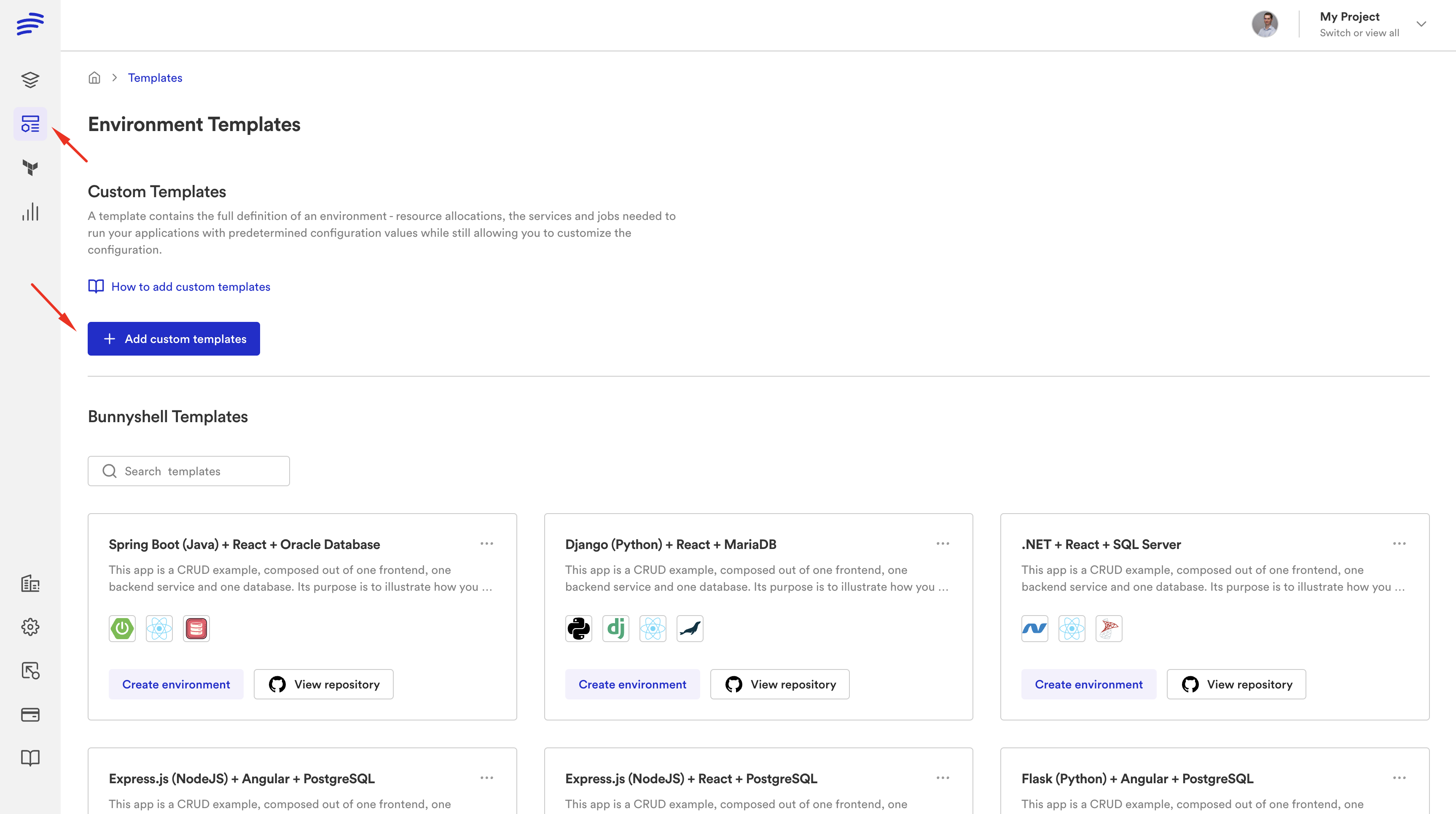
| Environment Template | Template (.bunnyshell/templates/{key}/) | Git-native. Templates live in your repository and sync automatically. |
| Service Template | Components within a Template | A Bunnyshell Template contains multiple components (services, databases, infrastructure). |
schema.yaml | Template Variables + templateVariables | Parameters users fill when creating an environment. Supports strings, enums, booleans, and secrets. |
| Template versioning (major/minor) | Git branch / commit (auto-sync) | No manual publishing. Push to Git and Bunnyshell picks up the change. |
| Environment (deployed) | Environment (primary or ephemeral) | Primary environments are long-lived. Ephemeral environments are per-PR and auto-destroy. |
| Service Instance | Component | An individual deployable unit within an environment. |
| Proton Pipeline | Bunnyshell Pipeline (deploy/start/stop workflows) | Define deploy, destroy, start, and stop lifecycle hooks per component. |
| Proton API / CLI | REST API + bns CLI | Full API coverage. The bns CLI provides the same operations for scripting and CI/CD integration. |
Export your Proton template configurations before October 7, 2026. After that date, AWS deletes all Proton service data. Your deployed infrastructure remains, but the template definitions, service configurations, and pipeline settings stored in Proton will be gone.
Component Types: How Your IaC Runs in Bunnyshell
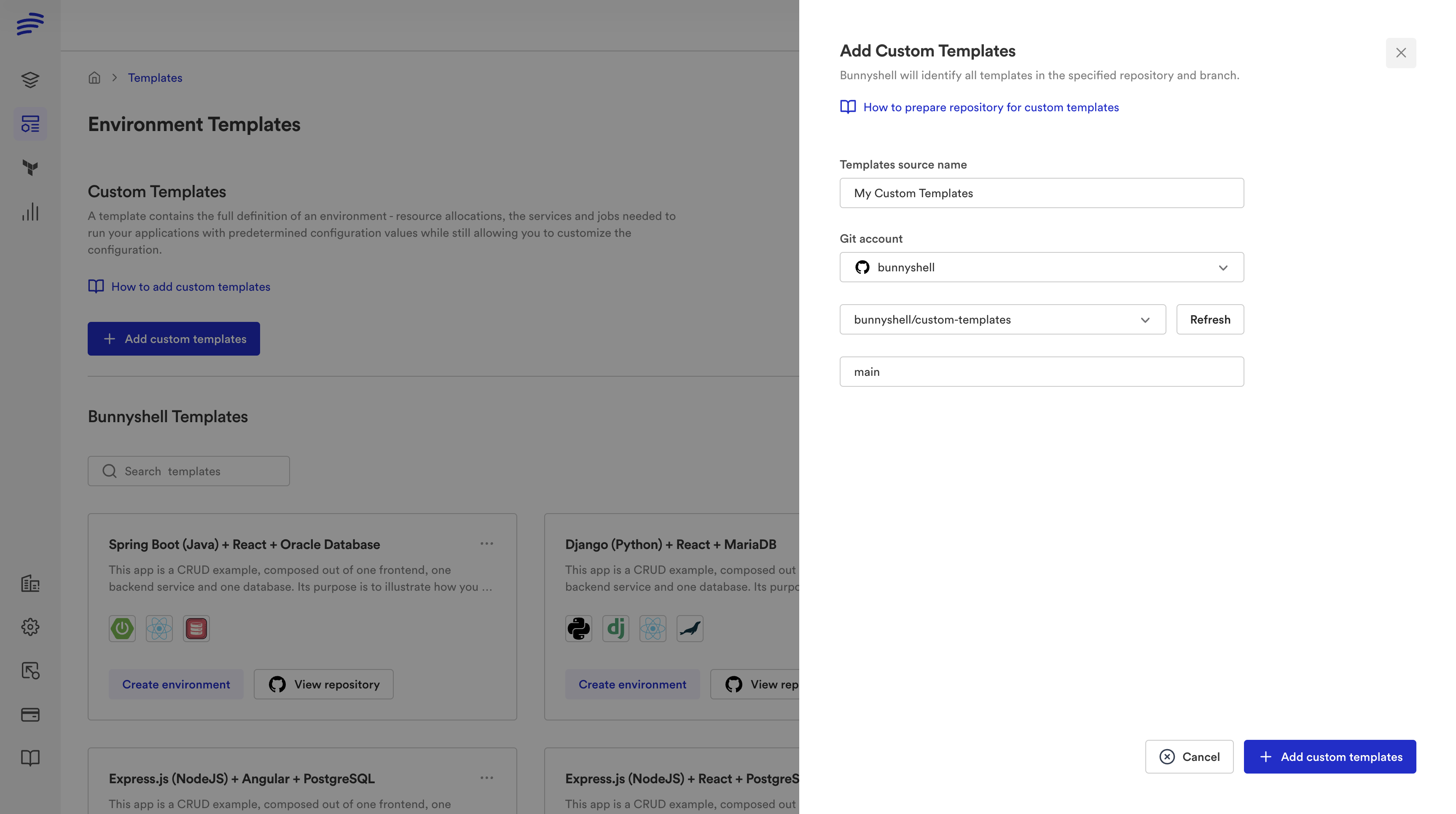
Bunnyshell supports four component types. Understanding which type to use for each piece of your infrastructure is the core of migration planning.
Terraform Components (kind: Terraform)
Native Terraform support. Bunnyshell clones your repository, runs terraform init, terraform plan, and terraform apply inside a containerized runner on your Kubernetes cluster. State is managed automatically (Bunnyshell provides an S3-based backend scoped per Organization) or you can bring your own backend.
1components:
2  - kind: Terraform
3    name: networking
4    gitRepo: 'https://github.com/your-org/infrastructure.git'
5    gitBranch: main
6    gitApplicationPath: /modules/networking
7    runnerImage: 'hashicorp/terraform:1.5'
8    deploy:
9      - 'terraform init -input=false'
10      - 'terraform apply -auto-approve -input=false'
11    destroy:
12      - 'terraform init -input=false'
13      - 'terraform destroy -auto-approve -input=false'
14    exportVariables:
15      - VPC_ID
16      - SUBNET_IDS
17      - SECURITY_GROUP_ID
Use for: VPCs, subnets, RDS instances, ElastiCache, IAM roles, S3 buckets — any infrastructure you currently manage with Terraform through Proton.
Generic Components (kind: GenericComponent)
The GenericComponent runs arbitrary shell commands inside a container. This is how you run CloudFormation, Pulumi, CDK, or any CLI-based tool. It provides full lifecycle hooks: deploy, destroy, start, and stop.
1components:
2  - kind: GenericComponent
3    name: cf-networking
4    gitRepo: 'https://github.com/your-org/infrastructure.git'
5    gitBranch: main
6    gitApplicationPath: /cloudformation/networking
7    runnerImage: 'amazon/aws-cli:2.15'
8    deploy:
9      - |
10        aws cloudformation deploy \
11          --template-file template.yaml \
12          --stack-name "{{ env.unique }}-networking" \
13          --parameter-overrides \
14            VpcCidr="{{ template.vars.vpc_cidr }}" \
15            Environment="{{ env.unique }}" \
16          --capabilities CAPABILITY_IAM \
17          --no-fail-on-empty-changeset
18      - |
19        VPC_ID=$(aws cloudformation describe-stacks \
20          --stack-name "{{ env.unique }}-networking" \
21          --query 'Stacks[0].Outputs[?OutputKey==`VpcId`].OutputValue' \
22          --output text)
23        echo "VPC_ID=$VPC_ID" >> /bunnyshell/variables
24    destroy:
25      - |
26        aws cloudformation delete-stack \
27          --stack-name "{{ env.unique }}-networking"
28        aws cloudformation wait stack-delete-complete \
29          --stack-name "{{ env.unique }}-networking"
30    exportVariables:
31      - VPC_ID
Use for: CloudFormation stacks, AWS CDK, Pulumi, or any infrastructure provisioned via CLI commands.
Helm Components (kind: Helm)
For Kubernetes workloads packaged as Helm charts. Bunnyshell runs helm install / helm upgrade with values injected from template variables and component outputs.
1components:
2  - kind: Helm
3    name: ingress-controller
4    runnerImage: 'alpine/helm:3.14'
5    deploy:
6      - |
7        helm repo add ingress-nginx https://kubernetes.github.io/ingress-nginx
8        helm upgrade --install ingress-nginx ingress-nginx/ingress-nginx \
9          --set controller.replicaCount=2
10    destroy:
11      - 'helm uninstall ingress-nginx'
Use for: Kubernetes add-ons, monitoring stacks, service meshes, or any workload packaged as a Helm chart.
Application Components (kind: Application)
Containerized services built from a Dockerfile and deployed to Kubernetes. Bunnyshell builds the image, pushes it to a registry, and deploys the resulting container.
1components:
2  - kind: Application
3    name: api-service
4    gitRepo: 'https://github.com/your-org/api.git'
5    gitBranch: main
6    gitApplicationPath: /
7    dockerCompose:
8      build:
9        context: .
10        dockerfile: Dockerfile
11      ports:
12        - '8080:8080'
13      environment:
14        DATABASE_URL: '{{ components.rds-database.exported.DATABASE_URL }}'
15        REDIS_URL: '{{ components.elasticache.exported.REDIS_URL }}'
Use for: Your application services — APIs, frontends, workers, background processors.
Mixing Component Types
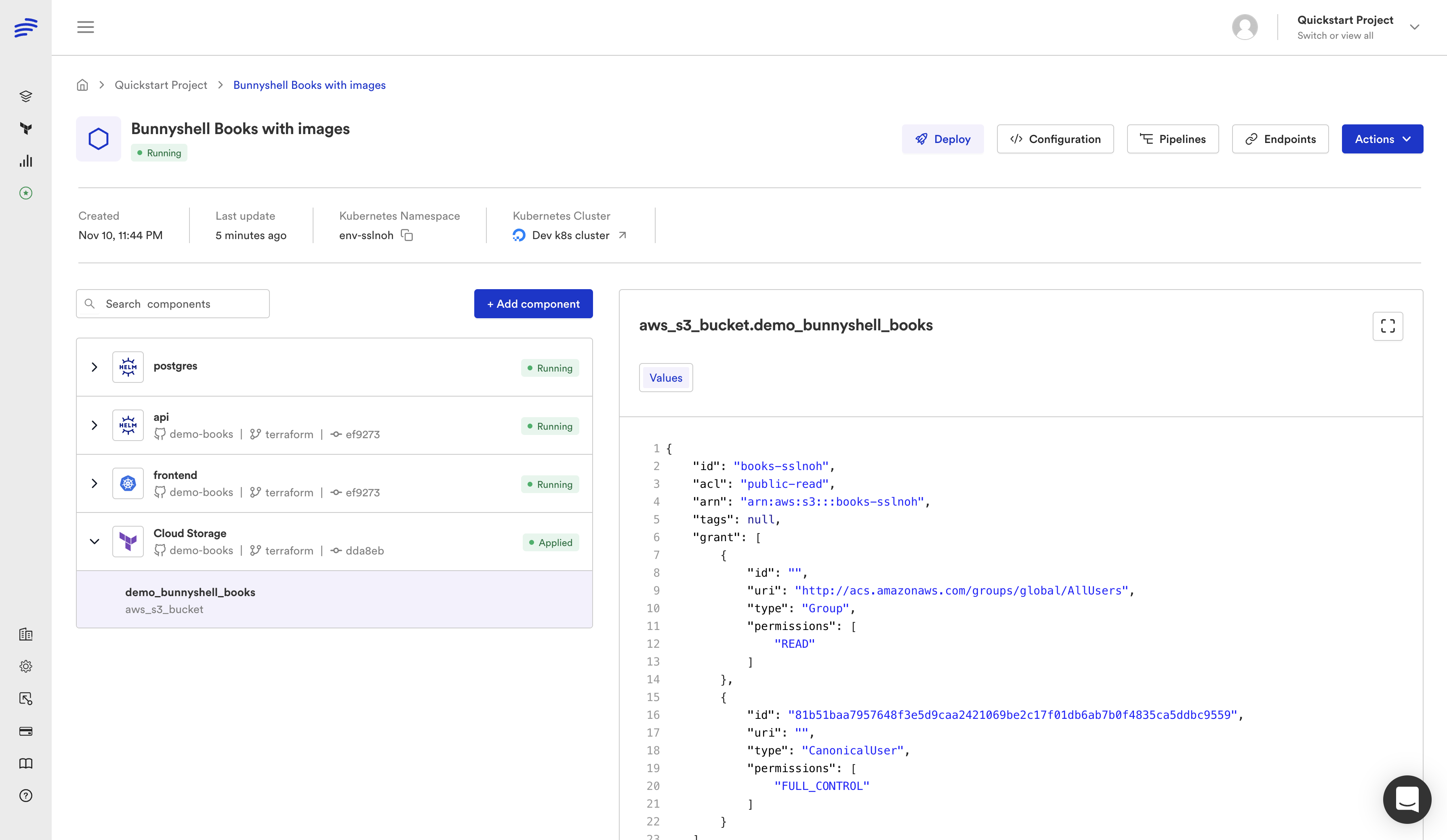
A single Bunnyshell environment can combine all four component types. This is one of the biggest differences from Proton, where environment templates and service templates were separate concepts. In Bunnyshell, everything lives in one bunnyshell.yaml:
1components:
2  - kind: Terraform
3    name: rds-database
4    # ... provisions RDS
5  - kind: GenericComponent
6    name: cf-networking
7    # ... deploys CloudFormation stack
8  - kind: Helm
9    name: monitoring
10    # ... installs Prometheus stack
11  - kind: Application
12    name: api
13    # ... deploys your API container, wired to RDS and networking outputs
Bunnyshell resolves the dependency graph automatically. If your API component references {{ components.rds-database.exported.DATABASE_URL }}, Bunnyshell knows to provision the database first.
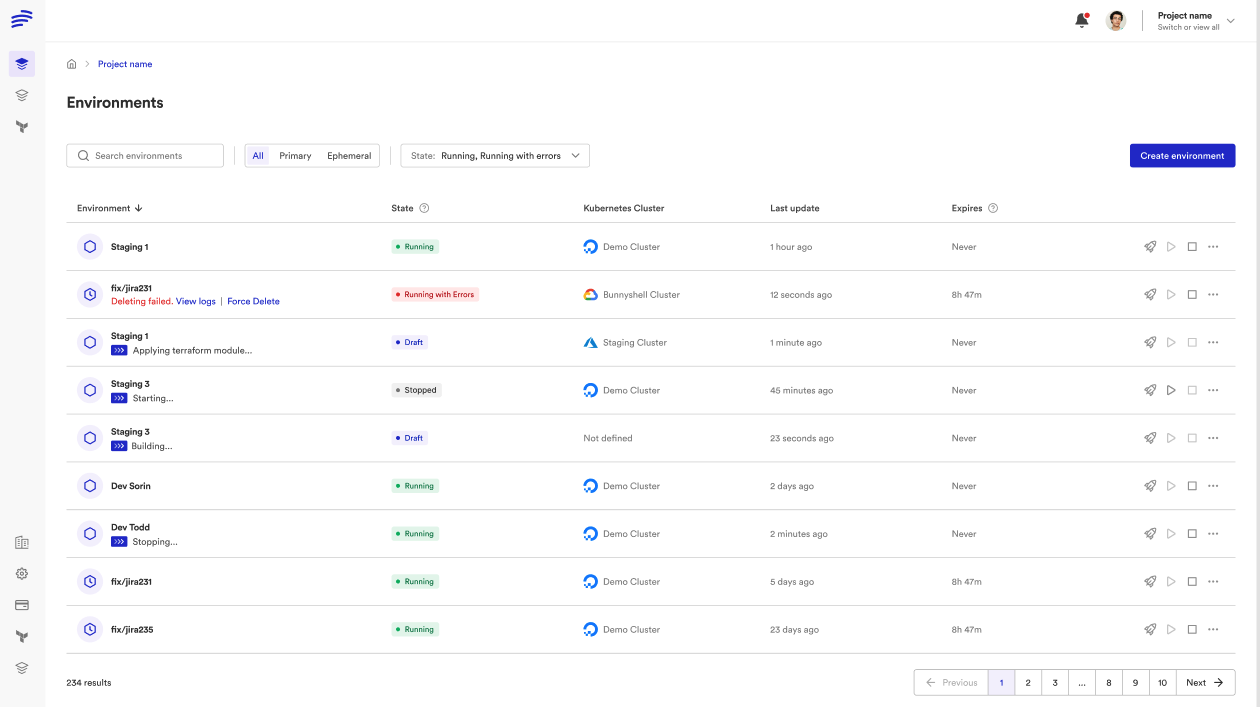
Migration Paths
Choose the path that matches your Proton setup. Many teams will use Path C (mixed) if they have both CloudFormation and Terraform workloads.
Path A: CloudFormation Migration
If your Proton environment templates use CloudFormation, wrap each template in a GenericComponent.
The pattern:
- Your CloudFormation template YAML files stay untouched in your Git repository.
- Create a
bunnyshell.yamlwith aGenericComponentfor each CloudFormation stack. - Map
schema.yamlparameters to Bunnyshell template variables. - Use
aws cloudformation deployin thedeployhook. - Export stack outputs via
aws cloudformation describe-stacksto make them available to other components. - Add
aws cloudformation delete-stackin thedestroyhook.
1kind: Environment
2name: '{{ template.vars.environment_name }}'
3type: primary
4
5templateVariables:
6  environment_name:
7    type: string
8    description: 'Name for this environment'
9  vpc_cidr:
10    type: string
11    default: '10.0.0.0/16'
12    description: 'CIDR block for the VPC'
13  db_instance_class:
14    type: string
15    default: 'db.t3.medium'
16    description: 'RDS instance class'
17
18components:
19  - kind: GenericComponent
20    name: networking
21    gitRepo: 'https://github.com/your-org/proton-templates.git'
22    gitBranch: main
23    gitApplicationPath: /environment-templates/networking/v1
24    runnerImage: 'amazon/aws-cli:2.15'
25    deploy:
26      - |
27        aws cloudformation deploy \
28          --template-file cloudformation.yaml \
29          --stack-name "{{ env.unique }}-networking" \
30          --parameter-overrides \
31            VpcCidr="{{ template.vars.vpc_cidr }}" \
32          --capabilities CAPABILITY_IAM \
33          --no-fail-on-empty-changeset
34      - |
35        VPC_ID=$(aws cloudformation describe-stacks \
36          --stack-name "{{ env.unique }}-networking" \
37          --query 'Stacks[0].Outputs[?OutputKey==`VpcId`].OutputValue' \
38          --output text)
39        SUBNET_IDS=$(aws cloudformation describe-stacks \
40          --stack-name "{{ env.unique }}-networking" \
41          --query 'Stacks[0].Outputs[?OutputKey==`SubnetIds`].OutputValue' \
42          --output text)
43        echo "VPC_ID=$VPC_ID" >> /bunnyshell/variables
44        echo "SUBNET_IDS=$SUBNET_IDS" >> /bunnyshell/variables
45    destroy:
46      - |
47        aws cloudformation delete-stack \
48          --stack-name "{{ env.unique }}-networking"
49        aws cloudformation wait stack-delete-complete \
50          --stack-name "{{ env.unique }}-networking"
51    exportVariables:
52      - VPC_ID
53      - SUBNET_IDS
54
55  - kind: GenericComponent
56    name: database
57    gitRepo: 'https://github.com/your-org/proton-templates.git'
58    gitBranch: main
59    gitApplicationPath: /service-templates/rds/v1
60    runnerImage: 'amazon/aws-cli:2.15'
61    deploy:
62      - |
63        aws cloudformation deploy \
64          --template-file cloudformation.yaml \
65          --stack-name "{{ env.unique }}-database" \
66          --parameter-overrides \
67            VpcId="{{ components.networking.exported.VPC_ID }}" \
68            SubnetIds="{{ components.networking.exported.SUBNET_IDS }}" \
69            InstanceClass="{{ template.vars.db_instance_class }}" \
70          --capabilities CAPABILITY_IAM \
71          --no-fail-on-empty-changeset
72      - |
73        DB_ENDPOINT=$(aws cloudformation describe-stacks \
74          --stack-name "{{ env.unique }}-database" \
75          --query 'Stacks[0].Outputs[?OutputKey==`Endpoint`].OutputValue' \
76          --output text)
77        echo "DATABASE_URL=postgresql://admin:secret@${DB_ENDPOINT}:5432/app" >> /bunnyshell/variables
78    destroy:
79      - |
80        aws cloudformation delete-stack \
81          --stack-name "{{ env.unique }}-database"
82        aws cloudformation wait stack-delete-complete \
83          --stack-name "{{ env.unique }}-database"
84    exportVariables:
85      - DATABASE_URL
86
87  - kind: Application
88    name: api
89    gitRepo: 'https://github.com/your-org/api.git'
90    gitBranch: main
91    gitApplicationPath: /
92    dockerCompose:
93      build:
94        context: .
95        dockerfile: Dockerfile
96      ports:
97        - '8080:8080'
98      environment:
99        DATABASE_URL: '{{ components.database.exported.DATABASE_URL }}'
For the full CloudFormation migration walkthrough, see Migrating AWS Proton CloudFormation Templates to Bunnyshell.
Path B: Terraform Migration
If your Proton templates use Terraform, use kind: Terraform for native support.
The pattern:
- Your Terraform modules stay untouched in your Git repository.
- Create a
bunnyshell.yamlwith aTerraformcomponent for each module. - Map
schema.yamlparameters toTF_VAR_*environment variables or Bunnyshell template variables. - Configure state backend (Bunnyshell-managed or bring your own).
- Export Terraform outputs to make them available to other components.
1kind: Environment
2name: '{{ template.vars.environment_name }}'
3type: primary
4
5templateVariables:
6  environment_name:
7    type: string
8    description: 'Name for this environment'
9  db_instance_class:
10    type: string
11    default: 'db.t3.medium'
12  region:
13    type: string
14    default: 'us-east-1'
15
16components:
17  - kind: Terraform
18    name: database
19    gitRepo: 'https://github.com/your-org/proton-templates.git'
20    gitBranch: main
21    gitApplicationPath: /terraform/rds
22    runnerImage: 'hashicorp/terraform:1.5'
23    deploy:
24      - 'terraform init -input=false'
25      - 'terraform apply -auto-approve -input=false'
26    destroy:
27      - 'terraform init -input=false'
28      - 'terraform destroy -auto-approve -input=false'
29    environment:
30      TF_VAR_instance_class: '{{ template.vars.db_instance_class }}'
31      TF_VAR_region: '{{ template.vars.region }}'
32      TF_VAR_environment: '{{ env.unique }}'
33    exportVariables:
34      - DB_ENDPOINT
35      - DB_NAME
36
37  - kind: Application
38    name: api
39    gitRepo: 'https://github.com/your-org/api.git'
40    gitBranch: main
41    gitApplicationPath: /
42    dockerCompose:
43      build:
44        context: .
45        dockerfile: Dockerfile
46      ports:
47        - '8080:8080'
48      environment:
49        DATABASE_URL: 'postgresql://admin:secret@{{ components.database.exported.DB_ENDPOINT }}:5432/{{ components.database.exported.DB_NAME }}'
For the full Terraform migration walkthrough, see Migrating AWS Proton Terraform Templates to Bunnyshell.
Path C: Mixed CloudFormation + Terraform
Many teams have both CloudFormation and Terraform in their Proton setup. Bunnyshell handles this naturally — combine GenericComponent (for CF) and kind: Terraform (for TF) in the same environment:
1components:
2  - kind: GenericComponent
3    name: cf-networking
4    # CloudFormation stack for VPC, subnets, security groups
5    runnerImage: 'amazon/aws-cli:2.15'
6    deploy:
7      - |
8        aws cloudformation deploy \
9          --template-file template.yaml \
10          --stack-name "{{ env.unique }}-networking" \
11          --capabilities CAPABILITY_IAM
12      - |
13        VPC_ID=$(aws cloudformation describe-stacks \
14          --stack-name "{{ env.unique }}-networking" \
15          --query 'Stacks[0].Outputs[?OutputKey==`VpcId`].OutputValue' \
16          --output text)
17        echo "VPC_ID=$VPC_ID" >> /bunnyshell/variables
18    exportVariables:
19      - VPC_ID
20
21  - kind: Terraform
22    name: tf-database
23    # Terraform module for RDS, using VPC output from CF
24    runnerImage: 'hashicorp/terraform:1.5'
25    deploy:
26      - 'terraform init -input=false'
27      - 'terraform apply -auto-approve -input=false'
28    environment:
29      TF_VAR_vpc_id: '{{ components.cf-networking.exported.VPC_ID }}'
30    exportVariables:
31      - DATABASE_URL
32
33  - kind: Application
34    name: api
35    dockerCompose:
36      environment:
37        DATABASE_URL: '{{ components.tf-database.exported.DATABASE_URL }}'
The dependency graph is resolved automatically. CloudFormation networking deploys first, its VPC output feeds into the Terraform database module, and the application container starts last with the database URL injected.
For All Paths: CI/CD Pipeline Migration
Proton pipelines translate to Bunnyshell pipelines. The key difference is that Bunnyshell pipelines are Git-native — they are defined in your repository and triggered by Git events.
Proton pipeline triggers map to Bunnyshell pipeline triggers:
| Proton Trigger | Bunnyshell Equivalent |
|---|---|
| Template version publish | Git push to branch (auto-sync) |
| Service instance create | Environment create (API, CLI, or Git event) |
| Service instance update | Environment deploy (triggered by Git push or API) |
| Service instance delete | Environment delete (API, CLI, or PR close) |
API Migration: Replace Proton API calls with Bunnyshell REST API or bns CLI commands:
1# Proton: Create service instance
2aws proton create-service-instance --name my-service --service-name my-svc
3
4# Bunnyshell: Create environment from template
5bns environments create --name my-service --template-id tmpl_xxx
6
7# Proton: Update service instance
8aws proton update-service-instance --name my-service
9
10# Bunnyshell: Deploy environment
11bns environments deploy --id env_xxx
12
13# Proton: Delete service instance
14aws proton delete-service-instance --name my-service
15
16# Bunnyshell: Delete environment
17bns environments delete --id env_xxx
Bunnyshell billing is based on environment runtime minutes, not user seats. For CI/CD integrations that only use the API, a single API token with appropriate RBAC permissions is sufficient — no need to create individual user accounts for automation.
Migration Checklist
Use this checklist to track your migration progress. Most teams complete the full cycle in one to two weeks.
Phase 1: Discovery (Day 1-2)
- Inventory Proton environment templates — List all templates, their versions, and which teams use them
- Inventory Proton service templates — List all service templates and their parameters (
schema.yaml) - Map infrastructure dependencies — Document which services depend on which environment resources (VPC, subnets, databases)
- Export Proton configurations — Download all template bundles, schema files, and pipeline definitions before the October 2026 deadline
- Identify API consumers — Find all scripts, CI/CD pipelines, and tools that call the Proton API
Phase 2: Setup (Day 2-3)
- Create Bunnyshell Organization — Sign up and create your Organization
- Create Projects — Organize by team, product, or domain
- Connect Kubernetes cluster — Add your EKS (or other) cluster to Bunnyshell
- Connect Git repositories — Link GitHub, GitLab, or Bitbucket repositories containing your IaC
- Configure AWS credentials — Set up AWS access for GenericComponent and Terraform runners via Kubernetes service accounts or environment variables
- Set up RBAC — Map your existing Proton roles (admin, developer, viewer) to Bunnyshell Organization and Project roles
Phase 3: Migration (Day 3-7)
- Create
bunnyshell.yaml— Define your environment template with all components - Map template variables — Convert
schema.yamlparameters totemplateVariables - Configure lifecycle hooks — Set up deploy, destroy, start, and stop commands for each component
- Wire component outputs — Connect infrastructure outputs to application environment variables using
{{ components.X.exported.Y }} - Set up pipelines — Configure Git-triggered pipelines for automatic deployment
- Migrate API integrations — Update scripts and CI/CD pipelines to use Bunnyshell API or
bnsCLI
Phase 4: Validation (Day 7-10)
- Deploy test environment — Create an environment from your template and verify all components deploy successfully
- Validate infrastructure — Confirm CloudFormation stacks and Terraform resources are created correctly
- Test application connectivity — Verify applications can reach databases, caches, and other infrastructure components
- Test destroy lifecycle — Delete the environment and confirm all resources are cleaned up
- Test ephemeral environments — Open a PR and verify an ephemeral environment is created automatically
- Validate API integrations — Run CI/CD pipelines and confirm they interact correctly with Bunnyshell
Phase 5: Cutover (Day 10-14)
- Migrate production environments — Create primary environments in Bunnyshell for production workloads
- Update team documentation — Update runbooks, onboarding guides, and internal docs to reference Bunnyshell
- Train team members — Walk through the Bunnyshell dashboard, CLI, and API with your team
- Disable Proton pipelines — Stop Proton from deploying updates to avoid conflicts
- Monitor — Watch the first few deployments closely and resolve any issues
- Decommission Proton — Once validated, remove Proton service instances and templates
What You Gain
Migrating from Proton is not just about replacing a deprecated tool. Bunnyshell provides capabilities that Proton never offered:
Ephemeral Environments
Every pull request gets its own full-stack environment — infrastructure, databases, and application services. Reviewers can test changes against real infrastructure before merging. Environments are destroyed automatically when the PR is closed.
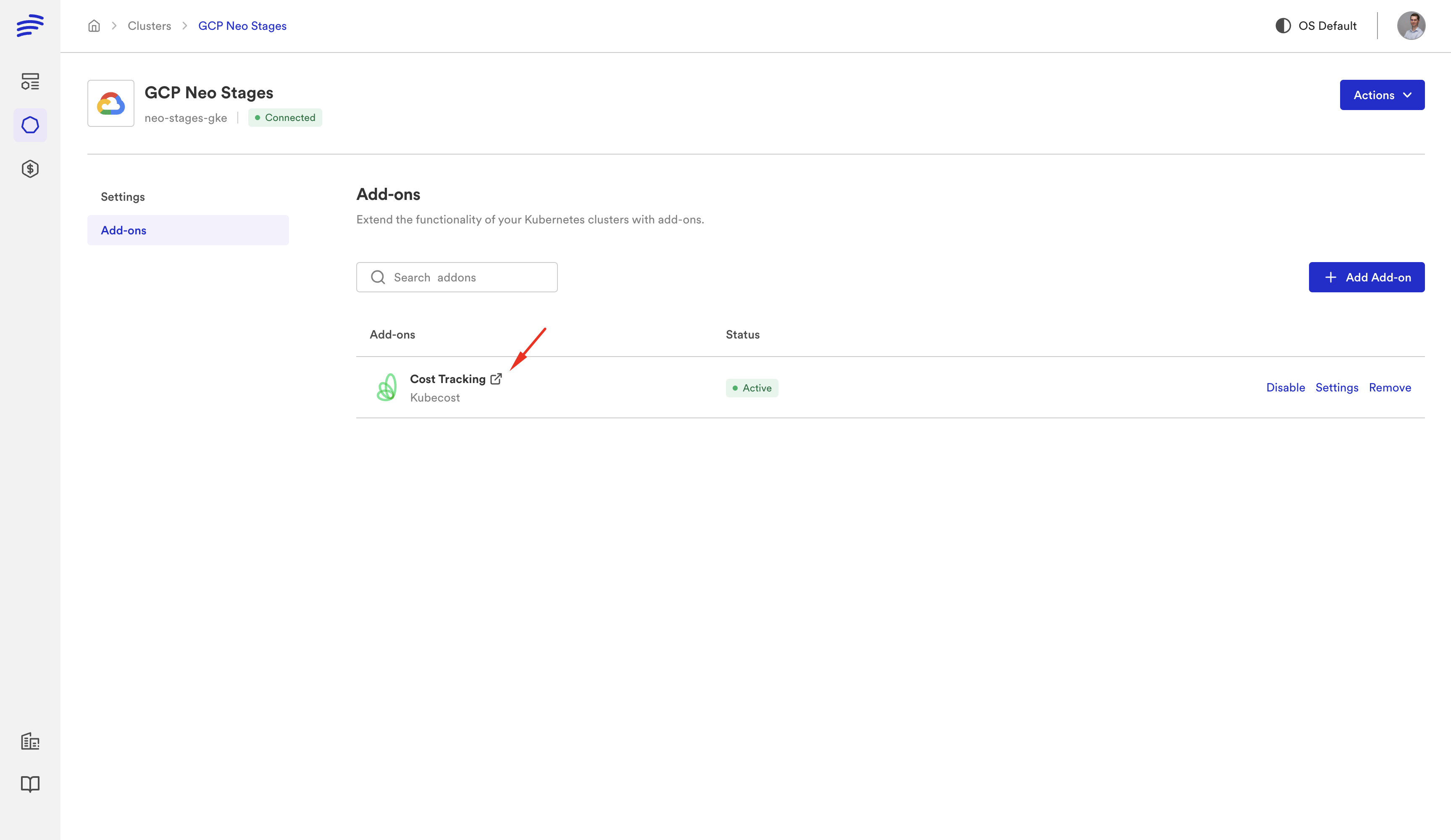
Cost Management
Environments can be stopped and started on schedule. Stop non-production environments overnight and on weekends. Bunnyshell tracks cost per environment, per team, and per project — giving platform teams visibility into infrastructure spend that Proton never provided.
Git ChatOps
Control environments from pull request comments. Type /bns deploy to trigger a deployment, /bns stop to pause an environment, or /bns destroy to clean up. No context switching between your Git workflow and a separate console.
Remote Development
Connect your IDE to a running environment for remote development. Edit code locally, see changes reflected in a cloud environment instantly. Useful for debugging issues that only reproduce with real infrastructure.
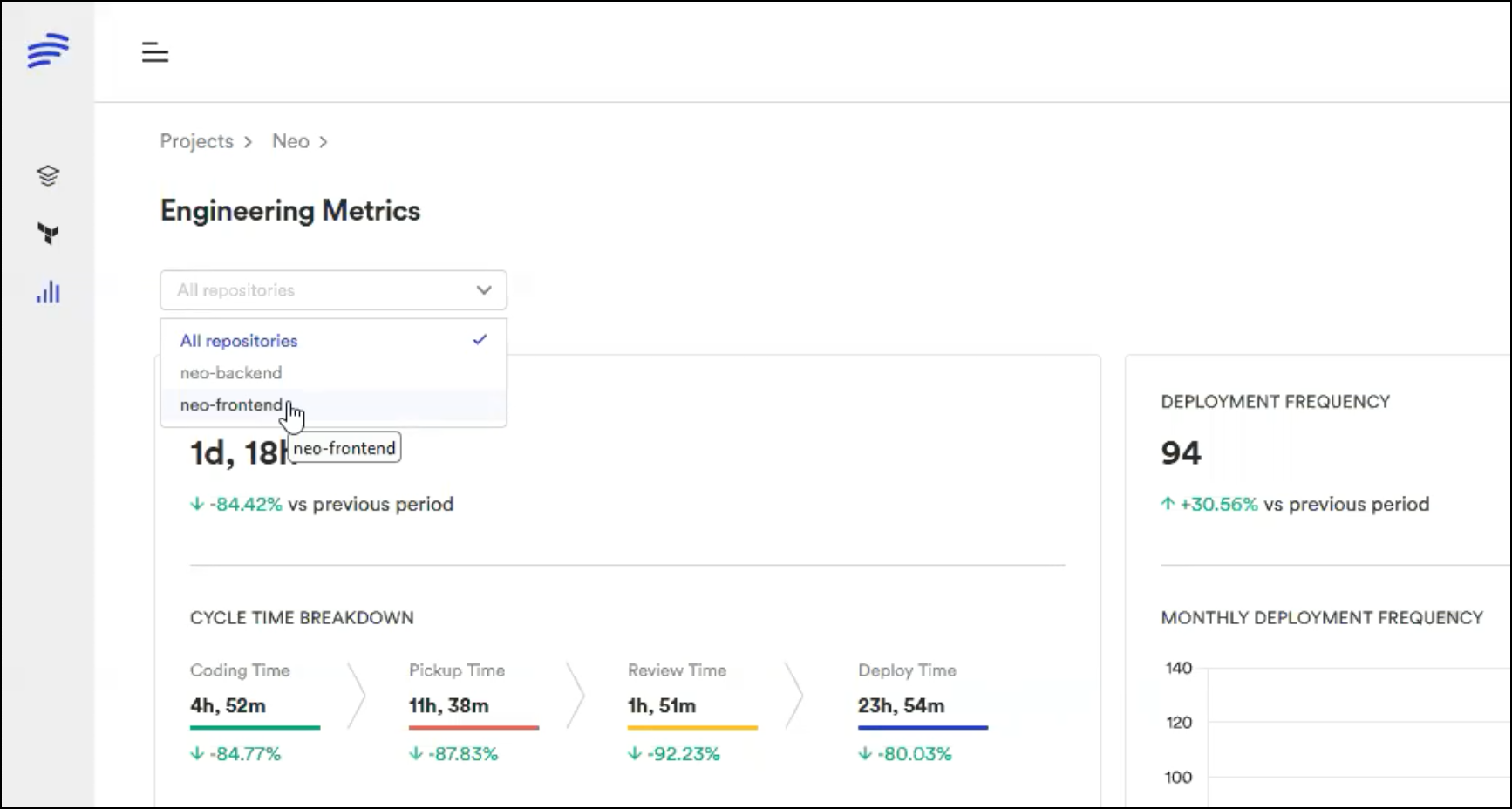
DORA Metrics
Track deployment frequency, lead time for changes, change failure rate, and mean time to recovery across all your environments. Bunnyshell collects these metrics automatically — no additional tooling required.
You do not need to adopt all of these capabilities on day one. Start with the core migration — getting your existing Proton workloads running in Bunnyshell. Then layer on ephemeral environments, cost management, and other features as your team is ready.
Next Steps
- CloudFormation users: Follow the detailed CloudFormation migration guide for step-by-step instructions on wrapping CF templates in GenericComponent.
- Terraform users: Follow the detailed Terraform migration guide for step-by-step instructions on using native Terraform components.
- Mixed environments: Review both guides and combine the patterns shown in Path C above.
- API consumers: Consult the Bunnyshell API documentation for endpoint mappings from the Proton API.
Need hands-on migration support?
Our solutions team provides dedicated migration assistance. VIP onboarding with a solution engineer, private Slack channel, and step-by-step guidance.
Frequently Asked Questions
What happens to my existing infrastructure after AWS Proton is discontinued?
All deployed CloudFormation stacks and Terraform-managed resources continue functioning. AWS Proton is a CI/CD delivery tool — deprecation affects only the Proton console and pipelines, not your infrastructure.
Do I need to rewrite my CloudFormation or Terraform code?
No. Bunnyshell runs CloudFormation via GenericComponent (wrapping aws cloudformation deploy) and Terraform natively. Your existing IaC stays as-is.
Can I run Bunnyshell and Proton in parallel during migration?
Yes. Bunnyshell operates independently on your Kubernetes cluster. You can run both side-by-side and migrate workloads incrementally.
What happens to my Proton data after October 7, 2026?
AWS will delete all Proton service data. Export your template configurations before this date. Your deployed infrastructure remains intact.
Does Bunnyshell require individual user seats?
No. Bunnyshell billing is based on environment runtime minutes, not user seats. For API-only access, a single API token with appropriate RBAC permissions is sufficient.
How long does migration from AWS Proton take?
Most teams complete migration in 1-2 weeks. Simple setups (single template, few services) can migrate in a day. Complex multi-template environments with custom pipelines may take 2-3 weeks with validation.