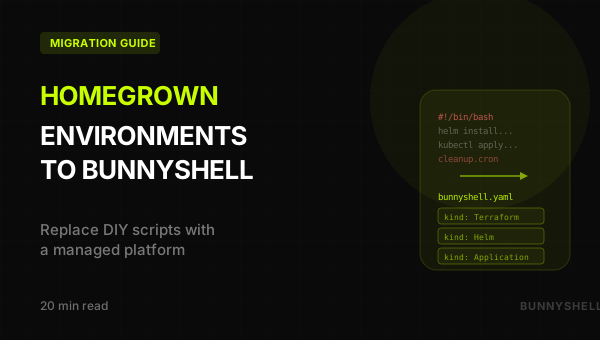
Migrating from Homegrown Ephemeral Environments to Bunnyshell
Replace your shell scripts, cleanup cron jobs, and custom Slack bots with a managed platform — without changing your Terraform, Helm, or Docker setup
The Homegrown Environment Problem
Engineering teams that adopt microservices eventually need ephemeral environments — isolated, on-demand copies of the full stack for feature development, PR reviews, QA, and demos. Without a dedicated platform, teams build their own solution. It works at first. Then it becomes a second product that someone has to maintain.
This guide is for the senior engineer or engineering manager who built that solution and is evaluating whether Bunnyshell can replace it.
What Teams Typically Build
Most homegrown ephemeral environment solutions share the same architecture:
Environment creation: Shell scripts or a Makefile that calls helm install and kubectl, or an ArgoCD/Flux ApplicationSet that generates per-branch resources. Triggered by GitHub Actions or GitLab CI on pull request events.
Infrastructure: Terraform modules for databases, caches, queues. Sometimes shared instances with per-environment isolation; sometimes skipped entirely, pointing at a shared staging database.
Networking: ExternalDNS or manual DNS for feature-xyz.dev.example.com, cert-manager for TLS, nginx ingress per namespace.
Visibility: A Slack bot that posts environment URLs. Sometimes a custom dashboard. Sometimes nothing — developers check ArgoCD or kubectl manually.
Cleanup: A cron job that deletes namespaces older than N days. Or a workflow on PR merge. Or manual cleanup when someone notices the cluster is full.
Access control: Typically none. Anyone with cluster access can do anything.
Where It Breaks Down
When the team grows to 20-50 developers and services climb past 15-20, the cracks appear:
Reliability degrades. Environment creation fails 20-30% of the time — race conditions, Helm version mismatches, Terraform state conflicts. Each failure requires manual debugging by the person who wrote the scripts.
Scaling is painful. Adding a new microservice means updating the creation script, Helm values, cleanup logic, Slack bot, and CI workflow. A 30-minute task takes a full day.
Cost spirals. Environments are left running because the cleanup cron isn't aggressive enough. No one knows which environments are in use. Monthly dev environment spend sometimes approaches production.
No cost visibility. "How much is team X spending on ephemeral environments?" requires manually cross-referencing K8s namespaces with cloud billing tags (which are often missing).
No access control. A junior developer accidentally deletes another team's environment. Or modifies a shared Terraform state file. No RBAC, no audit trail.
No remote development. Developers either run everything locally (impractical with 15+ services) or deploy and wait 10 minutes for every code change. Hot reload doesn't exist in the cloud environment.
Template drift. Different teams customize scripts differently. Three variants, none fully documented. New team members spend days getting an environment running.
The Hidden Cost: Platform Team Time
The platform team — usually 1-2 engineers — spends 30-50% of their time maintaining the ephemeral environment tooling instead of working on the actual platform. They've become the support desk for a product they never intended to build.
What Bunnyshell Replaces
Every component of a typical homegrown solution has a direct equivalent in Bunnyshell:
| Homegrown Component | Bunnyshell Equivalent |
|---|---|
| Shell scripts / Makefile for env creation | bunnyshell.yaml + REST API + bns CLI |
| ArgoCD / Flux for GitOps deployments | Deployment pipelines (build, deploy, lifecycle) |
| GitHub Actions / GitLab CI for PR triggers | Git ChatOps + API integration from existing CI |
| Terraform modules for infrastructure | kind: Terraform components (native, managed state) |
| Helm charts for services | kind: Helm components |
| Docker Compose for local parity | kind: Application with dockerCompose config |
| Custom namespace management | Automatic namespace per environment |
| Cron jobs for cleanup | TTL, availability rules, auto-delete on PR merge |
| Slack bot for status | Git ChatOps (PR comments), UI dashboard |
| No cost visibility | Cost reporting per environment, project, user |
| No RBAC | Policies, Roles, Teams with label-based targeting |
| No remote development | File sync, SSH mode, port forwarding, debug mode |
| Undocumented script variants | Parameterized templates with variables, in Git |
How It Works (for Teams Coming from DIY)
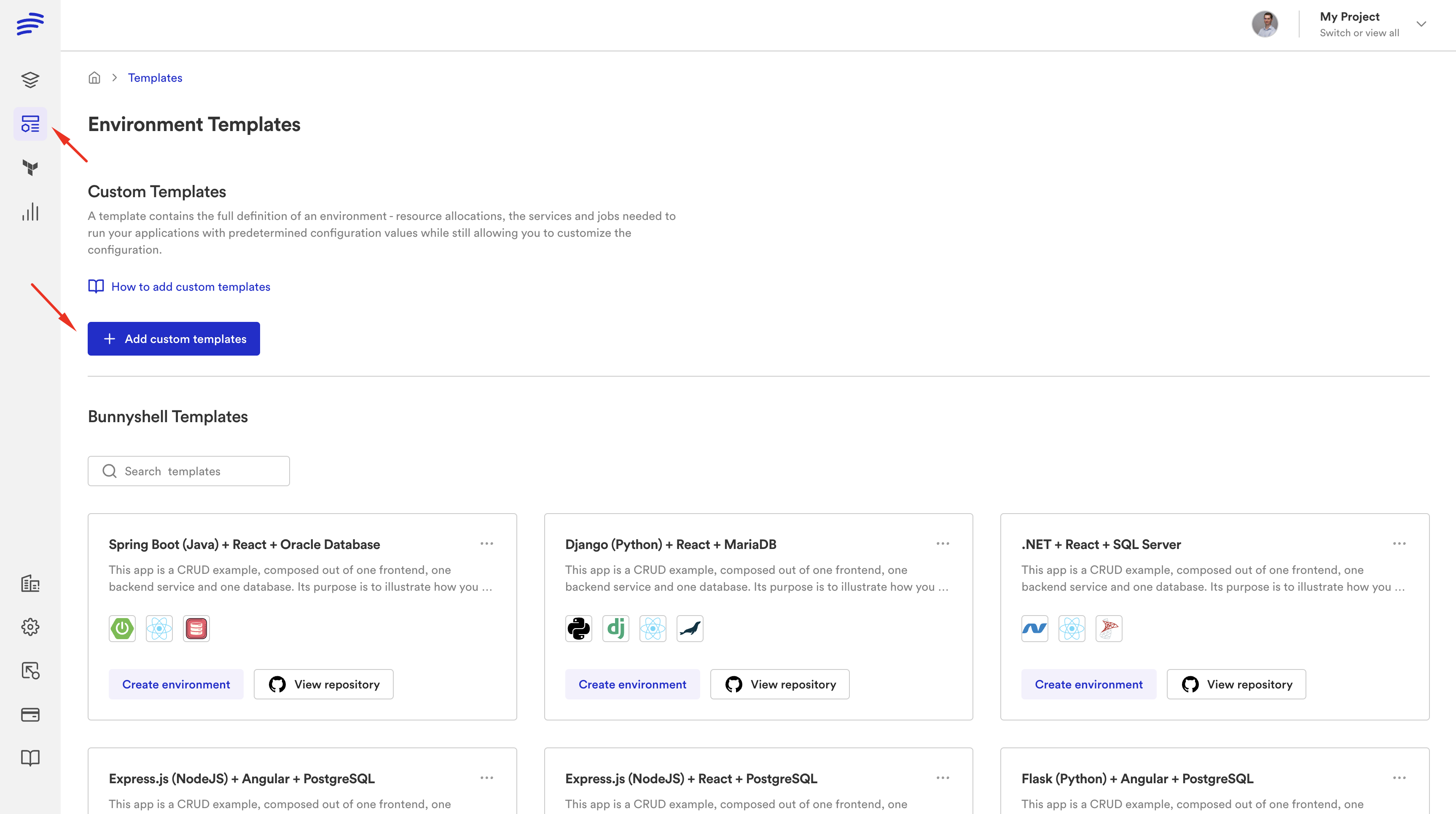
If you built your own solution, you already understand the primitives (Kubernetes, Helm, Terraform, Docker). Bunnyshell doesn't replace those tools. It orchestrates them.
Core Hierarchy
1Organization
2  └── Project
3        └── Environment (deployed from a Template)
4              ├── Component A (Application, Helm, Terraform, Generic...)
5              ├── Component B
6              └── Component C
Component Types
Each piece of your current environment maps to a specific component kind:
| Component Kind | What It Does | Your Current Equivalent |
|---|---|---|
Application | Build Docker image, deploy to K8s | CI build + Helm/kubectl deploy |
Service | Deploy third-party software | Helm install of Bitnami charts |
Helm | Run Helm charts with full lifecycle | ArgoCD Application or helm install |
Terraform | Run TF modules with managed state | Terraform wrapper scripts |
GenericComponent | Run any CLI commands in a container | Custom bash scripts |
KubernetesManifest | Apply raw K8s manifests | kubectl apply scripts |
A Real bunnyshell.yaml
Here's what a typical migrated environment looks like — a backend API, frontend SPA, PostgreSQL, Redis via Helm, and an RDS instance via Terraform:
1kind: Environment
2name: full-stack-app
3type: primary
4
5components:
6  # Infrastructure: RDS via Terraform
7  - kind: Terraform
8    name: rds-database
9    gitRepo: 'https://github.com/your-org/infra.git'
10    gitBranch: main
11    gitApplicationPath: /terraform/rds
12    runnerImage: 'hashicorp/terraform:1.5'
13    deploy:
14      - '/bns/helpers/terraform/get_managed_backend > zz_backend_override.tf'
15      - 'terraform init -input=false -no-color'
16      - 'terraform apply -input=false -auto-approve -no-color'
17      - 'export DATABASE_URL=$(terraform output -raw connection_string)'
18    destroy:
19      - '/bns/helpers/terraform/get_managed_backend > zz_backend_override.tf'
20      - 'terraform init -input=false -no-color'
21      - 'terraform destroy -input=false -auto-approve -no-color'
22    exportVariables:
23      - DATABASE_URL
24
25  # Redis via Helm
26  - kind: Helm
27    name: redis
28    runnerImage: 'dtzar/helm-kubectl:3.8.2'
29    deploy:
30      - 'helm repo add bitnami https://charts.bitnami.com/bitnami'
31      - |
32        helm upgrade --install redis bitnami/redis \
33          -n {{ env.k8s.namespace }} \
34          --set auth.enabled=false \
35          --set architecture=standalone
36    destroy:
37      - 'helm uninstall redis -n {{ env.k8s.namespace }}'
38
39  # Backend API
40  - kind: Application
41    name: api
42    gitRepo: 'https://github.com/your-org/api.git'
43    gitBranch: main
44    dockerCompose:
45      build:
46        context: .
47        dockerfile: Dockerfile
48      environment:
49        DATABASE_URL: '{{ components.rds-database.exported.DATABASE_URL }}'
50    hosts:
51      - hostname: 'api-{{ env.base_domain }}'
52        path: /
53        servicePort: 8080
54
55  # Frontend SPA
56  - kind: Application
57    name: frontend
58    gitRepo: 'https://github.com/your-org/frontend.git'
59    gitBranch: main
60    dockerCompose:
61      build:
62        context: .
63        dockerfile: Dockerfile
64        args:
65          API_URL: 'https://api-{{ env.base_domain }}'
66    hosts:
67      - hostname: 'app-{{ env.base_domain }}'
68        path: /
69        servicePort: 3000
Compare this to your current setup: a shell script that calls Terraform, then helm install, then kubectl apply, then runs migrations, then updates Slack. Same logic, but declarative and managed by a platform instead of a person.
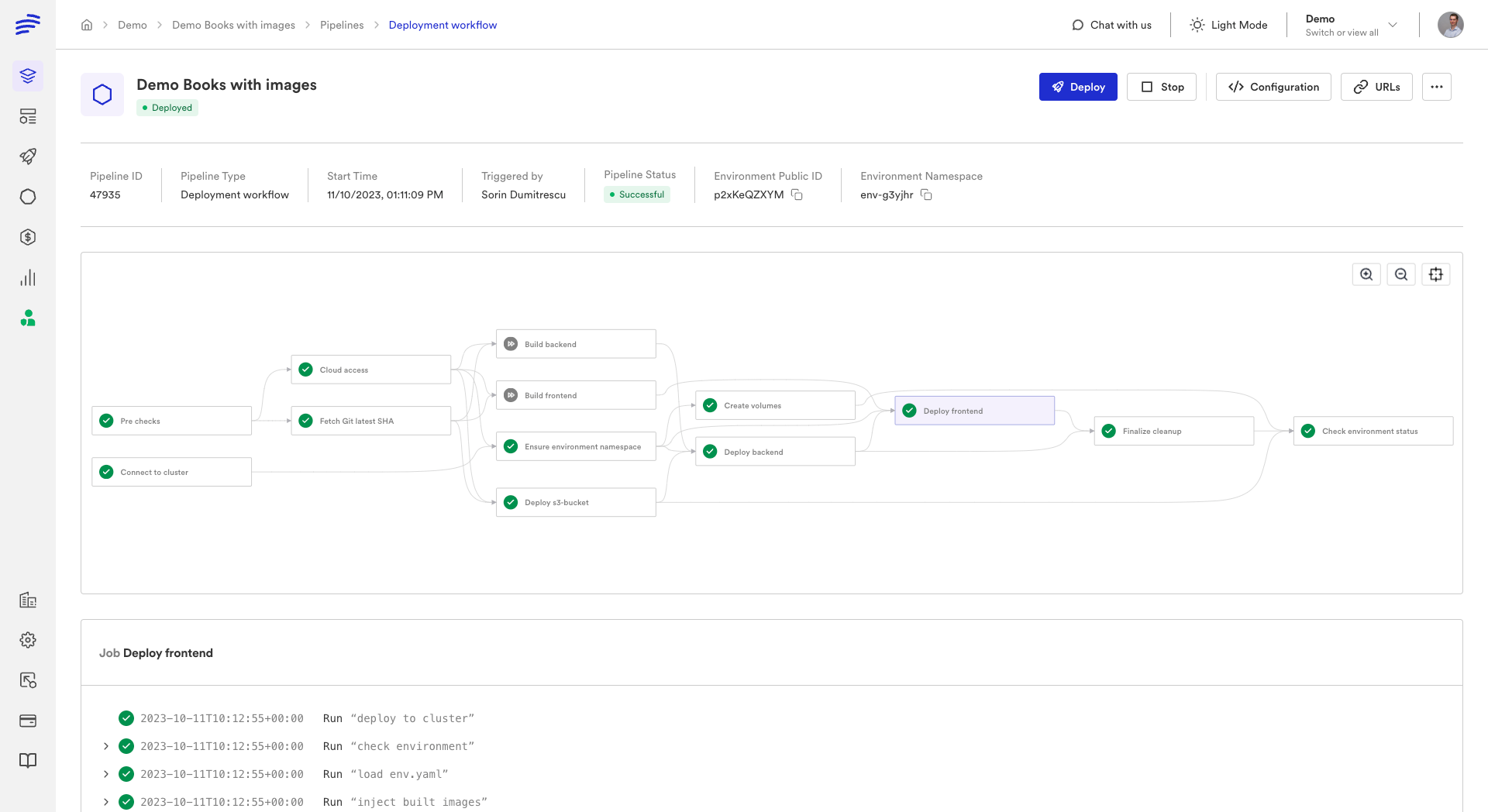
Components deploy in parallel by default. Dependencies are handled implicitly (when Component B references {{ components.A.exported.X }}) or explicitly via dependsOn. Parallel execution typically cuts deployment time by 40-60%.
What Stays the Same
Bunnyshell is an orchestration layer. It doesn't replace your infrastructure or tools:
- Your Kubernetes cluster — Bunnyshell deploys onto your existing cluster
- Your CI/CD pipeline — tests, linting, security scans continue unchanged
- Your Terraform modules — used as-is inside
kind: Terraformcomponents - Your Helm charts — used as-is inside
kind: Helmcomponents - Your Docker images and Dockerfiles — referenced directly
- Your container registry — ECR, GCR, Docker Hub, Harbor, GHCR
- Your monitoring stack — Datadog, Prometheus, Grafana see Bunnyshell workloads normally
What You Can Delete
After migration, these components of your homegrown solution are no longer needed:
- Environment creation scripts — replaced by
bunnyshell.yaml+ API/CLI - Namespace management logic — automatic per-environment namespaces
- Cleanup cron jobs — replaced by TTL and availability rules
- Custom status dashboards — replaced by Bunnyshell UI
- ArgoCD/Flux configs for ephemeral environments — keep production configs
- PR webhook handlers — replaced by Git ChatOps
- Custom ingress generation — handled by
hostsconfiguration - Environment variable management scripts — replaced by variable system
Migration Path
Migration is incremental. Both systems can run side-by-side.
Step 1: Pick a Pilot Environment
Choose a representative environment with 3-5 services, a database, and at least one infrastructure dependency. Don't start with the most complex one.
Step 2: Create bunnyshell.yaml
Translate your existing scripts:
| Your Current Step | bunnyshell.yaml Component |
|---|---|
terraform apply -var env_name=... | kind: Terraform |
helm install redis bitnami/redis ... | kind: Helm |
docker build && kubectl apply | kind: Application with dockerCompose.build |
kubectl apply -f manifests/ | kind: KubernetesManifest |
python manage.py migrate | kind: GenericComponent with dependsOn |
| Custom bash logic | kind: GenericComponent |
Step 3: Connect Your Cluster
Register your Kubernetes cluster with Bunnyshell by installing the lightweight agent. Any cluster works — EKS, GKE, AKS, on-premises.
Step 4: Deploy and Verify
1bns environments create \
2  --from-path bunnyshell.yaml \
3  --name "pilot-env" \
4  --project $PROJECT_ID \
5  --k8s $CLUSTER_ID
6
7bns environments deploy --id $ENV_ID --wait
Compare against an environment created by your existing scripts. Verify all services, databases, and inter-service communication.
Step 5: Add Template Variables
Replace hard-coded values with template variables for team customization:
1variables:
2  - name: 'api_replicas'
3    description: 'Number of API replicas'
4    type: 'string'
5  - name: 'db_instance_type'
6    description: 'RDS instance type'
7    type: 'string'
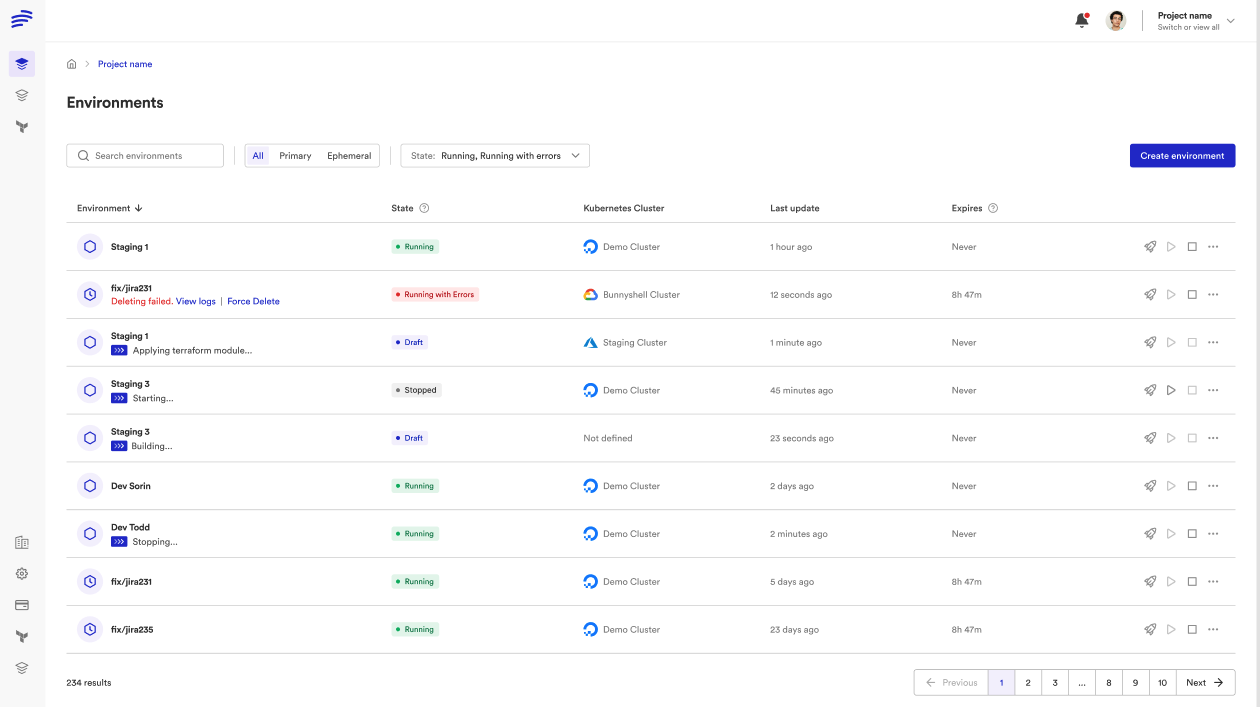
Step 6: Enable Git ChatOps
Configure automatic ephemeral environments on PR open:
- Connect your Git provider (GitHub, GitLab, Bitbucket, Azure DevOps)
- Configure the template for PR environments
- PRs get live environment URLs posted as comments
- Developers control via
/bns:deploy,/bns:stop,/bns:start,/bns:delete - PR merge → environment auto-destroyed
Step 7: Configure Cost Controls
Availability rules — stop dev environments outside business hours (save 60-70%):
- Days: Monday through Friday
- Hours: 08:00 - 20:00
TTL — auto-delete ephemeral environments after N hours/days.
Stop/start hooks — custom logic for external resources:
1- kind: GenericComponent
2  name: rds-database
3  stop:
4    - 'aws rds stop-db-instance --db-instance-identifier {{ env.unique }}-db'
5  start:
6    - 'aws rds start-db-instance --db-instance-identifier {{ env.unique }}-db'
Step 8: Set Up RBAC
Define access control your homegrown solution never had:
- Developers: deploy and view logs in their project's environments
- Team leads: manage environment configuration
- Platform team: full administrative access
Step 9: Roll Out to Remaining Services
Each team creates their own bunnyshell.yaml. The template gallery gives developers self-service access.
Step 10: Decommission
Remove creation scripts, cleanup crons, webhook handlers, custom dashboards, and ephemeral-env ArgoCD/Flux configs.
Where Things Run
A common concern: "Do my secrets leave my infrastructure?"
Everything runs on your cluster. Bunnyshell is the orchestration layer only.
| What | Where It Runs |
|---|---|
| Docker image builds | Your cluster (self-hosted) or Bunnyshell-managed |
| Terraform / Helm / CLI scripts | Your cluster (always) |
| Application containers | Your cluster (always) |
| Orchestration engine | Bunnyshell SaaS |
| Secrets at rest | Bunnyshell (encrypted) |
| Secrets at execution | Your cluster (injected at runtime) |
Comparison: Homegrown vs Bunnyshell
| Dimension | Homegrown | Bunnyshell |
|---|---|---|
| Maintenance burden | 30-50% of platform team time | Zero — managed platform |
| Reliability | 70-80% success rate | Managed pipelines with retry logic |
| Time to create env | 10-30 min (when it works) | 5-15 min, parallel deployment |
| Time to add new service | Hours to days | Add component to YAML, push to Git |
| Cost visibility | None | Per-environment, per-team reporting |
| Cost controls | Nightly cleanup cron | TTL, availability rules, stop/start hooks |
| Access control | None (shared kubeconfig) | Policies + Roles + Teams + labels |
| Developer self-service | Ask the platform engineer | Template gallery, Git ChatOps |
| PR preview environments | Custom CI handler, often unreliable | Git ChatOps: auto-create, auto-destroy |
| Remote development | Not available | File sync + SSH, hot reload, IDE integration |
| Debugging | kubectl + bastion + ask platform eng | Integrated logs, SSH, port forwarding, debug mode |
| Onboarding | Days to understand scripts | Minutes — pick template, deploy |
Ready to replace your homegrown environment tooling?
Our solutions team helps platform engineers migrate from custom scripts to Bunnyshell. We'll map your specific architecture and create a migration plan.
Frequently Asked Questions
How long does migration take?
Pilot (1 environment, 3-5 services): 1-2 weeks. Full rollout (all environments and services): 4-6 weeks for a team with 10-20 services. Migration is incremental — both systems can run side-by-side.
Do we need to change our CI/CD pipeline?
No. Bunnyshell handles deployment and environment orchestration. Your existing CI pipeline for tests, linting, security scanning, and Docker builds stays exactly as it is. At most, you add a step that calls the Bunnyshell API.
Can we migrate incrementally?
Yes. Bunnyshell environments are independent of your existing setup. You can create one environment in Bunnyshell while the rest use your scripts, then gradually move services over.
What about our ArgoCD/Flux setup for production?
Keep it. Bunnyshell is designed for development, staging, QA, and ephemeral environments. Many teams use ArgoCD for production and Bunnyshell for everything else.
How much platform team time does this save?
Teams that migrate from homegrown solutions typically reclaim 30-50% of their platform engineer time. Environment creation support, script maintenance, cleanup jobs, and onboarding are all eliminated or dramatically reduced.
Is there vendor lock-in?
Bunnyshell is an orchestration layer. Your Terraform modules, Helm charts, Docker images, and Kubernetes manifests are standard tools that work with or without Bunnyshell. Your infrastructure code is unchanged and portable.
Where does my code run?
Everything runs on your Kubernetes cluster. Bunnyshell orchestrates the deployment, but compute, secrets execution, and data all stay on your infrastructure.