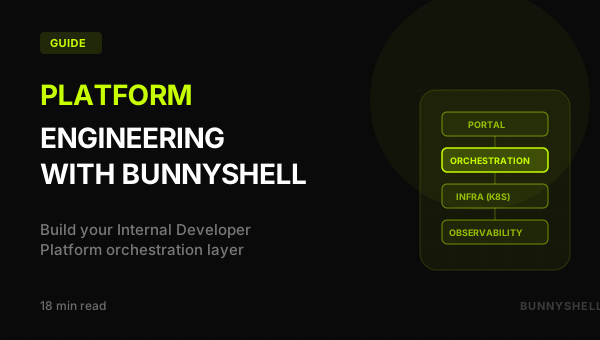
Platform Engineering with Bunnyshell: Building Your Internal Developer Platform
How Bunnyshell fits as the orchestration layer in your IDP stack — templates as golden paths, RBAC as governance, and API-driven extensibility
What Is Platform Engineering?
Platform engineering is the discipline of building and maintaining an Internal Developer Platform (IDP) — a self-service layer that abstracts away infrastructure complexity so developers can ship software faster, while the organization maintains governance, security, and cost control.
The core idea is the golden path: an opinionated but not restrictive set of defaults that encode your organization's best practices into reusable, self-service workflows. Developers who follow the golden path get a fast, well-lit road to production. Developers who need to deviate can — but the path is designed so that most work stays on it.
Why it matters:
- Reduce cognitive load on developers. A backend engineer should not need to understand Kubernetes networking, Terraform state management, and Helm chart templating to deploy a service.
- Accelerate delivery. When environment provisioning takes minutes instead of days, the bottleneck shifts from infrastructure to product decisions.
- Maintain compliance at scale. When every environment is created from an approved template with RBAC, compliance is structural rather than procedural.
- Free the platform team. Instead of handling tickets for environment creation, the platform team focuses on improving the platform itself.
The Internal Developer Platform Stack
A mature IDP typically has four layers. Understanding them helps you evaluate where any tool fits — and what gaps remain.
Layer 1: Developer Portal (Self-Service UI)
The interface developers interact with directly. It provides a catalog of services, documentation, and self-service actions.
Examples: Backstage, Port, Cortex, or a well-designed internal UI.
Layer 2: Orchestration (Environment Lifecycle)
The engine that translates a developer's self-service request into actual infrastructure and application deployments. It handles environment creation, deployment, scaling, stopping, starting, cloning, and destruction — across multiple component types and cloud resources.
This is where Bunnyshell fits.
Layer 3: Infrastructure (Actual Resources)
The compute, storage, and networking where workloads run. Kubernetes clusters, cloud services, databases, message queues.
Examples: EKS, GKE, AKS, on-prem Kubernetes, Terraform-managed cloud resources.
Layer 4: Observability (Monitoring and Logging)
Metrics, logs, traces, alerts.
Examples: Datadog, Grafana, Prometheus, New Relic.
1Developer Portal (Backstage, Port, or Bunnyshell UI)
2        │
3        ▼
4   Orchestration Layer (Bunnyshell)
5   ┌─────────────────────────────────────────┐
6   │  Templates · RBAC · Pipelines · API     │
7   │  Cost Controls · Git ChatOps · Metrics  │
8   └─────────────────────────────────────────┘
9        │
10        ▼
11   Infrastructure (Your Kubernetes Clusters + Cloud Resources)
12        │
13        ▼
14   Observability (Your Monitoring Stack)
How Bunnyshell Fits as Your IDP Orchestrator
Three capabilities make Bunnyshell function as the orchestration layer: templates (golden paths), RBAC (governance), and a programmable API (extensibility).
Templates = Golden Paths
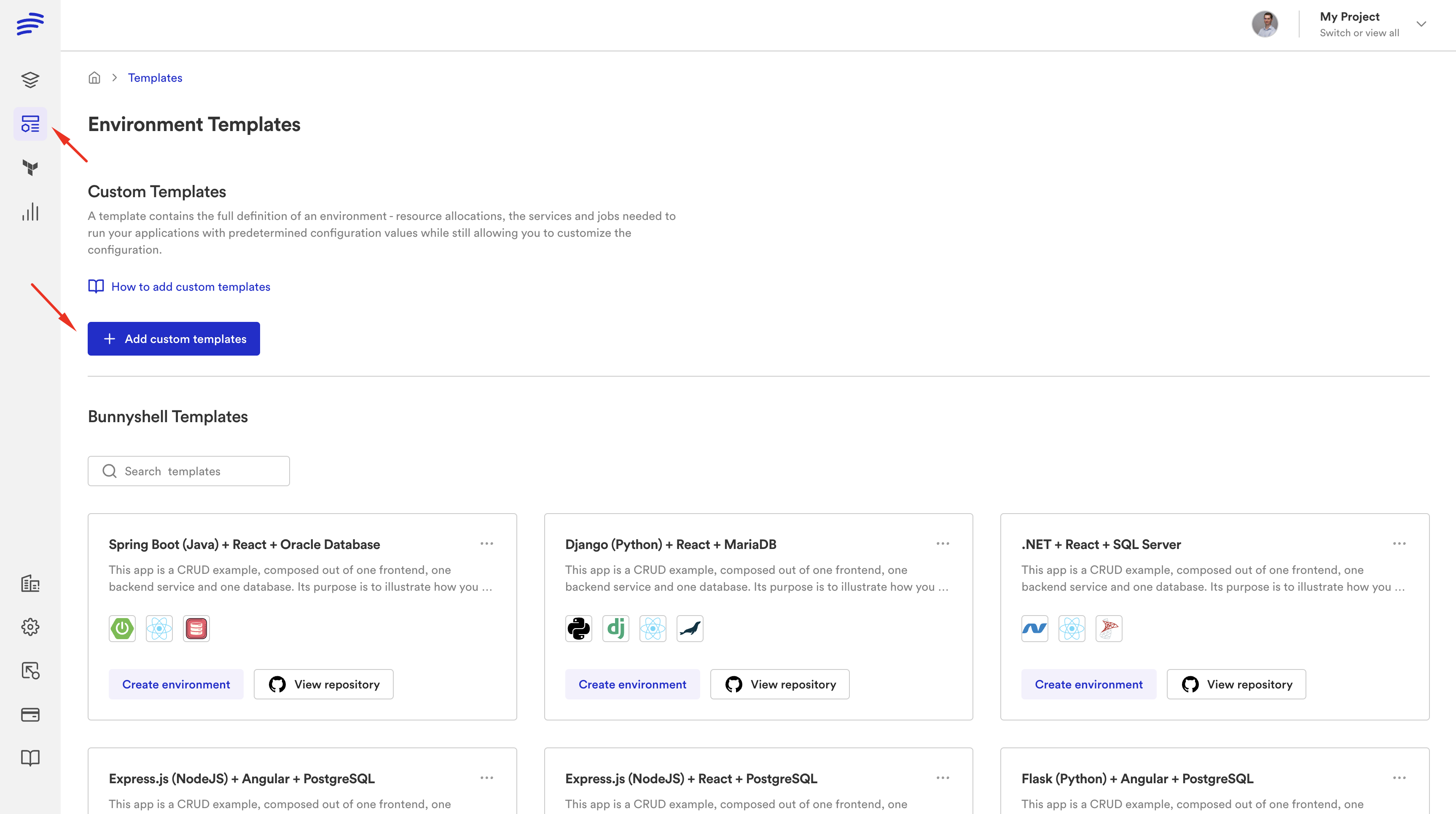
In platform engineering, a golden path is a pre-built, opinionated workflow that encodes your organization's standards. In Bunnyshell, golden paths are templates.
A template is a bunnyshell.yaml file stored in Git that defines everything needed to create a complete environment: infrastructure components (databases, caches, queues via Terraform or CloudFormation), application services (containers deployed to Kubernetes), supporting tools, environment variables, networking, and host configurations.
What the platform team controls:
- Which infrastructure gets provisioned and how (security groups, resource limits, networking)
- Which monitoring and observability tools are included by default
- Which container images and base configurations are approved
- What resource constraints apply (CPU/memory limits, replica counts)
- How components depend on each other (deployment ordering)
What developers customize:
- Service name
- Target environment (development, staging, production)
- Feature flags
- Replica count (within platform-defined bounds)
- Git branch to deploy
Template variables expose exactly the knobs developers should turn — nothing more. The platform team's decisions are baked into the template itself.
1# .bunnyshell/templates/microservice-standard/bunnyshell.yaml
2kind: Environment
3name: '{{ template.vars.service_name }}-{{ template.vars.target_env }}'
4type: '{{ template.vars.env_type }}'
5
6variables:
7  - name: service_name
8    description: 'Name of the microservice'
9    type: string
10  - name: target_env
11    description: 'Target environment'
12    type: enum
13    values: ['development', 'staging', 'production']
14  - name: replicas
15    description: 'Number of replicas (1-5)'
16    type: int
17  - name: env_type
18    description: 'Environment type'
19    type: enum
20    values: ['primary', 'ephemeral']
21
22components:
23  - kind: Terraform
24    name: infra
25    gitRepo: 'https://github.com/your-org/infra-modules.git'
26    gitBranch: main
27    gitApplicationPath: /terraform/service-infra
28    deploy:
29      - 'terraform init -input=false -no-color'
30      - 'terraform apply -input=false -auto-approve -no-color'
31    destroy:
32      - 'terraform init -input=false -no-color'
33      - 'terraform destroy -input=false -auto-approve -no-color'
34
35  - kind: Application
36    name: service
37    gitRepo: 'https://github.com/your-org/{{ template.vars.service_name }}.git'
38    gitBranch: main
39    dockerCompose:
40      build:
41        context: .
42        dockerfile: Dockerfile
43      environment:
44        DATABASE_URL: '{{ components.infra.exported.DATABASE_URL }}'
45    hosts:
46      - hostname: '{{ template.vars.service_name }}-{{ env.base_domain }}'
47        path: /
48        servicePort: 8080
Key properties of templates as golden paths:
- Git-native. Templates live in Git. Every change is versioned, reviewed via PR, and auditable.
- Template sync. When the platform team updates a template, existing environments can be synced to pick up changes — propagating standards without manually updating environments.
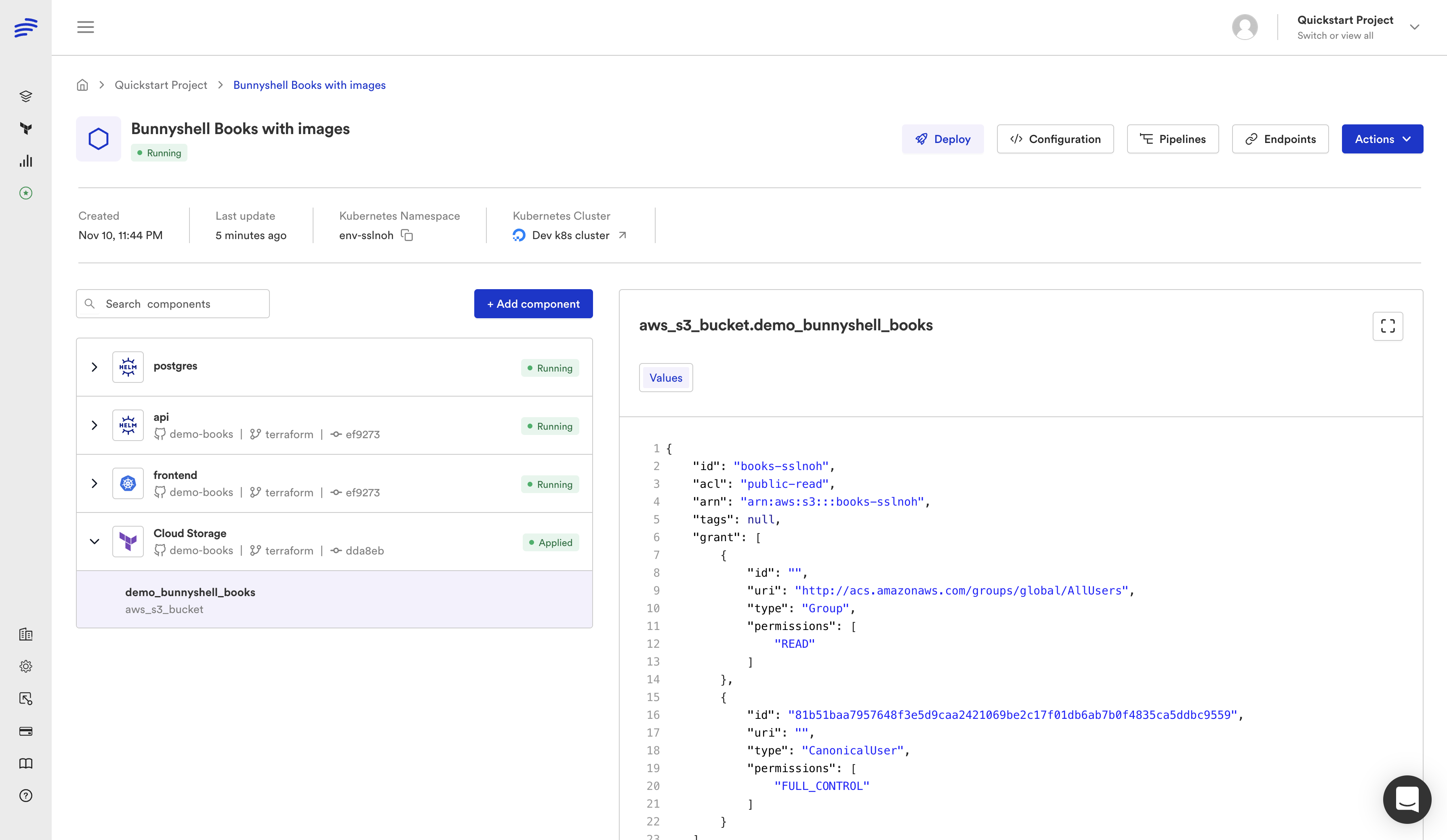
- Composable components. A single environment can mix Terraform, Helm, Application, and GenericComponent types.
- Parallel deployment. Components without dependencies deploy simultaneously, cutting deployment time by 40-60%.
Templates support multiple component types in the same environment: kind: Terraform for infrastructure, kind: Helm for third-party tools, kind: Application for your services, and kind: GenericComponent for custom automation. Use whichever is appropriate for each piece.
RBAC = Governance Without Friction
Platform engineering fails if governance creates friction. If developers need to file tickets and wait for approvals to get a development environment, you haven't built self-service.
Bunnyshell's RBAC is built on three layers:
Policies (WHAT) — Define allowed actions per resource type. Example: env:view + env:operate = can deploy, view logs, SSH into containers.
Roles (WHAT + WHERE) — Combine policies with resource selectors specifying which projects, environments, or labels each policy applies to. Label-based targeting is what makes governance scale — create a role for label: type=development and it automatically applies to every current and future development environment.
Teams (WHAT + WHERE + WHO) — Assign roles to users. A user can belong to multiple teams with different roles.
| Team | Role | Scope | Effect |
|---|---|---|---|
| All Developers | View + Operate | All projects | Can deploy, view logs, SSH |
| Backend Team | Create + Manage | Project: Backend | Can create and configure environments |
| Platform Team | Full Admin | Organization | Full control |
| QA Team | View + Operate + Create | Label: type=qa | Self-service for QA environments |
When a new developer joins, adding them to their team gives them exactly the right permissions. The guardrails are invisible because developers never encounter the walls on the golden path.
API = Programmable Platform
Everything in Bunnyshell is API-first. Every UI operation can be performed via REST API or bns CLI:
Build custom portals. Backstage can call the Bunnyshell API to create environments, trigger deployments, and display status — without developers leaving Backstage.
Integrate with existing tools. Slack bots, Jira integrations, custom dashboards — all through the API.
CI/CD integration. GitHub Actions, GitLab CI, or Jenkins call the Bunnyshell API as part of their pipeline:
1# In a GitHub Actions workflow
2bns environments deploy --id $STAGING_ENV_ID --wait
3
4# Or via REST API
5curl -X POST "https://api.environments.bunnyshell.com/v1/environments" \
6  -H "Authorization: Bearer $BUNNYSHELL_TOKEN" \
7  -d '{"fromTemplate": "TEMPLATE_ID", "name": "pr-123"}'
Developer Self-Service Workflows
New Developer Onboarding
Before: 2-3 days setting up local dev environment, debugging dependency issues, waiting for cloud access.
With Bunnyshell: Added to their team → opens template gallery → creates environment → working cloud environment in 10 minutes → writes first line of product code on day 1.
Feature Development with PR Preview
Before: Developers work on feature branches with no way to show running features. QA waits for shared staging.
With Bunnyshell:
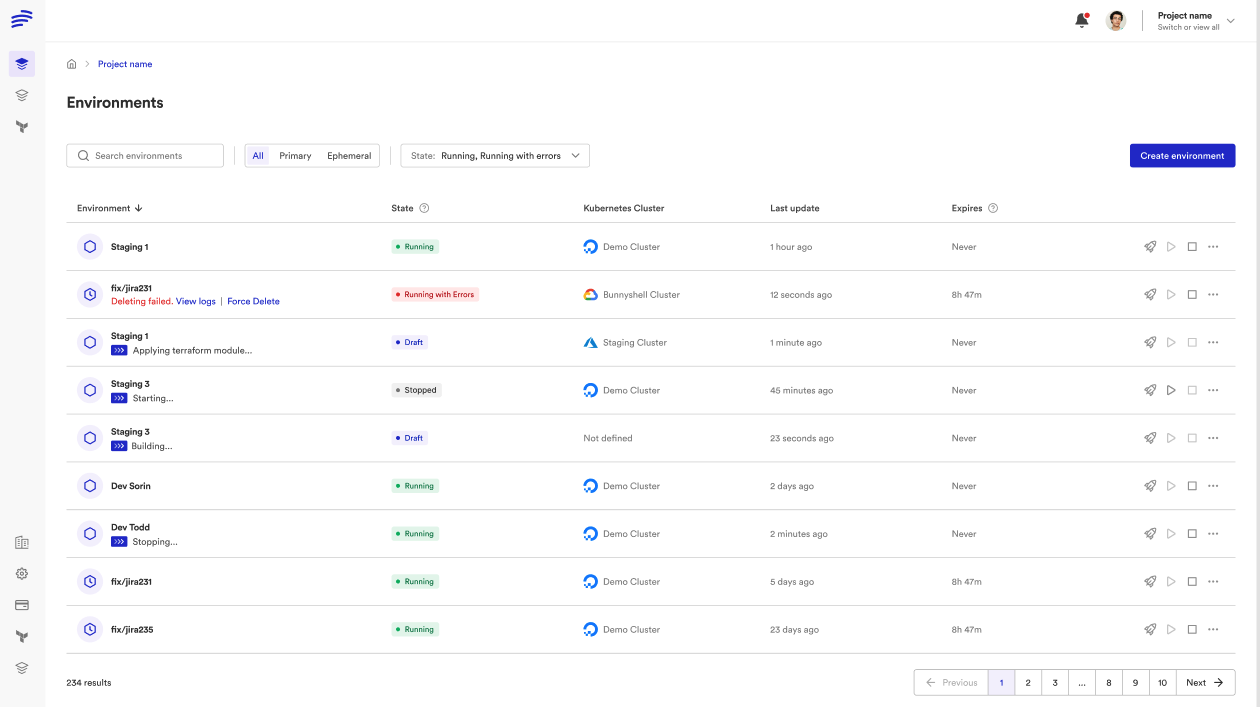
- Developer opens a PR
- Git ChatOps automatically creates an ephemeral environment
- Bunnyshell posts a comment on the PR with live URLs
- QA and PM review on a live, isolated copy of the full stack
- PR merges → environment automatically destroyed
Cost Governance
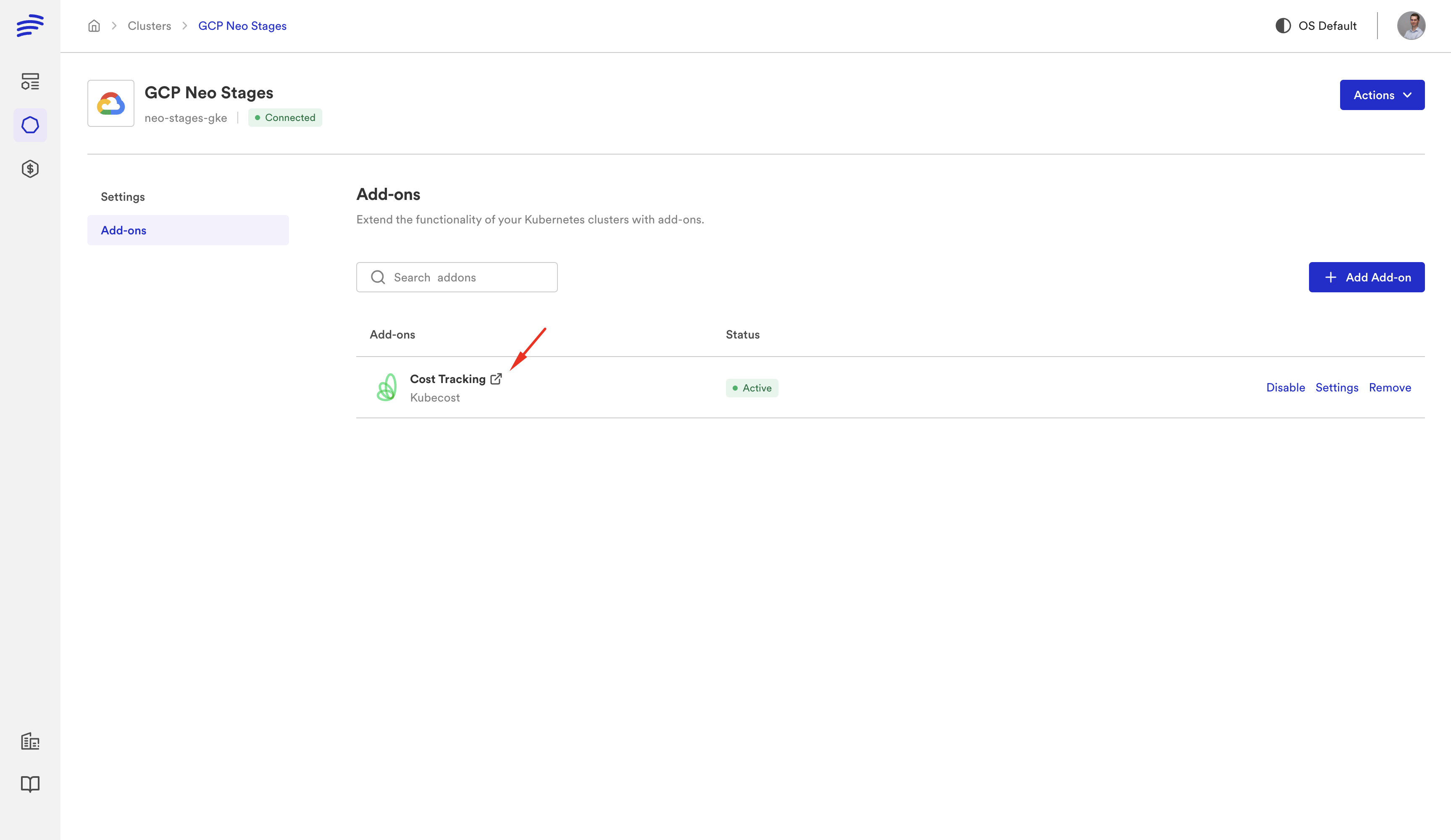
Before: Dev environments run 24/7. No one knows which team spends how much. Monthly cloud bill is a surprise.
With Bunnyshell:
- Availability rules: Stop dev environments at 8 PM, restart at 8 AM (save 60-70%)
- TTL: Ephemeral environments auto-delete after 48 hours
- Cost reporting: Spending per environment, project, team, and user
- Stop/start lifecycle: Preserve state while pausing costs
Architecture Patterns
Pattern A: Bunnyshell as the IDP (Simplest)
Developers ──▶ Bunnyshell (UI / CLI / API) ──▶ Templates ──▶ KubernetesNo separate portal. Best for teams under 50 engineers.
Pattern B: Backstage + Bunnyshell
Developers ──▶ Backstage (portal) ──▶ Bunnyshell API (orchestration) ──▶ KubernetesBackstage provides the service catalog and portal. Bunnyshell handles environment lifecycle via API.
Pattern C: Full GitOps
Developers ──▶ Git PR ──▶ GitHub Actions ──▶ Bunnyshell API ──▶ Kubernetes (dev/staging)
                                          ──▶ ArgoCD        ──▶ Kubernetes (production)
Bunnyshell for dev/staging/ephemeral. ArgoCD for production GitOps.
What Platform Teams Stop Maintaining
With Bunnyshell as the orchestration layer, these are no longer DIY concerns:
- Environment provisioning scripts — replaced by
bunnyshell.yaml+ API/CLI - Namespace lifecycle management — automatic per-environment isolation
- PR preview environment automation — Git ChatOps handles natively
- Environment cleanup cron jobs — TTLs and availability rules
- Cost tracking dashboards — built-in cost reporting
- Developer onboarding runbooks — template gallery + self-service
- Secret injection plumbing — encrypted secrets injected at runtime on your cluster
What the platform team does maintain: the templates themselves, the RBAC configuration, and the cluster infrastructure.
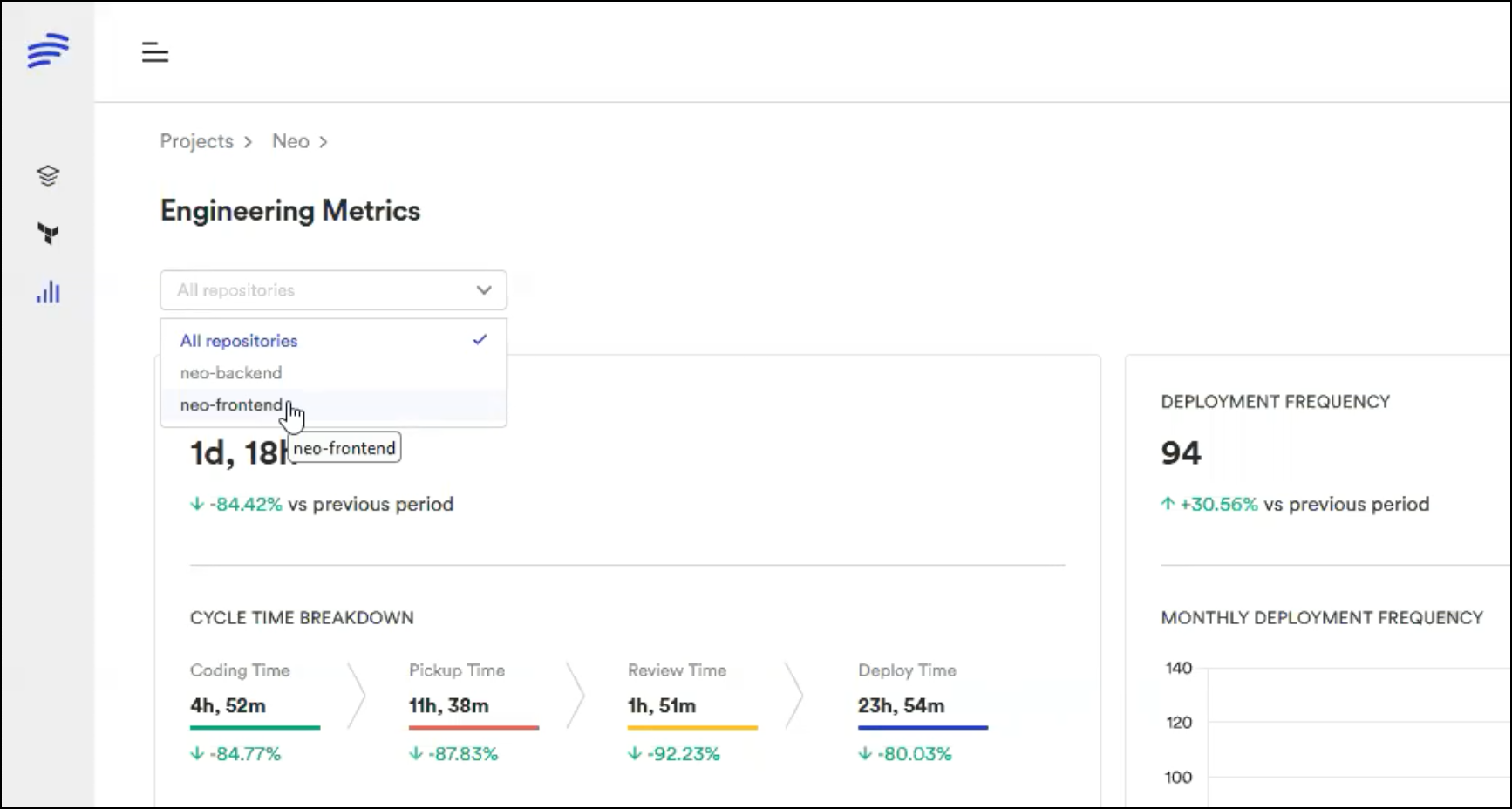
Metrics That Improve
| Metric | Before (DIY) | After (Bunnyshell) |
|---|---|---|
| Time to new environment | 30-60 min (manual) | 5-10 min (from template) |
| Platform team maintenance | 30-50% of time on env requests | Under 10% — focused on templates |
| Developer onboarding | 2-5 days | Hours — environment on day 1 |
| PR feedback cycle | No previews, or unreliable custom automation | Auto ephemeral environments per PR |
| Cost visibility | None or manual spreadsheets | Per-env, per-team, per-project reporting |
| Compliance | Manual checks, tribal knowledge | Structural: RBAC, templates, Git audit trail |
Comparison with Other Approaches
| Dimension | DIY Scripts | Backstage (Alone) | Humanitec | Bunnyshell |
|---|---|---|---|---|
| Environment lifecycle | Custom scripts | No built-in lifecycle | Score-based deployment | Full lifecycle with hooks |
| Cost controls | Manual cleanup | None | Limited | Availability rules, TTL, reporting |
| RBAC | K8s RBAC + cloud IAM | None for environments | Role-based | Policies + Roles + Teams + labels |
| Time to implement | Months | Weeks + months of plugins | Weeks | Days to first env; weeks to full rollout |
| Ephemeral environments | Significant custom work | Not built-in | Possible via API | First-class: Git ChatOps, TTL, auto |
| IaC support | Whatever you script | N/A | Terraform, Helm | TF, CF, Helm, Docker Compose — combinable |
Key distinction: Backstage is Layer 1 (portal). Bunnyshell is Layer 2 (orchestration). They complement each other — Backstage as the frontend, Bunnyshell as the engine.
Getting Started
Phase 1: Foundation (Week 1)
- Connect your cluster — register your Kubernetes cluster with Bunnyshell
- Create your first template — start with your most common service stack
- Define template variables — expose only what developers should customize
Phase 2: Governance (Week 2)
- Set up RBAC — Developer policy, Platform Admin policy, scoped by project/label
- Establish labeling conventions —
type=development,team=frontend, etc.
Phase 3: Automation (Weeks 3-4)
- Enable Git ChatOps — auto-create ephemeral environments on PR open
- Configure cost controls — availability rules, TTLs, spending limits
Phase 4: Rollout (Weeks 5-8)
- Pilot with one team — collect feedback on templates and RBAC
- Iterate and expand — additional templates, more teams, more repositories
Ready to build your Internal Developer Platform?
Our solutions team helps platform teams implement Bunnyshell as their IDP orchestration layer. Templates, RBAC, cost controls — tailored to your architecture.
Frequently Asked Questions
What is an Internal Developer Platform (IDP)?
An Internal Developer Platform is a self-service layer that abstracts away infrastructure complexity so developers can provision environments, deploy applications, and access tools without filing tickets or understanding Kubernetes, Terraform, or cloud networking in detail.
Is Bunnyshell a developer portal like Backstage?
No. Bunnyshell is the orchestration layer (Layer 2) of the IDP stack. It manages environment lifecycle, deployment pipelines, RBAC, and cost controls. It can work alongside Backstage or Port as the portal layer, or developers can use Bunnyshell directly.
Does Bunnyshell replace our CI/CD pipeline?
No. Bunnyshell handles deployment and environment lifecycle. Your existing CI/CD (GitHub Actions, GitLab CI, Jenkins) continues to handle building, testing, and quality gates. Bunnyshell orchestrates what happens after those steps.
Does Bunnyshell replace ArgoCD?
For development, staging, and ephemeral environments — yes. Many teams keep ArgoCD for production GitOps and use Bunnyshell for everything else: developer environments, staging, PR previews, demos, and load testing.
What cloud providers does Bunnyshell support?
Any Kubernetes cluster — AWS (EKS), GCP (GKE), Azure (AKS), and on-premises. For non-Kubernetes infrastructure, Terraform and GenericComponent types can provision resources on any cloud provider.
Where does my code run?
Application workloads, Terraform runners, Helm operations, and Docker builds all run on your Kubernetes cluster. Bunnyshell SaaS handles orchestration and the UI/API — compute happens on your infrastructure.
How long does it take to implement?
Most teams have their first environment running in hours. Full rollout with RBAC, cost controls, and Git ChatOps across all teams typically takes 4-8 weeks.