Preview Environments for Kubernetes: Automated Per-PR Deployments with Bunnyshell
Why Preview Environments on Kubernetes?
Kubernetes gives you powerful primitives — namespaces, deployments, services, ingress, persistent volumes — but it doesn't give you a workflow for creating isolated, per-PR environments. Teams end up building bespoke CI/CD pipelines that create namespaces, deploy Helm charts, configure ingress rules, provision TLS certificates, and tear everything down after merge. Those pipelines become their own maintenance burden, breaking every time Kubernetes or Helm releases a new version.
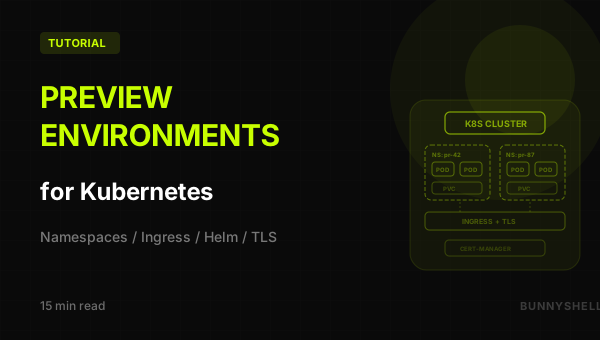
Preview environments on Kubernetes should be a platform feature, not a CI/CD project. Every pull request gets its own namespace with the full application stack — app containers, databases, ingress with TLS — spun up automatically when the PR is opened and destroyed when it's merged. No custom pipelines to maintain.
With Bunnyshell on Kubernetes, you get:
- Namespace isolation — Each PR environment runs in its own Kubernetes namespace, fully isolated from other environments
- Automatic ingress and TLS — HTTPS URLs generated automatically for each environment, with certificates managed by cert-manager
- Persistent storage — Databases get their own PVCs, automatically provisioned and cleaned up
- Resource governance — CPU and memory limits per environment, auto-sleep for idle environments, auto-destroy after merge
- Three deployment methods — Bunnyshell-managed components, Helm charts, or raw Kubernetes manifests
How Bunnyshell Works with Kubernetes
Bunnyshell is not a Kubernetes replacement — it's an orchestration layer that sits on top of your existing cluster. Here's the relationship:
1You provide:                    Bunnyshell provides:
2─────────────                   ────────────────────
3Kubernetes cluster              Environment orchestration
4Ingress controller              Namespace management
5cert-manager (optional)         Docker image builds
6Storage classes                 Ingress + TLS configuration
7                                Git webhook automation
8                                Auto-sleep / auto-destroy
9                                PR comments with URLs
When Bunnyshell deploys an environment, it:
- Creates a namespace — e.g.,
bns-env-abc123— unique to that environment - Builds Docker images — from your Dockerfiles, pushes to Bunnyshell's registry (or your own)
- Deploys resources — Deployments, Services, ConfigMaps, Secrets, PVCs into that namespace
- Configures ingress — Creates Ingress resources pointing to your services, with automatic DNS and TLS
- Monitors health — Tracks pod status, restarts, and resource usage
When the environment is destroyed (PR merged), Bunnyshell deletes the namespace and all resources within it. Clean, complete teardown.
Bunnyshell never modifies resources outside the namespaces it creates. Your existing workloads, namespaces, and cluster configuration are untouched. Each environment is a self-contained namespace that's deleted atomically when no longer needed.
Prerequisites: Kubernetes Cluster + Bunnyshell
Before connecting your cluster, ensure it meets these requirements:
Cluster Requirements
| Requirement | Why | Recommended |
|---|---|---|
| Kubernetes 1.25+ | API compatibility | Latest stable version |
| Ingress controller | Route external traffic to preview environments | ingress-nginx (Bunnyshell provides bns-nginx class) |
| cert-manager (optional) | Automatic TLS certificates for preview URLs | cert-manager v1.13+ with Let's Encrypt |
| Storage class | Persistent volumes for databases | Default StorageClass, or bns-network-sc |
| 2+ vCPUs, 4GB+ RAM available | Resources for preview environments | Size based on your stack |
Managed Kubernetes Providers
Bunnyshell works with any conformant Kubernetes cluster:
- AWS EKS — Most common. Use
gp3storage class for PVCs. - Google GKE — Use Autopilot for automatic node scaling based on preview environment demand.
- Azure AKS — Use
managed-csistorage class. - DigitalOcean DOKS — Good budget option. Use
do-block-storagestorage class. - Self-managed (kubeadm, k3s, RKE) — Works fine. Ensure ingress controller and storage provisioner are installed.
Install the Ingress Controller
If your cluster doesn't have an ingress controller:
1# Install ingress-nginx via Helm
2helm repo add ingress-nginx https://kubernetes.github.io/ingress-nginx
3helm repo update
4helm install ingress-nginx ingress-nginx/ingress-nginx \
5  --namespace ingress-nginx \
6  --create-namespace \
7  --set controller.ingressClassResource.name=bns-nginx \
8  --set controller.ingressClassResource.controllerValue=k8s.io/ingress-nginx
Install cert-manager (Optional but Recommended)
For automatic TLS on preview environment URLs:
1helm repo add jetstack https://charts.jetstack.io
2helm repo update
3helm install cert-manager jetstack/cert-manager \
4  --namespace cert-manager \
5  --create-namespace \
6  --set installCRDs=true
Then create a ClusterIssuer for Let's Encrypt:
1apiVersion: cert-manager.io/v1
2kind: ClusterIssuer
3metadata:
4  name: letsencrypt-prod
5spec:
6  acme:
7    server: https://acme-v02.api.letsencrypt.org/directory
8    email: devops@your-company.com
9    privateKeySecretRef:
10      name: letsencrypt-prod
11    solvers:
12      - http01:
13          ingress:
14 class: bns-nginxkubectl apply -f cluster-issuer.yamlWithout cert-manager, Bunnyshell can still create preview environments but won't provision TLS certificates automatically. Your preview URLs will use HTTP instead of HTTPS, which may cause issues with apps that enforce HTTPS redirects or set secure cookies.
Connecting Your Kubernetes Cluster to Bunnyshell
Step 1: Get Your Cluster Credentials
Bunnyshell needs a kubeconfig with permissions to create namespaces, deployments, services, ingresses, PVCs, and secrets. The simplest approach is a service account with cluster-level permissions:
1# Create a service account for Bunnyshell
2kubectl create namespace bunnyshell
3kubectl create serviceaccount bunnyshell-sa -n bunnyshell
4
5# Create a ClusterRole with required permissions
6cat <<EOF | kubectl apply -f -
7apiVersion: rbac.authorization.k8s.io/v1
8kind: ClusterRole
9metadata:
10  name: bunnyshell-role
11rules:
12  - apiGroups: ["", "apps", "batch", "networking.k8s.io", "rbac.authorization.k8s.io"]
13    resources: ["*"]
14    verbs: ["*"]
15  - apiGroups: ["cert-manager.io"]
16    resources: ["certificates", "issuers", "clusterissuers"]
17    verbs: ["*"]
18EOF
19
20# Bind the role
21kubectl create clusterrolebinding bunnyshell-binding \
22  --clusterrole=bunnyshell-role \
23  --serviceaccount=bunnyshell:bunnyshell-sa
24
25# Generate a long-lived token (for K8s 1.24+)
26cat <<EOF | kubectl apply -f -
27apiVersion: v1
28kind: Secret
29metadata:
30  name: bunnyshell-token
31  namespace: bunnyshell
32  annotations:
33    kubernetes.io/service-account.name: bunnyshell-sa
34type: kubernetes.io/service-account-token
35EOF
36
37# Get the token
38kubectl get secret bunnyshell-token -n bunnyshell -o jsonpath='{.data.token}' | base64 -d
Step 2: Add the Cluster in Bunnyshell
- Log into Bunnyshell
- Go to Settings > Kubernetes Clusters
- Click Add Cluster
- Enter your cluster's API server URL and the service account token
- Bunnyshell validates the connection and checks for required capabilities (ingress controller, storage classes)
Step 3: Verify the Connection
Bunnyshell will show:
- Cluster status: Connected
- Ingress classes detected: e.g.,
bns-nginx,nginx - Storage classes detected: e.g.,
gp3,bns-network-sc,default - cert-manager: Available / Not detected
You can connect multiple clusters. For example, use a cost-effective cluster for preview environments and a production-grade cluster for staging. Each environment in Bunnyshell can target a different cluster.
Approach A: Bunnyshell-Managed Components
The easiest approach. You define components using Bunnyshell's Application, Database, and Service kinds. Bunnyshell handles Kubernetes resource creation — Deployments, Services, Ingresses, PVCs — automatically. You don't write any Kubernetes YAML.
Example: Full-Stack Web Application
1kind: Environment
2name: webapp-preview
3type: primary
4
5environmentVariables:
6  DB_PASSWORD: SECRET["your-db-password"]
7  SECRET_KEY: SECRET["your-secret-key"]
8
9components:
10  # ── Web Application ──
11  - kind: Application
12    name: webapp
13    gitRepo: 'https://github.com/your-org/webapp.git'
14    gitBranch: main
15    gitApplicationPath: /
16    dockerCompose:
17      build:
18        context: .
19        dockerfile: Dockerfile
20      environment:
21        DATABASE_URL: 'postgresql://app:{{ env.vars.DB_PASSWORD }}@postgres:5432/webapp'
22        REDIS_URL: 'redis://redis:6379'
23        SECRET_KEY: '{{ env.vars.SECRET_KEY }}'
24        ALLOWED_HOSTS: '{{ components.webapp.ingress.hosts[0] }}'
25      ports:
26        - '8000:8000'
27    dependsOn:
28      - postgres
29      - redis
30    hosts:
31      - hostname: 'app-{{ env.base_domain }}'
32        path: /
33        servicePort: 8000
34
35  # ── PostgreSQL Database ──
36  - kind: Database
37    name: postgres
38    dockerCompose:
39      image: 'postgres:16-alpine'
40      environment:
41        POSTGRES_DB: webapp
42        POSTGRES_USER: app
43        POSTGRES_PASSWORD: '{{ env.vars.DB_PASSWORD }}'
44      ports:
45        - '5432:5432'
46
47  # ── Redis ──
48  - kind: Service
49    name: redis
50    dockerCompose:
51      image: 'redis:7-alpine'
52      ports:
53        - '6379:6379'
54
55volumes:
56  - name: postgres-data
57    mount:
58      component: postgres
59      containerPath: /var/lib/postgresql/data
60    size: 1Gi
What Bunnyshell creates in Kubernetes from this configuration:
| Bunnyshell Config | Kubernetes Resources Created |
|---|---|
kind: Application with hosts | Deployment + Service + Ingress + TLS Certificate |
kind: Application without hosts | Deployment + Service (internal only) |
kind: Database | StatefulSet + Service + PVC |
kind: Service | Deployment + Service |
volumes | PersistentVolumeClaim |
environmentVariables with SECRET | Kubernetes Secret |
Resource Limits
Add resource constraints to keep preview environments lightweight:
1  - kind: Application
2    name: webapp
3    dockerCompose:
4      # ... build and environment config ...
5    resources:
6      limits:
7        cpu: '500m'
8        memory: '512Mi'
9      requests:
10        cpu: '100m'
11        memory: '128Mi'
Bunnyshell-managed components are the fastest way to get started. You don't need to know Kubernetes YAML, Helm, or Kustomize. Bunnyshell translates your component definitions into best-practice Kubernetes resources automatically.
Component Kinds Reference
| Kind | Use case | Kubernetes resources | Persistent storage |
|---|---|---|---|
Application | Your app containers (web servers, APIs, workers) | Deployment + Service | Optional via volumes |
Database | Databases (PostgreSQL, MySQL, MongoDB) | StatefulSet + Service | Automatic PVC |
Service | Supporting services (Redis, RabbitMQ, Mailpit) | Deployment + Service | Optional via volumes |
SidecarContainer | Containers that run alongside another (Nginx + PHP-FPM) | Added to parent pod | Shared with parent |
DockerImage | Build-only — no runtime deployment | Image build + push | N/A |
Helm | Helm chart deployment | Whatever the chart defines | Whatever the chart defines |
Approach B: Helm Charts on Kubernetes
For teams with existing Helm charts. If you already deploy to production with Helm, you can use the same charts for preview environments. Bunnyshell handles image builds, value injection, and lifecycle management.
Example: Bitnami PostgreSQL + Custom App Chart
1kind: Environment
2name: webapp-helm
3type: primary
4
5environmentVariables:
6  DB_PASSWORD: SECRET["your-db-password"]
7  SECRET_KEY: SECRET["your-secret-key"]
8
9components:
10  # ── Build the Docker Image ──
11  - kind: DockerImage
12    name: webapp-image
13    context: /
14    dockerfile: Dockerfile
15    gitRepo: 'https://github.com/your-org/webapp.git'
16    gitBranch: main
17    gitApplicationPath: /
18
19  # ── PostgreSQL via Bitnami Helm Chart ──
20  - kind: Helm
21    name: postgres
22    runnerImage: 'dtzar/helm-kubectl:3.8.2'
23    deploy:
24      - |
25        cat << EOF > pg_values.yaml
26          global:
27            storageClass: bns-network-sc
28          auth:
29            database: webapp
30            username: app
31            password: {{ env.vars.DB_PASSWORD }}
32          primary:
33            resources:
34              requests:
35                cpu: 100m
36                memory: 256Mi
37              limits:
38                cpu: 500m
39                memory: 512Mi
40            persistence:
41              size: 1Gi
42        EOF
43      - 'helm repo add bitnami https://charts.bitnami.com/bitnami'
44      - 'helm upgrade --install --namespace {{ env.k8s.namespace }}
45        --post-renderer /bns/helpers/helm/bns_post_renderer
46        -f pg_values.yaml postgres bitnami/postgresql --version 13.4.4'
47      - |
48        PG_HOST="postgres-postgresql.{{ env.k8s.namespace }}.svc.cluster.local"
49    destroy:
50      - 'helm uninstall postgres --namespace {{ env.k8s.namespace }}'
51    start:
52      - 'kubectl scale --replicas=1 --namespace {{ env.k8s.namespace }}
53        statefulset/postgres-postgresql'
54    stop:
55      - 'kubectl scale --replicas=0 --namespace {{ env.k8s.namespace }}
56        statefulset/postgres-postgresql'
57    exportVariables:
58      - PG_HOST
59
60  # ── Web Application via Custom Helm Chart ──
61  - kind: Helm
62    name: webapp
63    runnerImage: 'dtzar/helm-kubectl:3.8.2'
64    deploy:
65      - |
66        cat << EOF > webapp_values.yaml
67          replicaCount: 1
68          image:
69            repository: {{ components.webapp-image.image }}
70          service:
71            port: 8000
72          ingress:
73            enabled: true
74            className: bns-nginx
75            host: app-{{ env.base_domain }}
76            annotations:
77              cert-manager.io/cluster-issuer: letsencrypt-prod
78            tls:
79              - secretName: webapp-tls
80                hosts:
81                  - app-{{ env.base_domain }}
82          env:
83            DATABASE_URL: 'postgresql://app:{{ env.vars.DB_PASSWORD }}@{{ components.postgres.exported.PG_HOST }}:5432/webapp'
84            SECRET_KEY: '{{ env.vars.SECRET_KEY }}'
85            ALLOWED_HOSTS: 'app-{{ env.base_domain }}'
86          resources:
87            requests:
88              cpu: 100m
89              memory: 128Mi
90            limits:
91              cpu: 500m
92              memory: 512Mi
93        EOF
94      - 'helm upgrade --install --namespace {{ env.k8s.namespace }}
95        --post-renderer /bns/helpers/helm/bns_post_renderer
96        -f webapp_values.yaml webapp-{{ env.unique }} ./helm/webapp'
97    destroy:
98      - 'helm uninstall webapp-{{ env.unique }} --namespace {{ env.k8s.namespace }}'
99    start:
100      - 'helm upgrade --namespace {{ env.k8s.namespace }}
101        --post-renderer /bns/helpers/helm/bns_post_renderer
102        --reuse-values --set replicaCount=1 webapp-{{ env.unique }} ./helm/webapp'
103    stop:
104      - 'helm upgrade --namespace {{ env.k8s.namespace }}
105        --post-renderer /bns/helpers/helm/bns_post_renderer
106        --reuse-values --set replicaCount=0 webapp-{{ env.unique }} ./helm/webapp'
107    gitRepo: 'https://github.com/your-org/webapp.git'
108    gitBranch: main
109    gitApplicationPath: /helm/webapp
110
111  # ── Redis ──
112  - kind: Service
113    name: redis
114    dockerCompose:
115      image: 'redis:7-alpine'
116      ports:
117        - '6379:6379'
Always include --post-renderer /bns/helpers/helm/bns_post_renderer in your Helm commands. This adds labels and annotations so Bunnyshell can track resources, show logs, manage lifecycle (start/stop), and clean up on destroy.
Helm Chart Structure
A minimal Helm chart for a web application:
1helm/webapp/
2├── Chart.yaml
3├── values.yaml
4└── templates/
5    ├── deployment.yaml
6    ├── service.yaml
7    ├── ingress.yaml
8 └── _helpers.tplChart.yaml:
1apiVersion: v2
2name: webapp
3description: Web application Helm chart
4version: 1.0.0
5appVersion: "1.0"values.yaml:
1replicaCount: 1
2image:
3  repository: ""
4  tag: latest
5  pullPolicy: IfNotPresent
6service:
7  type: ClusterIP
8  port: 8000
9ingress:
10  enabled: true
11  className: bns-nginx
12  host: ""
13  annotations: {}
14  tls: []
15env: {}
16resources:
17  requests:
18    cpu: 100m
19    memory: 128Mi
20  limits:
21    cpu: 500m
22 memory: 512Mitemplates/deployment.yaml:
1apiVersion: apps/v1
2kind: Deployment
3metadata:
4  name: {{ include "webapp.fullname" . }}
5spec:
6  replicas: {{ .Values.replicaCount }}
7  selector:
8    matchLabels:
9      app: {{ include "webapp.name" . }}
10  template:
11    metadata:
12      labels:
13        app: {{ include "webapp.name" . }}
14    spec:
15      containers:
16        - name: webapp
17          image: "{{ .Values.image.repository }}"
18          ports:
19            - containerPort: {{ .Values.service.port }}
20          env:
21            {{- range $key, $value := .Values.env }}
22            - name: {{ $key }}
23              value: {{ $value | quote }}
24            {{- end }}
25          resources:
26 {{- toYaml .Values.resources | nindent 12 }}templates/ingress.yaml:
1{{- if .Values.ingress.enabled }}
2apiVersion: networking.k8s.io/v1
3kind: Ingress
4metadata:
5  name: {{ include "webapp.fullname" . }}
6  annotations:
7    {{- range $key, $value := .Values.ingress.annotations }}
8    {{ $key }}: {{ $value | quote }}
9    {{- end }}
10spec:
11  ingressClassName: {{ .Values.ingress.className }}
12  {{- if .Values.ingress.tls }}
13  tls:
14    {{- toYaml .Values.ingress.tls | nindent 4 }}
15  {{- end }}
16  rules:
17    - host: {{ .Values.ingress.host }}
18      http:
19        paths:
20          - path: /
21            pathType: Prefix
22            backend:
23              service:
24                name: {{ include "webapp.fullname" . }}
25                port:
26                  number: {{ .Values.service.port }}
27{{- end }}
Approach C: Raw Kubernetes Manifests
For teams that use plain kubectl apply without Helm. Bunnyshell can deploy raw Kubernetes manifests by wrapping them in a Helm component that uses kubectl apply instead of helm upgrade.
Example: Deploy from a k8s/ Directory
If your repo has a k8s/ directory with Kubernetes manifests:
1k8s/
2├── deployment.yaml
3├── service.yaml
4├── ingress.yaml
5├── configmap.yaml
6└── pvc.yaml
Wrap them in a Helm component:
1kind: Environment
2name: webapp-raw-k8s
3type: primary
4
5environmentVariables:
6  DB_PASSWORD: SECRET["your-db-password"]
7
8components:
9  # ── Build Docker Image ──
10  - kind: DockerImage
11    name: webapp-image
12    context: /
13    dockerfile: Dockerfile
14    gitRepo: 'https://github.com/your-org/webapp.git'
15    gitBranch: main
16    gitApplicationPath: /
17
18  # ── Deploy Raw Manifests ──
19  - kind: Helm
20    name: webapp
21    runnerImage: 'dtzar/helm-kubectl:3.8.2'
22    deploy:
23      - |
24        # Replace placeholders in manifests
25        export IMAGE="{{ components.webapp-image.image }}"
26        export NAMESPACE="{{ env.k8s.namespace }}"
27        export DOMAIN="app-{{ env.base_domain }}"
28        export DB_PASSWORD="{{ env.vars.DB_PASSWORD }}"
29        envsubst < k8s/deployment.yaml | kubectl apply -n $NAMESPACE -f -
30        envsubst < k8s/service.yaml | kubectl apply -n $NAMESPACE -f -
31        envsubst < k8s/ingress.yaml | kubectl apply -n $NAMESPACE -f -
32        envsubst < k8s/configmap.yaml | kubectl apply -n $NAMESPACE -f -
33        envsubst < k8s/pvc.yaml | kubectl apply -n $NAMESPACE -f -
34      - |
35        # Add Bunnyshell labels for tracking
36        kubectl label --overwrite -n {{ env.k8s.namespace }} \
37          deployment/webapp \
38          service/webapp \
39          ingress/webapp \
40          app.kubernetes.io/managed-by=bunnyshell
41    destroy:
42      - 'kubectl delete -n {{ env.k8s.namespace }} -f k8s/ --ignore-not-found'
43    start:
44      - 'kubectl scale -n {{ env.k8s.namespace }} deployment/webapp --replicas=1'
45    stop:
46      - 'kubectl scale -n {{ env.k8s.namespace }} deployment/webapp --replicas=0'
47    gitRepo: 'https://github.com/your-org/webapp.git'
48    gitBranch: main
49    gitApplicationPath: /k8s
50
51  # ── PostgreSQL ──
52  - kind: Database
53    name: postgres
54    dockerCompose:
55      image: 'postgres:16-alpine'
56      environment:
57        POSTGRES_DB: webapp
58        POSTGRES_USER: app
59        POSTGRES_PASSWORD: '{{ env.vars.DB_PASSWORD }}'
60      ports:
61        - '5432:5432'
62
63volumes:
64  - name: postgres-data
65    mount:
66      component: postgres
67      containerPath: /var/lib/postgresql/data
68    size: 1Gi
Using envsubst with Manifests
Your Kubernetes manifests use $VARIABLE placeholders that envsubst replaces at deploy time:
k8s/deployment.yaml:
1apiVersion: apps/v1
2kind: Deployment
3metadata:
4  name: webapp
5spec:
6  replicas: 1
7  selector:
8    matchLabels:
9      app: webapp
10  template:
11    metadata:
12      labels:
13        app: webapp
14    spec:
15      containers:
16        - name: webapp
17          image: $IMAGE
18          ports:
19            - containerPort: 8000
20          env:
21            - name: DATABASE_URL
22              value: "postgresql://app:$DB_PASSWORD@postgres:5432/webapp"
23            - name: ALLOWED_HOSTS
24              value: "$DOMAIN"
25          resources:
26            requests:
27              cpu: 100m
28              memory: 128Mi
29            limits:
30              cpu: 500m
31 memory: 512Mik8s/ingress.yaml:
1apiVersion: networking.k8s.io/v1
2kind: Ingress
3metadata:
4  name: webapp
5  annotations:
6    cert-manager.io/cluster-issuer: letsencrypt-prod
7spec:
8  ingressClassName: bns-nginx
9  tls:
10    - hosts:
11        - $DOMAIN
12      secretName: webapp-tls
13  rules:
14    - host: $DOMAIN
15      http:
16        paths:
17          - path: /
18            pathType: Prefix
19            backend:
20              service:
21                name: webapp
22                port:
23                  number: 8000
The raw manifests approach is best for teams that don't want to learn Helm but already have working Kubernetes YAML. The trade-off is less templating power and no dependency management compared to Helm.
Namespaces and Isolation
One of the biggest advantages of preview environments on Kubernetes is namespace-based isolation. Here's how it works:
How Bunnyshell Uses Namespaces
1Cluster
2├── kube-system                    (system)
3├── ingress-nginx                  (ingress controller)
4├── cert-manager                   (TLS certificates)
5├── bns-env-abc123                 (primary environment)
6│   ├── Deployment: webapp
7│   ├── StatefulSet: postgres
8│   ├── Service: webapp, postgres, redis
9│   ├── Ingress: webapp (app-abc123.bunnyshell.dev)
10│   ├── PVC: postgres-data
11│   └── Secret: env-vars
12├── bns-env-def456                 (PR #42 environment)
13│   ├── Deployment: webapp         (with PR #42 code)
14│   ├── StatefulSet: postgres      (fresh database)
15│   ├── Service: webapp, postgres, redis
16│   ├── Ingress: webapp (app-def456.bunnyshell.dev)
17│   ├── PVC: postgres-data
18│   └── Secret: env-vars
19└── bns-env-ghi789                 (PR #87 environment)
20    ├── ...
Key isolation properties:
- Network isolation — Services in one namespace can't reach services in another namespace by default (unless you add explicit NetworkPolicy rules)
- Storage isolation — Each environment gets its own PVCs. PR #42's database is completely separate from PR #87's database
- DNS isolation —
postgresin namespacebns-env-abc123resolves to a different pod thanpostgresin namespacebns-env-def456 - Secret isolation — Environment variables and secrets are scoped to the namespace
- Clean teardown — Deleting the namespace removes everything: pods, services, PVCs, secrets, ingresses
Resource Quotas (Optional)
To prevent a single preview environment from consuming too many cluster resources, create a LimitRange or ResourceQuota:
1# Apply this as a template for Bunnyshell namespaces
2apiVersion: v1
3kind: ResourceQuota
4metadata:
5  name: preview-env-quota
6spec:
7  hard:
8    requests.cpu: "2"
9    requests.memory: 4Gi
10    limits.cpu: "4"
11    limits.memory: 8Gi
12    persistentvolumeclaims: "5"
13    services: "10"
Network Policies
By default, pods in one namespace can reach pods in another. To enforce strict isolation:
1apiVersion: networking.k8s.io/v1
2kind: NetworkPolicy
3metadata:
4  name: deny-cross-namespace
5spec:
6  podSelector: {}
7  policyTypes:
8    - Ingress
9    - Egress
10  ingress:
11    - from:
12        - podSelector: {}          # Same namespace only
13        - namespaceSelector:
14            matchLabels:
15              name: ingress-nginx  # Allow ingress controller
16  egress:
17    - to:
18        - podSelector: {}          # Same namespace only
19    - to:                          # Allow DNS
20        - namespaceSelector: {}
21      ports:
22        - protocol: UDP
23          port: 53
Network policies require a CNI that supports them (Calico, Cilium, Weave Net). The default kubenet CNI in some managed Kubernetes providers does not enforce NetworkPolicy rules. Check your cluster's CNI before relying on network isolation.
Persistent Storage, Ingress, and TLS
Persistent Volumes
Databases in preview environments need persistent storage that survives pod restarts but gets cleaned up when the environment is destroyed.
Using Bunnyshell-managed volumes:
1volumes:
2  - name: postgres-data
3    mount:
4      component: postgres
5      containerPath: /var/lib/postgresql/data
6    size: 1Gi
Bunnyshell creates a PVC in the environment's namespace. When the environment is destroyed, the namespace deletion cascades to the PVC.
Using Helm with Bitnami charts:
Bitnami charts handle PVC creation internally. Specify the storage class:
1global:
2  storageClass: bns-network-sc
3primary:
4  persistence:
5    size: 1Gi
Storage class recommendations:
| Provider | Storage Class | Notes |
|---|---|---|
| AWS EKS | gp3 | Default, good performance |
| GKE | standard-rwo | Default ReadWriteOnce |
| Azure AKS | managed-csi | Default |
| DigitalOcean | do-block-storage | Default |
| Bunnyshell | bns-network-sc | Available on Bunnyshell-managed clusters |
Ingress Configuration
Bunnyshell creates Ingress resources automatically when you define hosts on a component:
1hosts:
2  - hostname: 'app-{{ env.base_domain }}'
3    path: /
4    servicePort: 8000
This generates:
1apiVersion: networking.k8s.io/v1
2kind: Ingress
3metadata:
4  name: webapp
5  namespace: bns-env-abc123
6  annotations:
7    cert-manager.io/cluster-issuer: letsencrypt-prod
8spec:
9  ingressClassName: bns-nginx
10  tls:
11    - hosts:
12        - app-abc123.bunnyshell.dev
13      secretName: webapp-tls
14  rules:
15    - host: app-abc123.bunnyshell.dev
16      http:
17        paths:
18          - path: /
19            pathType: Prefix
20            backend:
21              service:
22                name: webapp
23                port:
24                  number: 8000
TLS Certificates
When cert-manager is installed, Bunnyshell annotates Ingress resources to automatically provision TLS certificates:
- Default: Bunnyshell uses its own wildcard domain (
*.bunnyshell.dev) with automatic DNS - Custom domains: You can configure your own domain with a wildcard DNS record pointing to the ingress controller's external IP
Multiple Ingress Hosts
For applications with multiple public endpoints (e.g., frontend + API + admin panel):
1  - kind: Application
2    name: frontend
3    hosts:
4      - hostname: 'app-{{ env.base_domain }}'
5        path: /
6        servicePort: 3000
7
8  - kind: Application
9    name: api
10    hosts:
11      - hostname: 'api-{{ env.base_domain }}'
12        path: /
13        servicePort: 8000
14
15  - kind: Application
16    name: admin
17    hosts:
18      - hostname: 'admin-{{ env.base_domain }}'
19        path: /
20        servicePort: 8080
Each host gets its own DNS entry and TLS certificate. All URLs are posted as a PR comment when the environment is ready.
Resource Limits and Auto-Sleep
Setting Resource Limits
Every container in a preview environment should have resource limits to prevent noisy-neighbor problems:
1  - kind: Application
2    name: webapp
3    resources:
4      requests:
5        cpu: '100m'
6        memory: '128Mi'
7      limits:
8        cpu: '500m'
9        memory: '512Mi'
Recommended limits for preview environments:
| Component | CPU Request | CPU Limit | Memory Request | Memory Limit |
|---|---|---|---|---|
| Web application | 100m | 500m | 128Mi | 512Mi |
| Background worker | 100m | 250m | 128Mi | 256Mi |
| PostgreSQL | 100m | 500m | 256Mi | 512Mi |
| Redis | 50m | 100m | 64Mi | 128Mi |
| RabbitMQ | 100m | 250m | 256Mi | 512Mi |
Auto-Sleep
Bunnyshell can stop idle environments to free cluster resources:
- Go to Settings in your environment
- Set "Auto-sleep after inactivity" (e.g., 30 minutes of no HTTP traffic)
- When triggered, Bunnyshell scales all deployments and stateful sets to zero replicas
- The next HTTP request triggers a wake-up (30-60 seconds cold start)
How auto-sleep works at the Kubernetes level:
1Active state:
2  Deployment/webapp: replicas=1 (running)
3  StatefulSet/postgres: replicas=1 (running)
4
5After 30 minutes idle:
6  Deployment/webapp: replicas=0 (sleeping)
7  StatefulSet/postgres: replicas=0 (sleeping)
8  PVCs remain (data preserved)
9  Ingress remains (catches wake-up request)
10
11On next HTTP request:
12  Bunnyshell intercepts → scales replicas back to 1 → returns response
Auto-Destroy
Configure environments to auto-destroy after a time limit:
- In Settings, set "Auto-destroy after" (e.g., 72 hours)
- The environment is destroyed regardless of PR status
- If the PR is still open, a new environment can be created on the next push
Auto-sleep preserves data (PVCs remain). Auto-destroy removes everything (namespace deleted). Use auto-sleep for active development and auto-destroy for forgotten branches.
Cost Impact
A typical preview environment with 3 application pods + 1 database + 1 Redis uses approximately:
| State | CPU | Memory | Storage |
|---|---|---|---|
| Active | ~600m (0.6 vCPU) | ~1.5Gi | ~3Gi PVC |
| Sleeping | 0 | 0 | ~3Gi PVC (retained) |
| Destroyed | 0 | 0 | 0 |
With auto-sleep, a team of 10 developers with 5 open PRs each might use 25 environments, but only 3-5 are active at any time. Cluster sizing should account for peak active environments, not total environments.
Enabling Preview Environments
Once your primary environment is deployed and running, enabling automatic preview environments takes 30 seconds:
- Ensure your primary environment has been deployed at least once (Running or Stopped status)
- Go to Settings in your environment
- Toggle "Create ephemeral environments on pull request" to ON
- Toggle "Destroy environment after merge or close pull request" to ON
- Select the target Kubernetes cluster
What happens next:
- Bunnyshell adds a webhook to your Git provider automatically
- When a developer opens a PR, Bunnyshell creates an ephemeral environment — a new namespace with a full copy of the stack, using the PR's branch for the changed component
- Bunnyshell posts a comment on the PR with direct links to all public endpoints
- Push to the PR branch triggers a redeploy of the changed component
- When the PR is merged or closed, the ephemeral environment (namespace + all resources) is destroyed
No GitHub Actions. No GitLab CI pipelines. No ArgoCD ApplicationSets to configure. It just works.
Optional: CI/CD Integration via CLI
For custom workflows (e.g., running database migrations or integration tests post-deploy):
1# Install the Bunnyshell CLI
2brew install bunnyshell/tap/bunnyshell-cli
3
4# Authenticate
5export BUNNYSHELL_TOKEN=your-api-token
6
7# List environments
8bns environments list --project PROJECT_ID --output json
9
10# Create an environment programmatically
11bns environments create \
12  --from-path bunnyshell.yaml \
13  --name "pr-42" \
14  --project PROJECT_ID \
15  --k8s CLUSTER_ID
16
17# Deploy and wait
18bns environments deploy --id ENV_ID --wait
19
20# Run post-deploy commands
21bns exec COMPONENT_ID -- python manage.py migrate --no-input
22bns exec COMPONENT_ID -- python manage.py loaddata testdata.json
23
24# Port forward to debug
25bns port-forward 15432:5432 --component POSTGRES_COMPONENT_ID
26
27# Destroy when done
28bns environments destroy --id ENV_ID
Troubleshooting
| Issue | Solution |
|---|---|
| Namespace stuck in Terminating | A finalizer is blocking deletion. Check for stuck PVCs or webhook configurations. Run kubectl get all -n NAMESPACE to find stuck resources. |
| Ingress returns 404 | The ingress controller can't find the backend service. Verify the servicePort in your hosts config matches the port your app listens on. Check that the ingress controller is running: kubectl get pods -n ingress-nginx. |
| TLS certificate not provisioning | cert-manager may not be installed, or the ClusterIssuer doesn't exist. Check: kubectl get clusterissuer and kubectl describe certificate -n NAMESPACE. |
| PVC stuck in Pending | No StorageClass matches, or the cluster has no available storage. Check: kubectl get sc to list storage classes. Verify the class name in your bunnyshell.yaml matches. |
| Pod OOMKilled | Container exceeded memory limits. Increase resources.limits.memory. PostgreSQL commonly needs at least 256Mi. |
| ImagePullBackOff | Docker image failed to build or push. Check the build logs in the Bunnyshell UI. Verify Dockerfile path and build context are correct. |
| Connection refused between services | Services are in different namespaces, or the target service hasn't started yet. Verify all services are in the same environment. Check dependsOn ordering. |
| Helm release stuck | A previous deploy failed mid-way. Try helm list -n NAMESPACE and helm rollback RELEASE 0 -n NAMESPACE via bns exec on the Helm runner. |
| Auto-sleep not working | The ingress controller must support Bunnyshell's wake-up mechanism. Ensure you're using the bns-nginx ingress class. |
| Environment deploy timeout | Large Docker images or slow registries. Optimize your Dockerfile with multi-stage builds and .dockerignore. Consider pre-building base images. |
| DNS not resolving | Bunnyshell DNS propagation takes 30-60 seconds after environment creation. Wait and retry. For custom domains, ensure wildcard DNS points to the ingress controller's external IP. |
| Resource quota exceeded | The namespace has hit its resource limits. Either increase the quota or reduce resource requests/limits on your components. |
What's Next?
- Add monitoring — Deploy Prometheus + Grafana as components to monitor preview environment performance
- Add distributed tracing — Deploy Jaeger as a component for request tracing across services
- Set up GitOps — Use Bunnyshell alongside ArgoCD for production, with Bunnyshell handling preview environments
- Configure custom domains — Use your own domain with a wildcard DNS record instead of Bunnyshell's default domain
- Implement blue-green previews — Use multiple replicas and traffic splitting for zero-downtime preview updates
- Add security scanning — Run Trivy or Snyk against Docker images as part of the environment build
Related Resources
- Bunnyshell Quickstart Guide
- Docker Compose with Bunnyshell
- Helm with Bunnyshell
- Bunnyshell CLI Reference
- Ephemeral Environments — Learn more about the concept
- Preview Environments for Microservices — Multi-service preview environments
- Who Broke Staging? — Why shared staging environments fail
- All Guides — More technical guides
Ship faster starting today.
14-day full-feature trial. No credit card required. Pay-as-you-go from $0.007/min per environment.