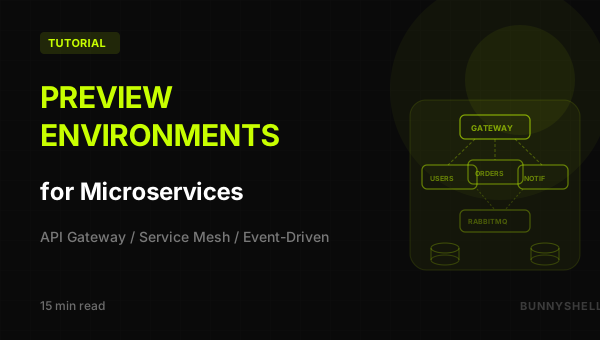
Preview Environments for Microservices: Full-Stack Per-PR Deployments with Bunnyshell
Why Preview Environments for Microservices?
Every microservices team knows the shared staging nightmare. Developer A deploys a new version of the user-service with breaking API changes. Developer B's order-service depends on the old API. Staging breaks for everyone. Nobody can demo anything. The Slack channel fills up with "who broke staging?" messages while three teams point fingers at each other.
This happens because microservices amplify the shared staging problem. With a monolith, one branch deploys one thing. With microservices, you have N services, each with their own repo or branch, all fighting for one staging environment. The combinatorial explosion of service versions makes shared staging nearly unusable for any team running more than three services.
Preview environments solve this. Every pull request gets its own isolated deployment of the entire service graph — API gateway, user-service, order-service, notification-service, frontend, databases, message queues — all running together in an isolated Kubernetes namespace. Reviewers click a link and see the full application running with that PR's changes, not a broken staging environment polluted by someone else's half-finished feature.
With Bunnyshell, you get:
- Full-stack isolation — Every PR gets all N services, databases, and queues in its own namespace
- Service discovery — Services find each other automatically via Bunnyshell's component interpolation
- Automatic deployment — A new environment spins up when a PR is opened, tears down when it's merged
- Production parity — Same Docker images, same inter-service communication patterns, same infrastructure
- Cost efficiency — Environments auto-sleep when idle and auto-destroy after merge
The Challenge: Full-Stack Preview for N Services
Previewing a monolith is straightforward: one container, one database, done. Microservices introduce real complexity:
| Challenge | Why it's hard | How Bunnyshell handles it |
|---|---|---|
| Service discovery | Each preview environment needs unique URLs. Service A calling Service B can't hardcode hostnames. | Component interpolation: {{ components.user-service.ingress.hosts[0] }} resolves per-environment |
| Startup ordering | Database must be ready before services connect | dependsOn ensures correct deployment order |
| Shared databases | Each service may own its own DB, or share one | Each preview gets fresh database instances with their own data |
| Async messaging | Services communicate via RabbitMQ/Kafka/Redis | Message brokers deploy as components within each preview environment |
| N-way integration | Need all services running to test any one | Bunnyshell deploys the full graph, not just the changed service |
| Cost | N services x M open PRs = a lot of infrastructure | Auto-sleep, auto-destroy, and right-sizing keep costs manageable |
The key insight is that Bunnyshell deploys environments, not individual services. Each environment contains every component your application needs. When a PR changes one service, the entire environment is created with that change plus all other services at their baseline versions.
Architecture Patterns Bunnyshell Supports
Bunnyshell's environment model is flexible enough to support the most common microservices architectures. Here's what we'll cover:
API Gateway + Backend Services
The most common pattern. A single entry point (API gateway or BFF) routes requests to downstream services. Each service owns its own data store.
1Frontend → API Gateway → user-service (PostgreSQL)
2                       → order-service (PostgreSQL)
3                       → notification-service (Redis)
Event-Driven Architecture
Services communicate asynchronously through a message broker. The order-service publishes an OrderCreated event; the notification-service consumes it and sends an email.
order-service → RabbitMQ → notification-service
user-service  → RabbitMQ → order-service
Service Mesh / Sidecar Pattern
For teams using Istio, Linkerd, or similar. Bunnyshell deploys into standard Kubernetes namespaces, so your mesh sidecar injection works normally — just ensure the mesh's admission webhook is configured for the namespaces Bunnyshell creates.
All three patterns can coexist in a single bunnyshell.yaml. The examples below use a combination of direct HTTP calls (via API gateway) and async messaging (via RabbitMQ) to show both patterns working together.
Approach A: All Services in One Environment
This is the most common approach for microservices. You define every service, database, and message broker in a single bunnyshell.yaml. Each preview environment gets a complete, isolated copy of the entire stack.
The Full bunnyshell.yaml
1kind: Environment
2name: microservices-preview
3type: primary
4
5environmentVariables:
6  DB_PASSWORD: SECRET["your-db-password"]
7  RABBITMQ_PASSWORD: SECRET["your-rabbitmq-password"]
8  JWT_SECRET: SECRET["your-jwt-secret"]
9
10components:
11  # ── Frontend (React/Next.js) ──
12  - kind: Application
13    name: frontend
14    gitRepo: 'https://github.com/your-org/frontend.git'
15    gitBranch: main
16    gitApplicationPath: /
17    dockerCompose:
18      build:
19        context: .
20        dockerfile: Dockerfile
21      environment:
22        API_URL: 'https://{{ components.api-gateway.ingress.hosts[0] }}'
23        NODE_ENV: production
24      ports:
25        - '3000:3000'
26    hosts:
27      - hostname: 'app-{{ env.base_domain }}'
28        path: /
29        servicePort: 3000
30
31  # ── API Gateway ──
32  - kind: Application
33    name: api-gateway
34    gitRepo: 'https://github.com/your-org/api-gateway.git'
35    gitBranch: main
36    gitApplicationPath: /
37    dockerCompose:
38      build:
39        context: .
40        dockerfile: Dockerfile
41      environment:
42        PORT: '4000'
43        USER_SERVICE_URL: 'http://user-service:5001'
44        ORDER_SERVICE_URL: 'http://order-service:5002'
45        NOTIFICATION_SERVICE_URL: 'http://notification-service:5003'
46        JWT_SECRET: '{{ env.vars.JWT_SECRET }}'
47      ports:
48        - '4000:4000'
49    dependsOn:
50      - user-service
51      - order-service
52      - notification-service
53    hosts:
54      - hostname: 'api-{{ env.base_domain }}'
55        path: /
56        servicePort: 4000
57
58  # ── User Service ──
59  - kind: Application
60    name: user-service
61    gitRepo: 'https://github.com/your-org/user-service.git'
62    gitBranch: main
63    gitApplicationPath: /
64    dockerCompose:
65      build:
66        context: .
67        dockerfile: Dockerfile
68      environment:
69        PORT: '5001'
70        DATABASE_URL: 'postgresql://users_app:{{ env.vars.DB_PASSWORD }}@users-db:5432/users'
71        RABBITMQ_URL: 'amqp://app:{{ env.vars.RABBITMQ_PASSWORD }}@rabbitmq:5672'
72        JWT_SECRET: '{{ env.vars.JWT_SECRET }}'
73      ports:
74        - '5001:5001'
75    dependsOn:
76      - users-db
77      - rabbitmq
78
79  # ── Order Service ──
80  - kind: Application
81    name: order-service
82    gitRepo: 'https://github.com/your-org/order-service.git'
83    gitBranch: main
84    gitApplicationPath: /
85    dockerCompose:
86      build:
87        context: .
88        dockerfile: Dockerfile
89      environment:
90        PORT: '5002'
91        DATABASE_URL: 'postgresql://orders_app:{{ env.vars.DB_PASSWORD }}@orders-db:5432/orders'
92        USER_SERVICE_URL: 'http://user-service:5001'
93        RABBITMQ_URL: 'amqp://app:{{ env.vars.RABBITMQ_PASSWORD }}@rabbitmq:5672'
94        JWT_SECRET: '{{ env.vars.JWT_SECRET }}'
95      ports:
96        - '5002:5002'
97    dependsOn:
98      - orders-db
99      - rabbitmq
100      - user-service
101
102  # ── Notification Service ──
103  - kind: Application
104    name: notification-service
105    gitRepo: 'https://github.com/your-org/notification-service.git'
106    gitBranch: main
107    gitApplicationPath: /
108    dockerCompose:
109      build:
110        context: .
111        dockerfile: Dockerfile
112      environment:
113        PORT: '5003'
114        RABBITMQ_URL: 'amqp://app:{{ env.vars.RABBITMQ_PASSWORD }}@rabbitmq:5672'
115        REDIS_URL: 'redis://redis:6379'
116        SMTP_HOST: mailpit
117        SMTP_PORT: '1025'
118      ports:
119        - '5003:5003'
120    dependsOn:
121      - rabbitmq
122      - redis
123
124  # ── Users Database (PostgreSQL) ──
125  - kind: Database
126    name: users-db
127    dockerCompose:
128      image: 'postgres:16-alpine'
129      environment:
130        POSTGRES_DB: users
131        POSTGRES_USER: users_app
132        POSTGRES_PASSWORD: '{{ env.vars.DB_PASSWORD }}'
133      ports:
134        - '5432:5432'
135
136  # ── Orders Database (PostgreSQL) ──
137  - kind: Database
138    name: orders-db
139    dockerCompose:
140      image: 'postgres:16-alpine'
141      environment:
142        POSTGRES_DB: orders
143        POSTGRES_USER: orders_app
144        POSTGRES_PASSWORD: '{{ env.vars.DB_PASSWORD }}'
145      ports:
146        - '5433:5432'
147
148  # ── RabbitMQ (Message Broker) ──
149  - kind: Service
150    name: rabbitmq
151    dockerCompose:
152      image: 'rabbitmq:3.13-management-alpine'
153      environment:
154        RABBITMQ_DEFAULT_USER: app
155        RABBITMQ_DEFAULT_PASS: '{{ env.vars.RABBITMQ_PASSWORD }}'
156      ports:
157        - '5672:5672'
158        - '15672:15672'
159    hosts:
160      - hostname: 'rabbitmq-{{ env.base_domain }}'
161        path: /
162        servicePort: 15672
163
164  # ── Redis (Caching & Pub/Sub) ──
165  - kind: Service
166    name: redis
167    dockerCompose:
168      image: 'redis:7-alpine'
169      ports:
170        - '6379:6379'
171
172  # ── Mailpit (Email Testing) ──
173  - kind: Service
174    name: mailpit
175    dockerCompose:
176      image: 'axllent/mailpit:latest'
177      ports:
178        - '1025:1025'
179        - '8025:8025'
180    hosts:
181      - hostname: 'mail-{{ env.base_domain }}'
182        path: /
183        servicePort: 8025
184
185volumes:
186  - name: users-db-data
187    mount:
188      component: users-db
189      containerPath: /var/lib/postgresql/data
190    size: 1Gi
191  - name: orders-db-data
192    mount:
193      component: orders-db
194      containerPath: /var/lib/postgresql/data
195    size: 1Gi
196  - name: rabbitmq-data
197    mount:
198      component: rabbitmq
199      containerPath: /var/lib/rabbitmq
200    size: 1Gi
Key architecture decisions in this configuration:
- Per-service databases —
users-dbandorders-dbare separate PostgreSQL instances, matching the microservices pattern of each service owning its data - In-cluster service discovery — The API gateway reaches services via Kubernetes DNS names (
http://user-service:5001), not public URLs - Public ingress only where needed — Only
frontend,api-gateway,rabbitmq(management UI), andmailpitget public hostnames. Backend services stay internal dependsOnchains — Ensures databases and RabbitMQ are ready before services start connecting
Replace your-org with your actual GitHub organization. If your services live in a monorepo, use the same gitRepo for all components and different gitApplicationPath values (e.g., /services/user-service, /services/order-service).
Monorepo Variant
If all services live in a single repository, adjust the gitRepo and gitApplicationPath:
1  - kind: Application
2    name: user-service
3    gitRepo: 'https://github.com/your-org/platform.git'
4    gitBranch: main
5    gitApplicationPath: /services/user-service
6    dockerCompose:
7      build:
8        context: services/user-service
9        dockerfile: Dockerfile
10      # ... same environment config
This way, a PR to the monorepo creates one preview environment with all services, building only the Docker images that have changed files in their gitApplicationPath.
Approach B: Core Services + Stubs
For when full-stack previews are too heavy. If you have 15+ services, spinning up all of them for every PR is wasteful. Instead, deploy the service being changed plus a few critical dependencies, and stub the rest.
When to Use This Approach
- Your platform has more than 8-10 services
- Most PRs only touch 1-2 services
- You have stable internal APIs that rarely change
- Build times for the full stack exceed 15 minutes
The Strategy
- Always deploy: The changed service, its direct dependencies, databases, message brokers
- Stub or mock: Services that are called but not being tested
- Skip entirely: Services with no interaction path to the changed service
Example: Testing order-service Changes
1kind: Environment
2name: orders-preview-lite
3type: primary
4
5environmentVariables:
6  DB_PASSWORD: SECRET["your-db-password"]
7  RABBITMQ_PASSWORD: SECRET["your-rabbitmq-password"]
8
9components:
10  # ── The service we're actually testing ──
11  - kind: Application
12    name: order-service
13    gitRepo: 'https://github.com/your-org/order-service.git'
14    gitBranch: main
15    gitApplicationPath: /
16    dockerCompose:
17      build:
18        context: .
19        dockerfile: Dockerfile
20      environment:
21        PORT: '5002'
22        DATABASE_URL: 'postgresql://orders_app:{{ env.vars.DB_PASSWORD }}@orders-db:5432/orders'
23        USER_SERVICE_URL: 'http://user-service-stub:5001'
24        RABBITMQ_URL: 'amqp://app:{{ env.vars.RABBITMQ_PASSWORD }}@rabbitmq:5672'
25      ports:
26        - '5002:5002'
27    dependsOn:
28      - orders-db
29      - rabbitmq
30      - user-service-stub
31    hosts:
32      - hostname: 'orders-{{ env.base_domain }}'
33        path: /
34        servicePort: 5002
35
36  # ── Stub for user-service (returns canned responses) ──
37  - kind: Service
38    name: user-service-stub
39    dockerCompose:
40      image: 'wiremock/wiremock:3.3.1'
41      ports:
42        - '5001:8080'
43
44  # ── Real database for the service under test ──
45  - kind: Database
46    name: orders-db
47    dockerCompose:
48      image: 'postgres:16-alpine'
49      environment:
50        POSTGRES_DB: orders
51        POSTGRES_USER: orders_app
52        POSTGRES_PASSWORD: '{{ env.vars.DB_PASSWORD }}'
53      ports:
54        - '5432:5432'
55
56  # ── Real message broker ──
57  - kind: Service
58    name: rabbitmq
59    dockerCompose:
60      image: 'rabbitmq:3.13-management-alpine'
61      environment:
62        RABBITMQ_DEFAULT_USER: app
63        RABBITMQ_DEFAULT_PASS: '{{ env.vars.RABBITMQ_PASSWORD }}'
64      ports:
65        - '5672:5672'
66
67volumes:
68  - name: orders-db-data
69    mount:
70      component: orders-db
71      containerPath: /var/lib/postgresql/data
72    size: 1Gi
WireMock runs as a standalone container and can return predefined JSON responses. Mount your stub definitions via a ConfigMap or bake them into a custom Docker image. This approach cuts environment spin-up time by 60-70% for large platforms.
Stub Configuration with WireMock
Create a stubs/user-service/mappings/get-user.json in your repo:
1{
2  "request": {
3    "method": "GET",
4    "urlPathPattern": "/api/users/.*"
5  },
6  "response": {
7    "status": 200,
8    "headers": {
9      "Content-Type": "application/json"
10    },
11    "jsonBody": {
12      "id": "stub-user-001",
13      "name": "Test User",
14      "email": "test@example.com",
15      "role": "customer"
16    }
17  }
18}
Then mount it in the WireMock component:
1  - kind: Service
2    name: user-service-stub
3    gitRepo: 'https://github.com/your-org/order-service.git'
4    gitBranch: main
5    gitApplicationPath: /stubs/user-service
6    dockerCompose:
7      build:
8        context: stubs/user-service
9        dockerfile: Dockerfile
10      ports:
11        - '5001:8080'
With a simple stubs/user-service/Dockerfile:
FROM wiremock/wiremock:3.3.1
COPY mappings /home/wiremock/mappings
Approach C: Helm Umbrella Chart
For teams already using Helm. An umbrella chart groups all your microservices as sub-charts, letting Helm manage the dependency graph and values propagation.
Umbrella Chart Structure
1helm/platform/
2├── Chart.yaml
3├── values.yaml
4└── charts/
5    ├── api-gateway/
6    │   ├── Chart.yaml
7    │   ├── values.yaml
8    │   └── templates/
9    │       ├── deployment.yaml
10    │       ├── service.yaml
11    │       └── ingress.yaml
12    ├── user-service/
13    │   ├── Chart.yaml
14    │   ├── values.yaml
15    │   └── templates/
16    │       ├── deployment.yaml
17    │       └── service.yaml
18    ├── order-service/
19    │   └── ...
20    └── notification-service/
21        └── ...
Parent Chart.yaml
1apiVersion: v2
2name: platform
3description: Microservices platform umbrella chart
4version: 1.0.0
5dependencies:
6  - name: api-gateway
7    version: "1.0.0"
8  - name: user-service
9    version: "1.0.0"
10  - name: order-service
11    version: "1.0.0"
12  - name: notification-service
13    version: "1.0.0"
Parent values.yaml
1global:
2  domain: ""
3  dbPassword: ""
4  rabbitmqPassword: ""
5  jwtSecret: ""
6
7api-gateway:
8  image:
9    repository: ""
10    tag: latest
11  replicaCount: 1
12
13user-service:
14  image:
15    repository: ""
16    tag: latest
17  replicaCount: 1
18  database:
19    host: users-db
20    name: users
21
22order-service:
23  image:
24    repository: ""
25    tag: latest
26  replicaCount: 1
27  database:
28    host: orders-db
29    name: orders
30
31notification-service:
32  image:
33    repository: ""
34    tag: latest
35  replicaCount: 1
Bunnyshell Configuration with Umbrella Chart
1kind: Environment
2name: microservices-helm
3type: primary
4
5environmentVariables:
6  DB_PASSWORD: SECRET["your-db-password"]
7  RABBITMQ_PASSWORD: SECRET["your-rabbitmq-password"]
8  JWT_SECRET: SECRET["your-jwt-secret"]
9
10components:
11  # ── Docker Image Builds ──
12  - kind: DockerImage
13    name: gateway-image
14    context: /services/api-gateway
15    dockerfile: services/api-gateway/Dockerfile
16    gitRepo: 'https://github.com/your-org/platform.git'
17    gitBranch: main
18    gitApplicationPath: /services/api-gateway
19
20  - kind: DockerImage
21    name: user-image
22    context: /services/user-service
23    dockerfile: services/user-service/Dockerfile
24    gitRepo: 'https://github.com/your-org/platform.git'
25    gitBranch: main
26    gitApplicationPath: /services/user-service
27
28  - kind: DockerImage
29    name: order-image
30    context: /services/order-service
31    dockerfile: services/order-service/Dockerfile
32    gitRepo: 'https://github.com/your-org/platform.git'
33    gitBranch: main
34    gitApplicationPath: /services/order-service
35
36  - kind: DockerImage
37    name: notification-image
38    context: /services/notification-service
39    dockerfile: services/notification-service/Dockerfile
40    gitRepo: 'https://github.com/your-org/platform.git'
41    gitBranch: main
42    gitApplicationPath: /services/notification-service
43
44  # ── PostgreSQL for Users ──
45  - kind: Helm
46    name: users-db
47    runnerImage: 'dtzar/helm-kubectl:3.8.2'
48    deploy:
49      - |
50        cat << EOF > users_db_values.yaml
51          global:
52            storageClass: bns-network-sc
53          auth:
54            database: users
55            username: users_app
56            password: {{ env.vars.DB_PASSWORD }}
57        EOF
58      - 'helm repo add bitnami https://charts.bitnami.com/bitnami'
59      - 'helm upgrade --install --namespace {{ env.k8s.namespace }}
60        --post-renderer /bns/helpers/helm/bns_post_renderer
61        -f users_db_values.yaml users-db bitnami/postgresql --version 13.4.4'
62    destroy:
63      - 'helm uninstall users-db --namespace {{ env.k8s.namespace }}'
64    start:
65      - 'kubectl scale --replicas=1 --namespace {{ env.k8s.namespace }}
66        statefulset/users-db-postgresql'
67    stop:
68      - 'kubectl scale --replicas=0 --namespace {{ env.k8s.namespace }}
69        statefulset/users-db-postgresql'
70
71  # ── PostgreSQL for Orders ──
72  - kind: Helm
73    name: orders-db
74    runnerImage: 'dtzar/helm-kubectl:3.8.2'
75    deploy:
76      - |
77        cat << EOF > orders_db_values.yaml
78          global:
79            storageClass: bns-network-sc
80          auth:
81            database: orders
82            username: orders_app
83            password: {{ env.vars.DB_PASSWORD }}
84        EOF
85      - 'helm repo add bitnami https://charts.bitnami.com/bitnami'
86      - 'helm upgrade --install --namespace {{ env.k8s.namespace }}
87        --post-renderer /bns/helpers/helm/bns_post_renderer
88        -f orders_db_values.yaml orders-db bitnami/postgresql --version 13.4.4'
89    destroy:
90      - 'helm uninstall orders-db --namespace {{ env.k8s.namespace }}'
91    start:
92      - 'kubectl scale --replicas=1 --namespace {{ env.k8s.namespace }}
93        statefulset/orders-db-postgresql'
94    stop:
95      - 'kubectl scale --replicas=0 --namespace {{ env.k8s.namespace }}
96        statefulset/orders-db-postgresql'
97
98  # ── Platform (Umbrella Helm Chart) ──
99  - kind: Helm
100    name: platform
101    runnerImage: 'dtzar/helm-kubectl:3.8.2'
102    deploy:
103      - |
104        cat << EOF > platform_values.yaml
105          global:
106            domain: {{ env.base_domain }}
107            dbPassword: {{ env.vars.DB_PASSWORD }}
108            rabbitmqPassword: {{ env.vars.RABBITMQ_PASSWORD }}
109            jwtSecret: {{ env.vars.JWT_SECRET }}
110          api-gateway:
111            image:
112              repository: {{ components.gateway-image.image }}
113          user-service:
114            image:
115              repository: {{ components.user-image.image }}
116          order-service:
117            image:
118              repository: {{ components.order-image.image }}
119          notification-service:
120            image:
121              repository: {{ components.notification-image.image }}
122        EOF
123      - 'helm dependency build ./helm/platform'
124      - 'helm upgrade --install --namespace {{ env.k8s.namespace }}
125        --post-renderer /bns/helpers/helm/bns_post_renderer
126        -f platform_values.yaml platform-{{ env.unique }} ./helm/platform'
127    destroy:
128      - 'helm uninstall platform-{{ env.unique }} --namespace {{ env.k8s.namespace }}'
129    start:
130      - 'helm upgrade --namespace {{ env.k8s.namespace }}
131        --post-renderer /bns/helpers/helm/bns_post_renderer
132        --reuse-values --set global.replicaCount=1 platform-{{ env.unique }} ./helm/platform'
133    stop:
134      - 'helm upgrade --namespace {{ env.k8s.namespace }}
135        --post-renderer /bns/helpers/helm/bns_post_renderer
136        --reuse-values --set global.replicaCount=0 platform-{{ env.unique }} ./helm/platform'
137    gitRepo: 'https://github.com/your-org/platform.git'
138    gitBranch: main
139    gitApplicationPath: /helm/platform
140
141  # ── RabbitMQ ──
142  - kind: Service
143    name: rabbitmq
144    dockerCompose:
145      image: 'rabbitmq:3.13-management-alpine'
146      environment:
147        RABBITMQ_DEFAULT_USER: app
148        RABBITMQ_DEFAULT_PASS: '{{ env.vars.RABBITMQ_PASSWORD }}'
149      ports:
150        - '5672:5672'
151        - '15672:15672'
152
153  # ── Redis ──
154  - kind: Service
155    name: redis
156    dockerCompose:
157      image: 'redis:7-alpine'
158      ports:
159        - '6379:6379'
Always include --post-renderer /bns/helpers/helm/bns_post_renderer in your Helm commands. This adds labels so Bunnyshell can track resources, show logs, and manage component lifecycle (start/stop/destroy).
Service Discovery in Preview Environments
The hardest part of microservices preview environments is service discovery. In production, services find each other via DNS, service registries, or environment variables. In preview environments, every URL is different — each environment gets its own namespace and ingress hostnames.
Bunnyshell solves this with component interpolation:
Internal Communication (In-Cluster)
Services within the same environment can reach each other by Kubernetes service name — no interpolation needed:
1# In the API gateway's environment variables:
2USER_SERVICE_URL: 'http://user-service:5001'
3ORDER_SERVICE_URL: 'http://order-service:5002'
This works because all components in a Bunnyshell environment deploy to the same Kubernetes namespace. Kubernetes DNS resolves user-service to the correct pod IP within that namespace.
External Communication (Public URLs)
When a service needs to generate public-facing URLs (e.g., callback URLs for webhooks, links in emails), use interpolation:
1# Frontend needs the public API URL
2API_URL: 'https://{{ components.api-gateway.ingress.hosts[0] }}'
3
4# Notification service generates links back to the frontend
5FRONTEND_URL: 'https://{{ components.frontend.ingress.hosts[0] }}'
6
7# OAuth callback URL
8OAUTH_CALLBACK_URL: 'https://{{ components.api-gateway.ingress.hosts[0] }}/auth/callback'
Cross-Service References Table
| Variable | Interpolation | Use case |
|---|---|---|
| Internal HTTP | http://service-name:port | API gateway to backend services |
| Public HTTPS | https://{{ components.name.ingress.hosts[0] }} | Frontend to API, OAuth callbacks |
| Database | service-name:5432 | Service to its database |
| Message broker | amqp://user:pass@rabbitmq:5672 | Service to RabbitMQ |
| Redis | redis://redis:6379 | Service to Redis cache |
Do not use Bunnyshell interpolation for in-cluster service-to-service calls. Using https://{{ components.user-service.ingress.hosts[0] }} forces traffic through the ingress controller and TLS termination unnecessarily. Use Kubernetes DNS names (http://user-service:5001) for internal calls — it's faster and avoids hairpin routing.
Handling Shared Databases
Microservices have two common database patterns. Here's how each works in preview environments:
Pattern 1: Database per Service (Recommended)
Each service owns its own database instance. This is the cleanest approach for preview environments because there are no shared dependencies:
1  - kind: Database
2    name: users-db
3    dockerCompose:
4      image: 'postgres:16-alpine'
5      environment:
6        POSTGRES_DB: users
7        POSTGRES_USER: users_app
8        POSTGRES_PASSWORD: '{{ env.vars.DB_PASSWORD }}'
9      ports:
10        - '5432:5432'
11
12  - kind: Database
13    name: orders-db
14    dockerCompose:
15      image: 'postgres:16-alpine'
16      environment:
17        POSTGRES_DB: orders
18        POSTGRES_USER: orders_app
19        POSTGRES_PASSWORD: '{{ env.vars.DB_PASSWORD }}'
20      ports:
21        - '5433:5432'
Each preview environment gets its own fresh databases. Migrations run independently. No conflicts.
Pattern 2: Shared Database with Schemas
If your services share a single database (legacy pattern or by choice), you can still isolate them per preview:
1  - kind: Database
2    name: shared-db
3    dockerCompose:
4      image: 'postgres:16-alpine'
5      environment:
6        POSTGRES_DB: platform
7        POSTGRES_USER: platform_app
8        POSTGRES_PASSWORD: '{{ env.vars.DB_PASSWORD }}'
9      ports:
10        - '5432:5432'
Then each service uses a different schema:
1# user-service
2DATABASE_URL: 'postgresql://platform_app:{{ env.vars.DB_PASSWORD }}@shared-db:5432/platform?schema=users'
3
4# order-service
5DATABASE_URL: 'postgresql://platform_app:{{ env.vars.DB_PASSWORD }}@shared-db:5432/platform?schema=orders'
Seeding Test Data
Run migrations and seeds post-deploy via the Bunnyshell CLI:
1# Run user-service migrations
2bns exec USER_SVC_COMPONENT_ID -- npm run migrate
3
4# Seed test data
5bns exec USER_SVC_COMPONENT_ID -- npm run seed
6
7# Run order-service migrations
8bns exec ORDER_SVC_COMPONENT_ID -- npm run migrate
Or add init scripts to your database containers:
1  - kind: Database
2    name: users-db
3    dockerCompose:
4      image: 'postgres:16-alpine'
5      environment:
6        POSTGRES_DB: users
7        POSTGRES_USER: users_app
8        POSTGRES_PASSWORD: '{{ env.vars.DB_PASSWORD }}'
9      ports:
10        - '5432:5432'
11    volumes:
12      - name: users-db-init
13        mount:
14          containerPath: /docker-entrypoint-initdb.d
Message Queues and Async Communication
Many microservices communicate asynchronously through message brokers. Here's how to include them in preview environments.
RabbitMQ
The most common choice for task queues and pub/sub in microservices:
1  - kind: Service
2    name: rabbitmq
3    dockerCompose:
4      image: 'rabbitmq:3.13-management-alpine'
5      environment:
6        RABBITMQ_DEFAULT_USER: app
7        RABBITMQ_DEFAULT_PASS: '{{ env.vars.RABBITMQ_PASSWORD }}'
8      ports:
9        - '5672:5672'
10        - '15672:15672'
11    hosts:
12      - hostname: 'rabbitmq-{{ env.base_domain }}'
13        path: /
14        servicePort: 15672
Port 15672 exposes the management UI — helpful for debugging message flow in preview environments. Port 5672 is the AMQP protocol port that services connect to.
Kafka (Lightweight Alternative)
For teams that use Kafka, deploy a single-broker instance using Redpanda (Kafka-compatible, lighter weight):
1  - kind: Service
2    name: kafka
3    dockerCompose:
4      image: 'redpanda/redpanda:v24.1.1'
5      command:
6        - redpanda
7        - start
8        - '--smp=1'
9        - '--memory=512M'
10        - '--overprovisioned'
11        - '--kafka-addr=0.0.0.0:9092'
12        - '--advertise-kafka-addr=kafka:9092'
13      ports:
14        - '9092:9092'
Redpanda is fully Kafka-compatible but runs as a single binary without JVM or ZooKeeper. This makes it ideal for preview environments where you want Kafka semantics without the resource overhead of a full Kafka cluster.
Redis for Pub/Sub and Caching
Redis often serves double duty — as a cache and as a lightweight pub/sub broker:
1  - kind: Service
2    name: redis
3    dockerCompose:
4      image: 'redis:7-alpine'
5      command: ['redis-server', '--maxmemory', '128mb', '--maxmemory-policy', 'allkeys-lru']
6      ports:
7        - '6379:6379'
The maxmemory and eviction policy ensure Redis stays within bounds in preview environments where resources are limited.
Enabling Preview Environments
Once your primary environment is deployed and running, enabling automatic preview environments takes 30 seconds:
- Ensure your primary environment has been deployed at least once (Running or Stopped status)
- Go to Settings in your environment
- Toggle "Create ephemeral environments on pull request" to ON
- Toggle "Destroy environment after merge or close pull request" to ON
- Select the target Kubernetes cluster
What happens next:
- Bunnyshell adds a webhook to your Git provider automatically
- When a developer opens a PR, Bunnyshell creates an ephemeral environment cloned from the primary, using the PR's branch
- If the PR modifies files in a specific service's
gitApplicationPath, only that service's Docker image is rebuilt — other services use their existing images - Bunnyshell posts a comment on the PR with direct links to all public endpoints (frontend, API, RabbitMQ management UI)
- When the PR is merged or closed, the ephemeral environment is automatically destroyed
No GitHub Actions. No GitLab CI pipelines. No Jenkins jobs. No maintenance.
For monorepo setups, Bunnyshell detects which gitApplicationPath directories have changes and only rebuilds those Docker images. If a PR only touches services/order-service/, only the order-service image is rebuilt. All other services use their baseline images from the primary environment.
Performance and Cost Optimization
Running N services per PR can get expensive. Here's how to keep costs manageable:
Right-Sizing Containers
Add resource limits to your bunnyshell.yaml to prevent services from consuming more than they need:
1  - kind: Application
2    name: user-service
3    dockerCompose:
4      # ... build and environment config ...
5    resources:
6      limits:
7        cpu: '250m'
8        memory: '256Mi'
9      requests:
10        cpu: '100m'
11        memory: '128Mi'
For preview environments, services typically need far less resources than production. A good starting point:
| Component | CPU Request | CPU Limit | Memory Request | Memory Limit |
|---|---|---|---|---|
| Application services | 100m | 250m | 128Mi | 256Mi |
| PostgreSQL | 100m | 500m | 256Mi | 512Mi |
| RabbitMQ | 100m | 250m | 256Mi | 512Mi |
| Redis | 50m | 100m | 64Mi | 128Mi |
| Frontend (Node) | 100m | 250m | 128Mi | 256Mi |
Auto-Sleep
Bunnyshell can automatically stop idle environments, freeing cluster resources:
- Go to Settings in your environment
- Set "Auto-sleep after inactivity" to your preferred timeout (e.g., 30 minutes)
- The environment stops (scales to zero) when no HTTP traffic is detected
- Waking up takes 30-60 seconds on the next request
Auto-Destroy
Set environments to auto-destroy after a time limit, even if the PR stays open:
- In Settings, configure "Auto-destroy after" (e.g., 72 hours)
- Stale preview environments are cleaned up automatically
Single-Replica Everything
In preview environments, you don't need high availability. Set replicaCount: 1 for all services and use single-node databases.
Troubleshooting
| Issue | Solution |
|---|---|
| Service can't reach another service | Check that both services are in the same environment. Use Kubernetes DNS names (http://service-name:port), not public URLs, for in-cluster calls. Verify dependsOn ordering. |
| RabbitMQ connection refused | RabbitMQ takes 10-15 seconds to start. Ensure services that connect to RabbitMQ have dependsOn: [rabbitmq] and implement connection retry logic. |
| Database migration conflicts | Each preview environment has its own databases. If you see migration conflicts, check that your service isn't accidentally connecting to a shared database outside the environment. |
| Environment takes too long to build | Use Docker layer caching. Add .dockerignore files. Consider the stub approach (Approach B) for large platforms. Check that Bunnyshell's build cache is enabled. |
| Frontend can't reach API | Verify API_URL uses https://{{ components.api-gateway.ingress.hosts[0] }}. Check browser CORS settings — the API gateway must allow the frontend's origin. |
| Messages not being consumed | Check RabbitMQ management UI (exposed on port 15672) to verify queues exist and messages are being published. Verify the consuming service is running and connected. |
| Out of memory (OOMKilled) | Add resource limits to your components. PostgreSQL and RabbitMQ are common offenders — set memory limits to 512Mi minimum. |
| Ingress returns 404 | Check hosts configuration on the component. The servicePort must match the port your application actually listens on. Verify the ingress controller is running in the cluster. |
| Inter-service TLS errors | Don't use HTTPS for in-cluster calls. Use http://service-name:port. TLS termination happens at the ingress — internal traffic is plain HTTP within the namespace. |
| Environment stuck in deploying | Check for circular dependsOn references. Verify all Docker images build successfully. Check Bunnyshell logs for the specific component that's failing. |
What's Next?
- Add end-to-end tests — Trigger Cypress or Playwright against the preview environment URL after deployment
- Add API contract testing — Run Pact or Schemathesis against the API gateway in each preview environment
- Add observability — Deploy Jaeger or Zipkin as a component for distributed tracing in preview environments
- Implement feature flags — Use preview environments to test feature flag combinations before merging
- Add load testing — Run lightweight k6 scripts against preview environments to catch performance regressions
Related Resources
- Bunnyshell Quickstart Guide
- Docker Compose with Bunnyshell
- Helm with Bunnyshell
- Bunnyshell CLI Reference
- Ephemeral Environments — Learn more about the concept
- Preview Environments for Kubernetes — Deep dive into Kubernetes-specific configuration
- Who Broke Staging? — Why shared staging environments fail
- All Guides — More technical guides
Ship faster starting today.
14-day full-feature trial. No credit card required. Pay-as-you-go from $0.007/min per environment.