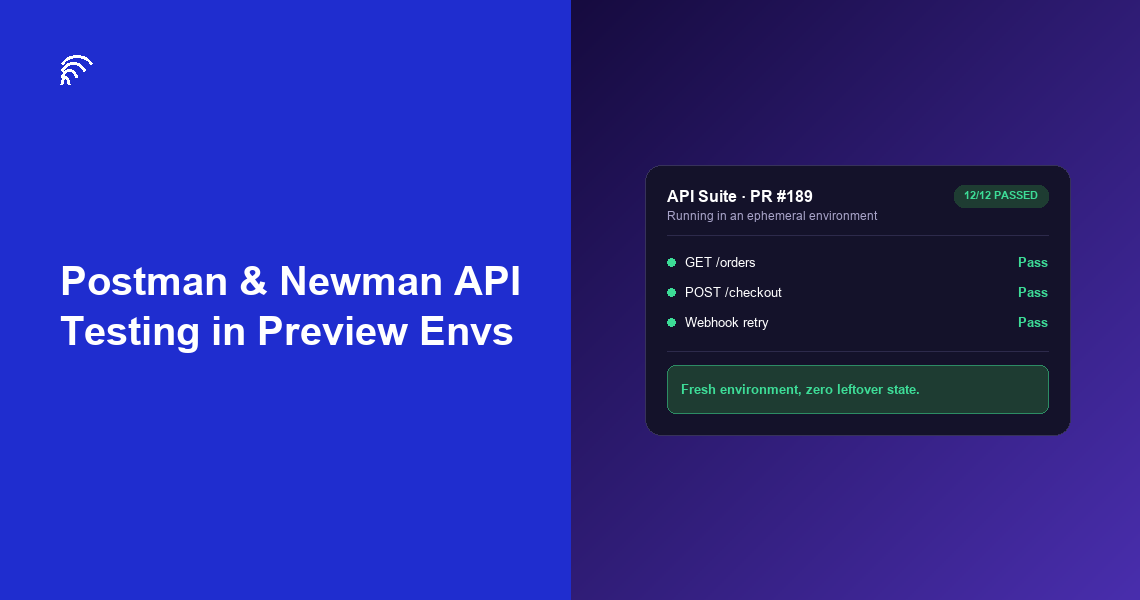
Postman & Newman API Testing in Preview Environments
Why API Tests Need Their Own Environment Strategy
Browser-based E2E tests get most of the attention in testing guides, but API tests catch a different, often earlier class of bug: broken contracts, wrong status codes, missing fields in a response — all before any of it reaches a UI. The test environment they run against matters just as much as the tests themselves.
The problem is these tests inherit whatever environment reliability problems exist in your setup. If your Postman collection runs against a shared staging server, and another PR deploys mid-run, you'll see failures that have nothing to do with the code you're actually testing. That's not a Postman problem; it's an environment problem showing up as a Postman failure.
Yusuf ran a small API-first product for logistics companies, an 8-person team with no dedicated QA hire. His Postman collection had 60 requests covering every endpoint, and it ran nightly against staging. Failures were common enough that the team had started ignoring them by default, assuming "probably just staging again." When they moved the same collection to run per-PR against isolated environments, real failures started standing out immediately, because there was no more noise to hide them in.
Setting Up Newman in CI
If you already have a Postman collection you use manually, moving it into CI with Newman is mostly configuration, not new test-writing.
Step 1: Export your collection and environment. Postman lets you export both as JSON files. Commit these to your repo (with secrets moved to CI-level environment variables, not the exported file).
Step 2: Install Newman in your CI job. It's an npm package (npm install -g newman), so any CI runner with Node.js available can run it.
Step 3: Point the environment file's base URL at your per-PR environment. This is the one line that changes per run. Instead of a fixed staging URL, pull the URL your environment provisioning step just created and inject it into the environment file (or override it via Newman's --env-var flag) before running.
Step 4: Run and report. newman run collection.json -e environment.json runs every request and test in the collection, and exits non-zero on any failure — which is what makes it usable as a CI gate.
| Step | Command / Action |
|---|---|
| Export collection | Postman → Export → collection.json + environment.json |
| Install Newman | npm install -g newman |
| Run against per-PR environment | newman run api-tests.postman_collection.json -e preview.postman_environment.json --env-var baseUrl=https://pr-247.preview.yourapp.com |
See this running against a real per-PR environment.
Explore preview environments built for API and E2E testing together.
The Two Failure Modes This Actually Fixes
Mid-run deploys. On shared staging, it's common for a different PR's deploy to land while your Newman run is mid-execution. Requests that worked at request #10 start failing by request #40 — not because your code broke anything, but because the server you're hitting changed underneath you. An isolated per-PR environment can't be touched by any other PR's deploy, because nothing else is targeting it.
Leftover state. API tests often create records: a test user, a test order, a test subscription. On a shared environment, that leftover state from a previous run (yours or someone else's) can silently change how the next run behaves — a "create user" test that assumes the email isn't taken yet fails because a previous run already took it. A fresh environment per PR starts clean every time, so this class of failure stops happening entirely.
Combining API Tests With Browser E2E Tests
Most teams don't choose between Postman/Newman and Playwright/Cypress; they run both, against the same environment, for different reasons.
API tests via Newman run fast (seconds, not minutes) and catch backend issues precisely: wrong status code, missing field, broken pagination. Browser E2E tests via Playwright or Cypress run slower but catch what only shows up when the full stack, including the frontend, is actually rendering and reacting to real backend responses.
A practical CI pipeline for a small team: Newman's API suite runs first, because it's fast and catches the easy, precise bugs early. If it passes, the slower Playwright/Cypress suite runs against the same environment, catching whatever's left. Both point at the same per-PR URL; neither needs to know the other exists. See our E2E testing frameworks comparison for picking the browser side of this pairing.
Common Pitfalls
Hardcoded IDs in test data. If your Postman tests reference a specific user ID or record ID that only exists in your old shared staging database, they'll fail against a fresh environment that doesn't have that record. Seed fresh environments with the same fixture data your tests expect, not a copy of production.
Secrets in the exported environment file. Postman environment exports can include API keys or tokens if you're not careful. Strip these before committing, and inject them via CI secrets instead.
Assuming Newman output is human-readable enough as-is. The default CLI output works fine for local debugging, but for CI, use the --reporters junit flag to get output your CI platform's test reporting UI can actually parse and display per-request, rather than a wall of console text.
Getting Your Collection Running Per-PR
If you already maintain a Postman collection for manual testing, the path to running it automatically against per-PR environments is short: export it, install Newman in CI, and swap the base URL to point at whatever environment your provisioning step just created. The collection and its tests don't need rewriting.
The bigger shift is what it fixes: API test failures stop being background noise from a flaky shared server and start being signal you can actually trust on every pull request.
✅ Key Takeaways
- Newman runs existing Postman collections from CI with no changes to the collection itself
- The only thing that changes per PR is the base URL environment variable
- Shared staging causes two specific failure modes for API tests: mid-run deploys and leftover state from previous runs
- Both failure modes disappear with one isolated environment per PR
- Setup time for a team with an existing Postman collection: typically an afternoon, not a project
FAQ
What is Newman used for in API testing?
Newman is Postman's command-line collection runner. It runs a Postman collection (a saved set of API requests and tests) from a script or CI pipeline, without opening the Postman app — which is what makes Postman collections usable in automated testing instead of only manual, interactive testing.
Can you run Postman collections against a different environment for every pull request?
Yes. Postman collections use environment variables (a base URL, typically) that you swap per run. Point that variable at a freshly provisioned per-PR environment's URL instead of a fixed shared staging URL, and the same collection runs against a different, isolated target every time.
Do you need a separate API testing tool if you already do E2E testing with Playwright or Cypress?
Usually yes, for different reasons. Browser E2E tools test through the UI; API tests via Postman/Newman test the backend directly, faster and more precisely. A bug in an API contract is often caught by an API test in seconds where the same bug surfaces in an E2E test as a confusing UI failure minutes later.
Why do Postman tests fail intermittently against a shared staging environment?
Usually because another deploy landed mid-test-run, changing data or behavior the test depended on, or because leftover state from a previous test run (created records, modified rows) is still present and conflicts with the current run's assumptions. Both causes disappear when each test run gets its own fresh, isolated environment.
Try it free on your own repo.
Run your Postman and Playwright suites against a fresh environment on every pull request.